> ## Documentation Index
> Fetch the complete documentation index at: https://docs.costory.io/llms.txt
> Use this file to discover all available pages before exploring further.
# Cloud Cost Currency Conversion
> Cloud cost currency conversion and reporting currency rules for AWS, GCP, Azure, and Datadog in Costory.
Cloud cost currency conversion lets you compare AWS, GCP, Azure, and Datadog spend in a single reporting currency. Costory normalizes each provider's billing export and applies the appropriate exchange-rate policy for that source.
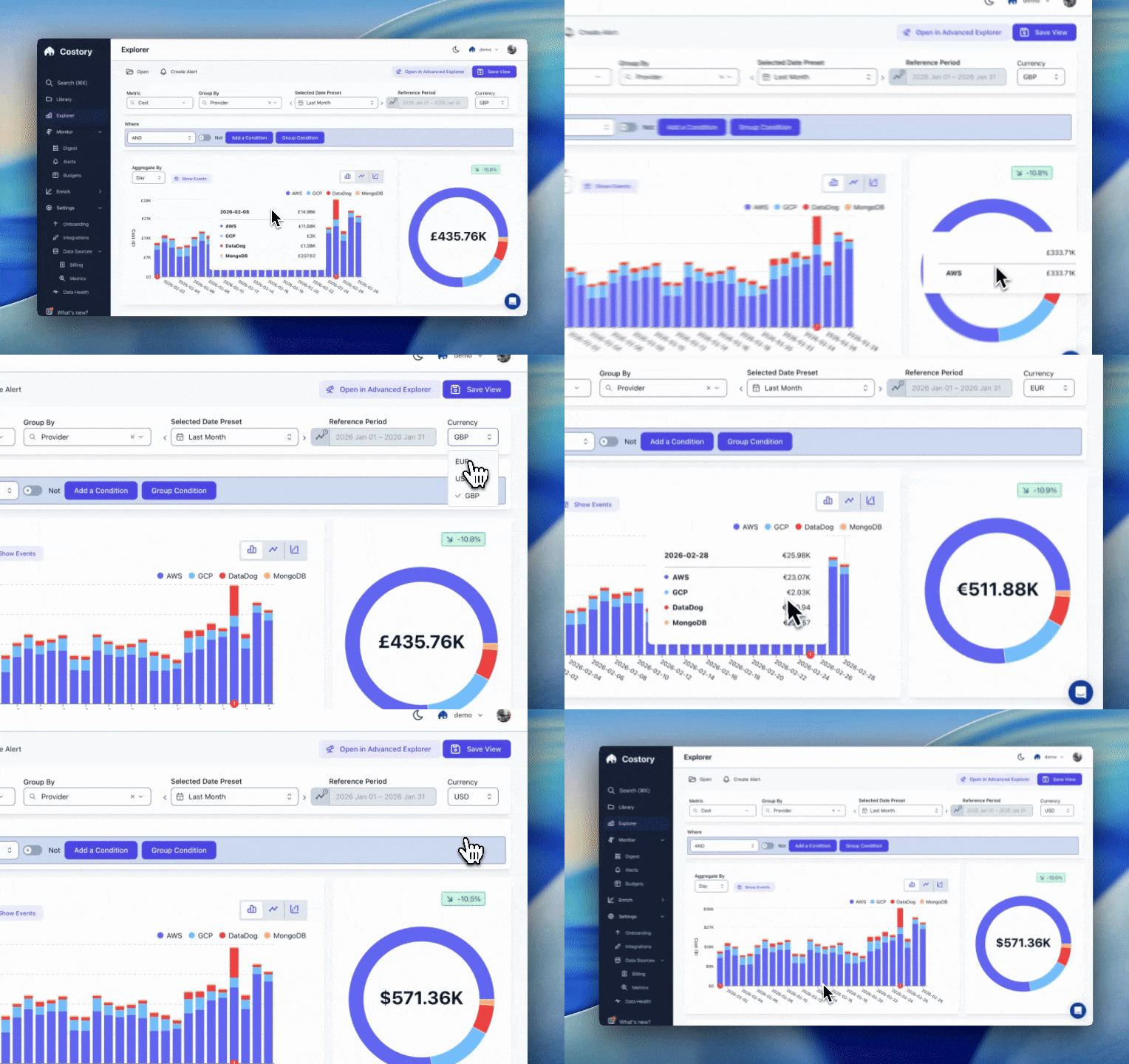 ## Supported currencies
Costory supports the following reporting currencies today:
* USD
* EUR
* GBP
Need another currency? Contact Costory support and we will confirm coverage and timing.
## Set your reporting currency in Costory
In Costory, open Settings for your organization.
Select Reporting currency and choose USD, EUR, or GBP.
Newly processed data, dashboards, and exports will use the selected currency.
## Provider-specific conversion rules
| Provider | How the provider sets currency/rate | Shared in export? | How Costory handles conversion |
| -------- | ----------------------------------------------------------------------------------------------------------------- | ---------------------------------------------------------------------------------------------------------------------------------------------------- | ------------------------------------------------------------------------------------------------------------------------------------------------------------------------------------------------------------------------------------------------------ |
| AWS | AWS converts USD totals to your preferred currency using the exchange rate in effect when the invoice is created. | No. CUR 2.0 does not include the currency rate. | During the month (before the invoice is finalized), Costory uses an estimated exchange rate from public data sources ([Google Finance](https://www.google.com/finance/)). At the end of the month, Costory uses the exchange rate at the invoice date. |
| GCP | The exchange rate is set at the beginning of the month and stays constant for the whole month. | Yes. GCP includes the currency rate in the billing export. | Costory uses the provided monthly exchange rate directly. |
| Azure | Azure provides both billing currency and pricing currency, which implies a conversion rate. | Yes, indirectly. The rate is inferred from billing and pricing currency values in the export. | Costory uses the inferred currency rate directly. |
| Datadog | Usage is billed in USD. | No explicit conversion rate in the usage export. | Costory uses an estimated exchange rate from public data sources ([Google Finance](https://www.google.com/finance/)). |
## FAQ
For providers that include a rate in the export (GCP and Azure), Costory
follows the provider cadence. For AWS and Datadog, Costory refreshes
estimated rates as new billing data is ingested, and AWS rates are finalized
to the invoice-date rate once the invoice closes.
Estimated rates come from Google Finance and are intended for directional
reporting. The final AWS invoice rate can differ.
## Related pages
* [Cost Metrics](/docs/cost-metrics)
## Supported currencies
Costory supports the following reporting currencies today:
* USD
* EUR
* GBP
Need another currency? Contact Costory support and we will confirm coverage and timing.
## Set your reporting currency in Costory
In Costory, open Settings for your organization.
Select Reporting currency and choose USD, EUR, or GBP.
Newly processed data, dashboards, and exports will use the selected currency.
## Provider-specific conversion rules
| Provider | How the provider sets currency/rate | Shared in export? | How Costory handles conversion |
| -------- | ----------------------------------------------------------------------------------------------------------------- | ---------------------------------------------------------------------------------------------------------------------------------------------------- | ------------------------------------------------------------------------------------------------------------------------------------------------------------------------------------------------------------------------------------------------------ |
| AWS | AWS converts USD totals to your preferred currency using the exchange rate in effect when the invoice is created. | No. CUR 2.0 does not include the currency rate. | During the month (before the invoice is finalized), Costory uses an estimated exchange rate from public data sources ([Google Finance](https://www.google.com/finance/)). At the end of the month, Costory uses the exchange rate at the invoice date. |
| GCP | The exchange rate is set at the beginning of the month and stays constant for the whole month. | Yes. GCP includes the currency rate in the billing export. | Costory uses the provided monthly exchange rate directly. |
| Azure | Azure provides both billing currency and pricing currency, which implies a conversion rate. | Yes, indirectly. The rate is inferred from billing and pricing currency values in the export. | Costory uses the inferred currency rate directly. |
| Datadog | Usage is billed in USD. | No explicit conversion rate in the usage export. | Costory uses an estimated exchange rate from public data sources ([Google Finance](https://www.google.com/finance/)). |
## FAQ
For providers that include a rate in the export (GCP and Azure), Costory
follows the provider cadence. For AWS and Datadog, Costory refreshes
estimated rates as new billing data is ingested, and AWS rates are finalized
to the invoice-date rate once the invoice closes.
Estimated rates come from Google Finance and are intended for directional
reporting. The final AWS invoice rate can differ.
## Related pages
* [Cost Metrics](/docs/cost-metrics)