> ## Documentation Index
> Fetch the complete documentation index at: https://docs.costory.io/llms.txt
> Use this file to discover all available pages before exploring further.
# Cloud Cost Budgets and Budget Alerts
> Create monthly cloud cost budgets by team, track versions, and trigger Slack or email budget alerts before overruns.
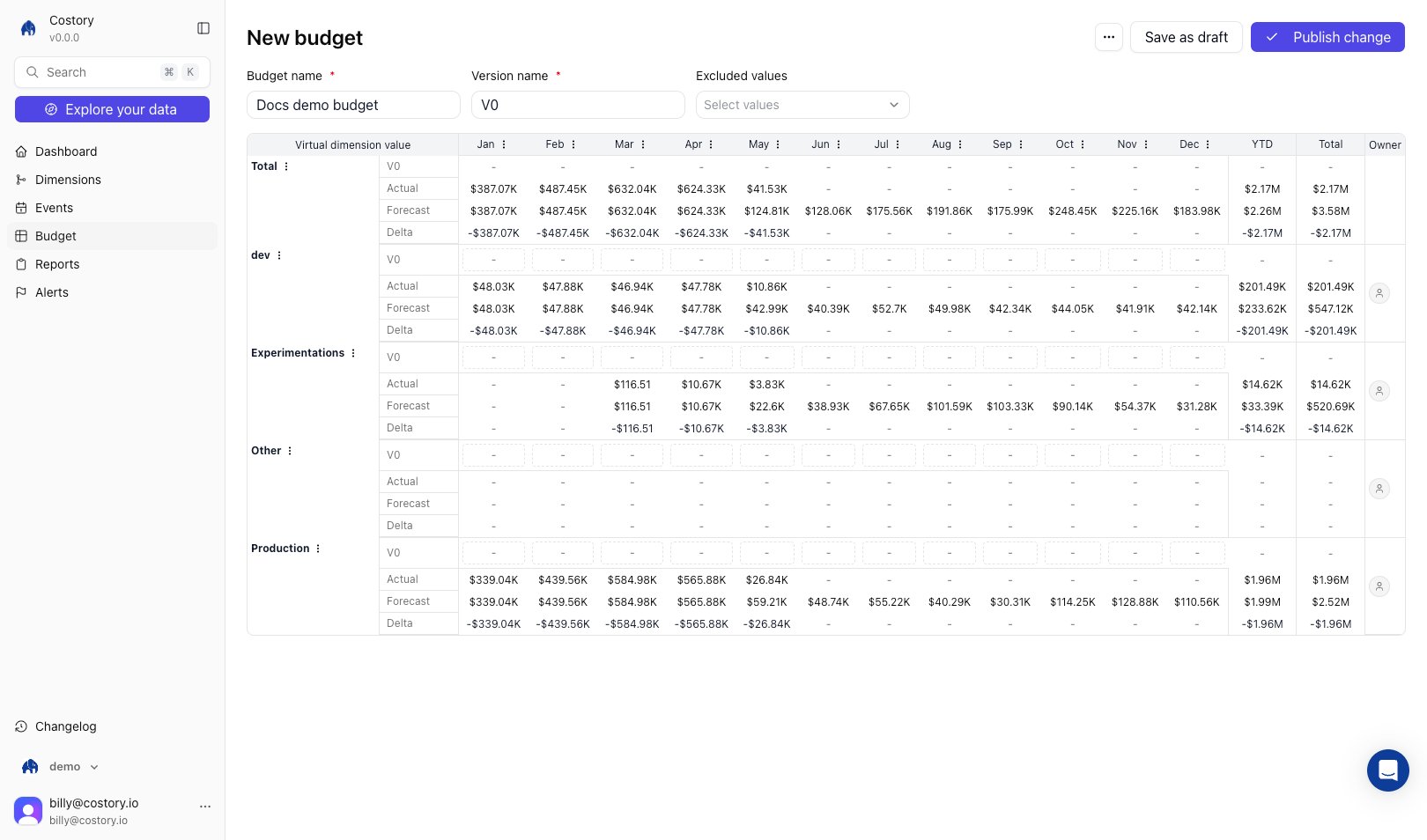
[Budgets](/docs/glossary#budget) in Costory give engineering teams monthly cloud cost budgets with built-in budget alerts. Instead of maintaining spreadsheets, you define budget lines by [dimensions](/features/tagging/dimensions), assign owners, and monitor Budget, Actual, Forecast, and Delta in one place.
 ## Cloud cost budgets for engineering teams
Use Budgets when you need clear spend guardrails that map to engineering ownership:
* Replace manual spreadsheet updates with a budget table that tracks Budget, Actual, Forecast, and Delta by line
* Assign owners per budget line to improve [showback](/docs/glossary#showback) accountability
* Trigger alerts when actual spend or end-of-month forecast crosses a threshold
* Keep multiple budget versions and compare decisions over time
Budgets are monthly. Each line can have a different owner, so the engineer or manager who controls the spend gets the signal first.
## Set up cloud cost budgets and budget alerts
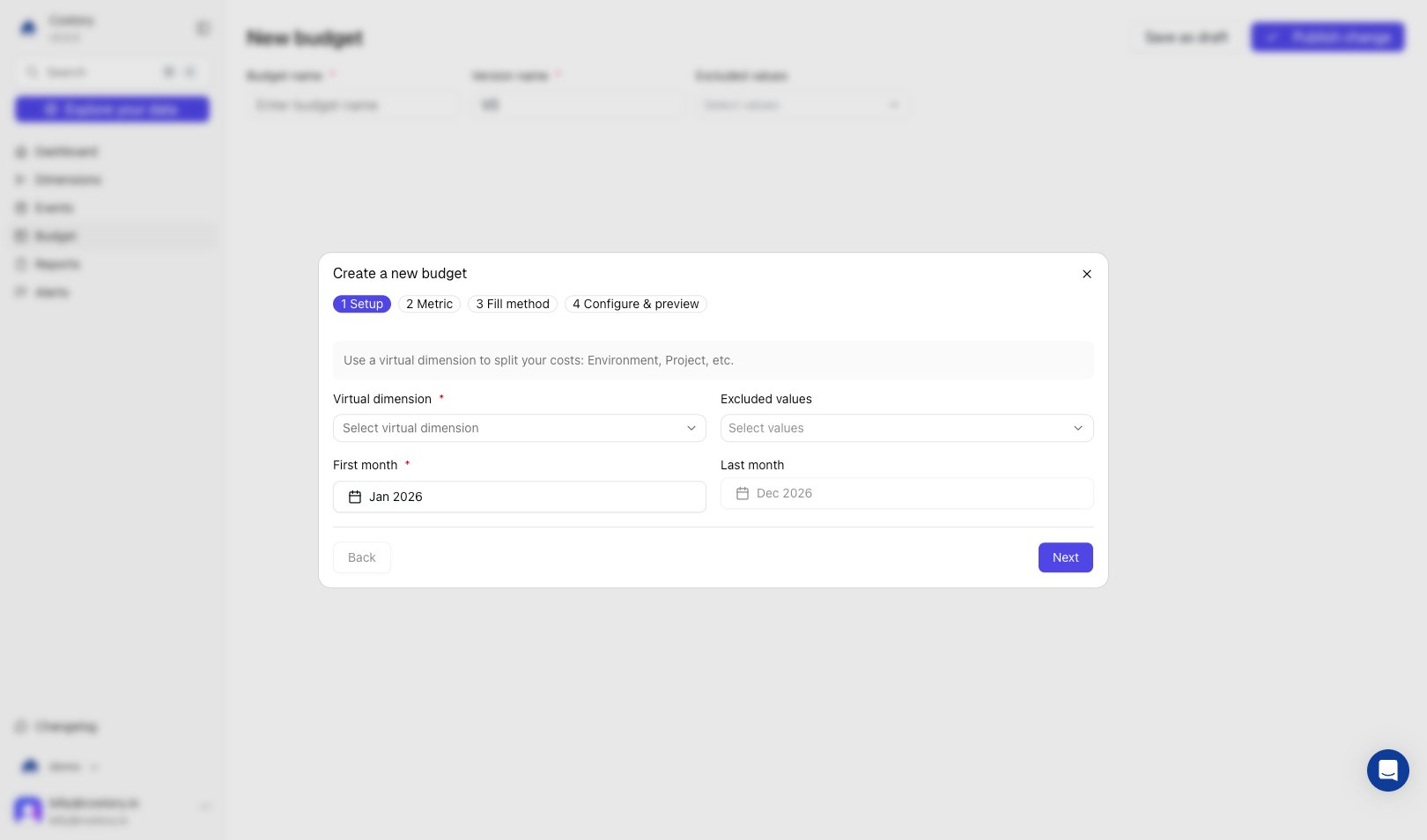
Open **Budgets** and click **Create a new budget**. In **Setup**, choose the [dimension](/features/tagging/dimensions) that splits costs into budget lines, for example `team`, `business_unit`, or `environment`, set **First month** and **Last month**, and optionally exclude dimension values you do not want in the budget.
## Cloud cost budgets for engineering teams
Use Budgets when you need clear spend guardrails that map to engineering ownership:
* Replace manual spreadsheet updates with a budget table that tracks Budget, Actual, Forecast, and Delta by line
* Assign owners per budget line to improve [showback](/docs/glossary#showback) accountability
* Trigger alerts when actual spend or end-of-month forecast crosses a threshold
* Keep multiple budget versions and compare decisions over time
Budgets are monthly. Each line can have a different owner, so the engineer or manager who controls the spend gets the signal first.
## Set up cloud cost budgets and budget alerts
Open **Budgets** and click **Create a new budget**. In **Setup**, choose the [dimension](/features/tagging/dimensions) that splits costs into budget lines, for example `team`, `business_unit`, or `environment`, set **First month** and **Last month**, and optionally exclude dimension values you do not want in the budget.
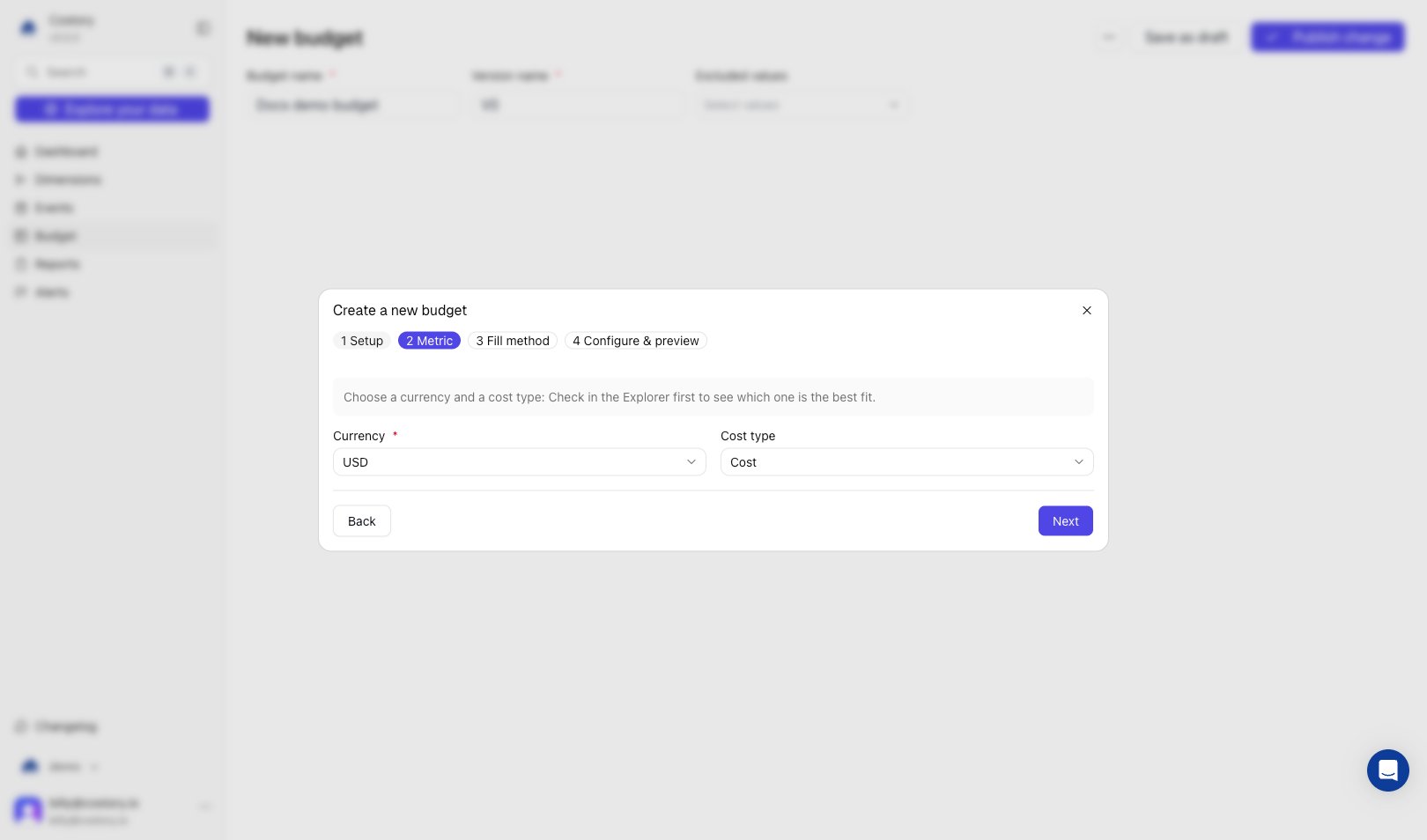
 In **Metric**, select the **Currency** and **Cost type** used to evaluate budget performance. Pick the metric your stakeholders already use for monthly reviews.
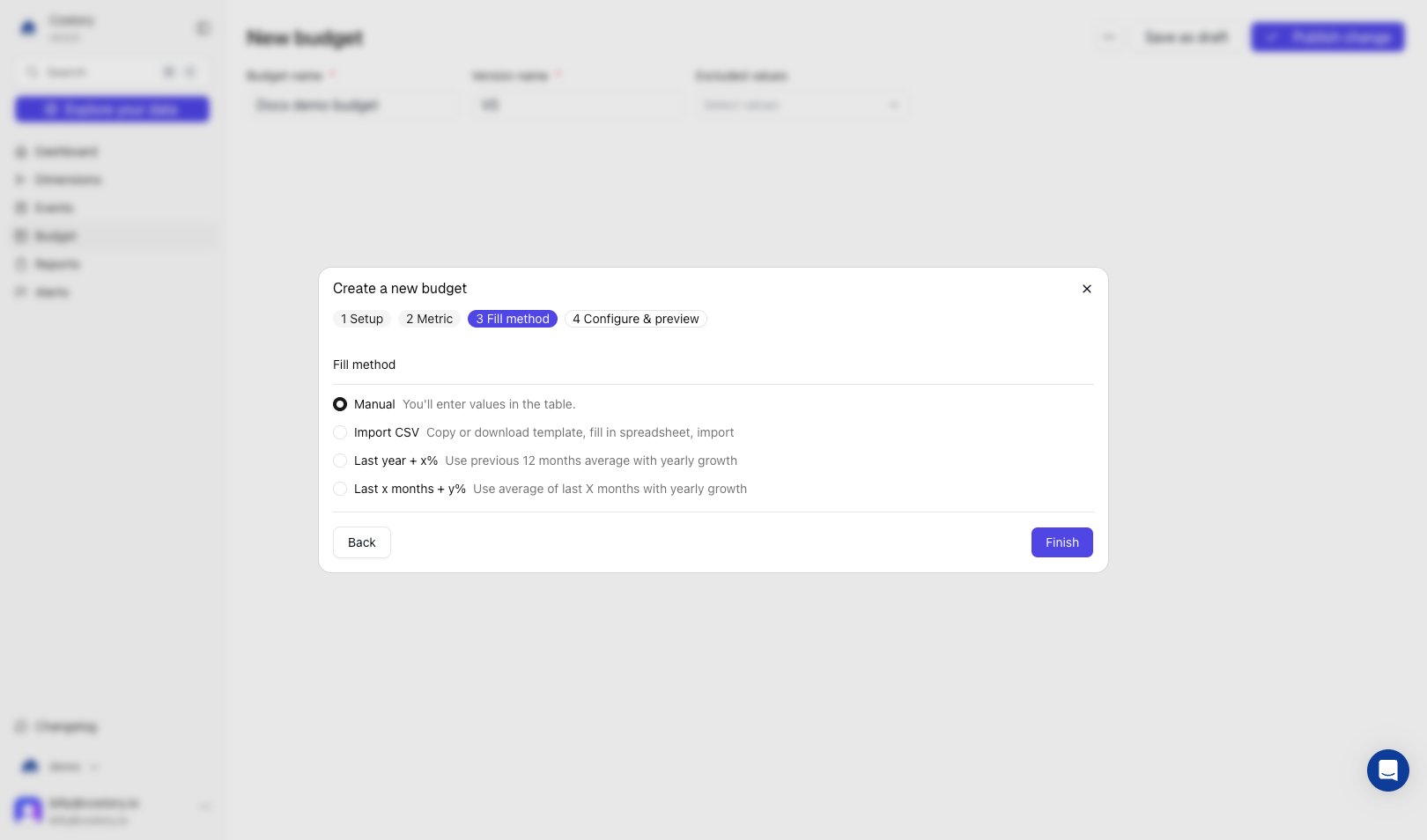
 In **Fill method**, initialize monthly budget values with one of the available strategies.
| Fill method | When to use |
| ------------------ | -------------------------------------------------------- |
| Manual | You already have approved values and want direct control |
| Import CSV | Finance prepared values in a spreadsheet |
| Last year + x% | You want a simple growth model on last year's baseline |
| Last x months + y% | You want a moving baseline with growth applied |
In **Fill method**, initialize monthly budget values with one of the available strategies.
| Fill method | When to use |
| ------------------ | -------------------------------------------------------- |
| Manual | You already have approved values and want direct control |
| Import CSV | Finance prepared values in a spreadsheet |
| Last year + x% | You want a simple growth model on last year's baseline |
| Last x months + y% | You want a moving baseline with growth applied |
 After you finish the wizard, review the **Configure & preview** grid. Enter or adjust monthly budget values, then assign an **Owner** per line so alerts and reviews go to the right person.
Monitor specific budget lines and add threshold rules. You can alert on:
* Actual spend exceeds threshold
* Forecasted end-of-month spend exceeds threshold
Send alerts by **Email** or **Slack**, and include line owners in notifications for faster escalation.
Save the configuration as a budget version. When assumptions change, create a new version and keep past versions for historical tracking and auditability.
## Key capabilities for engineering budget workflows
### Monthly budgets by business dimension
Use [dimensions](/features/tagging/dimensions) to structure budgets around how your organization operates. You can budget per team, product, environment, or any business mapping already used in Costory.
### Forecasting with TimesFM
Costory uses **TimesFM by Google** to forecast end-of-month values for each budget line. This helps you escalate risk before an overrun appears in invoiced costs.
### Multi-version tracking
Budgets support version history, so you can:
* Keep the original baseline
* Introduce a revised plan
* Compare past assumptions with current outcomes
### Owner-based accountability
Each budget line can be assigned to a specific owner. This enables practical [showback](/docs/glossary#showback), because teams can see their own target, actual spend, forecast, and delta in one place.
### Budget alerts for faster response
Alert rules reduce manual monitoring overhead. Teams get notified when spend risk appears, then can jump to [Explorer](/features/cost-explorer) to find the root cause and take action.
### Plot budgets alongside actual cost in Explorer and dashboards
You can plot any budget as an area chart directly in [Explorer](/features/cost-explorer). Open the metric selector, switch to the **budget** tab, and pick the budget you want to visualize. Costory renders the budget values per month as a shaded area, so you can see at a glance whether actual spend is tracking above or below target.
After you finish the wizard, review the **Configure & preview** grid. Enter or adjust monthly budget values, then assign an **Owner** per line so alerts and reviews go to the right person.
Monitor specific budget lines and add threshold rules. You can alert on:
* Actual spend exceeds threshold
* Forecasted end-of-month spend exceeds threshold
Send alerts by **Email** or **Slack**, and include line owners in notifications for faster escalation.
Save the configuration as a budget version. When assumptions change, create a new version and keep past versions for historical tracking and auditability.
## Key capabilities for engineering budget workflows
### Monthly budgets by business dimension
Use [dimensions](/features/tagging/dimensions) to structure budgets around how your organization operates. You can budget per team, product, environment, or any business mapping already used in Costory.
### Forecasting with TimesFM
Costory uses **TimesFM by Google** to forecast end-of-month values for each budget line. This helps you escalate risk before an overrun appears in invoiced costs.
### Multi-version tracking
Budgets support version history, so you can:
* Keep the original baseline
* Introduce a revised plan
* Compare past assumptions with current outcomes
### Owner-based accountability
Each budget line can be assigned to a specific owner. This enables practical [showback](/docs/glossary#showback), because teams can see their own target, actual spend, forecast, and delta in one place.
### Budget alerts for faster response
Alert rules reduce manual monitoring overhead. Teams get notified when spend risk appears, then can jump to [Explorer](/features/cost-explorer) to find the root cause and take action.
### Plot budgets alongside actual cost in Explorer and dashboards
You can plot any budget as an area chart directly in [Explorer](/features/cost-explorer). Open the metric selector, switch to the **budget** tab, and pick the budget you want to visualize. Costory renders the budget values per month as a shaded area, so you can see at a glance whether actual spend is tracking above or below target.
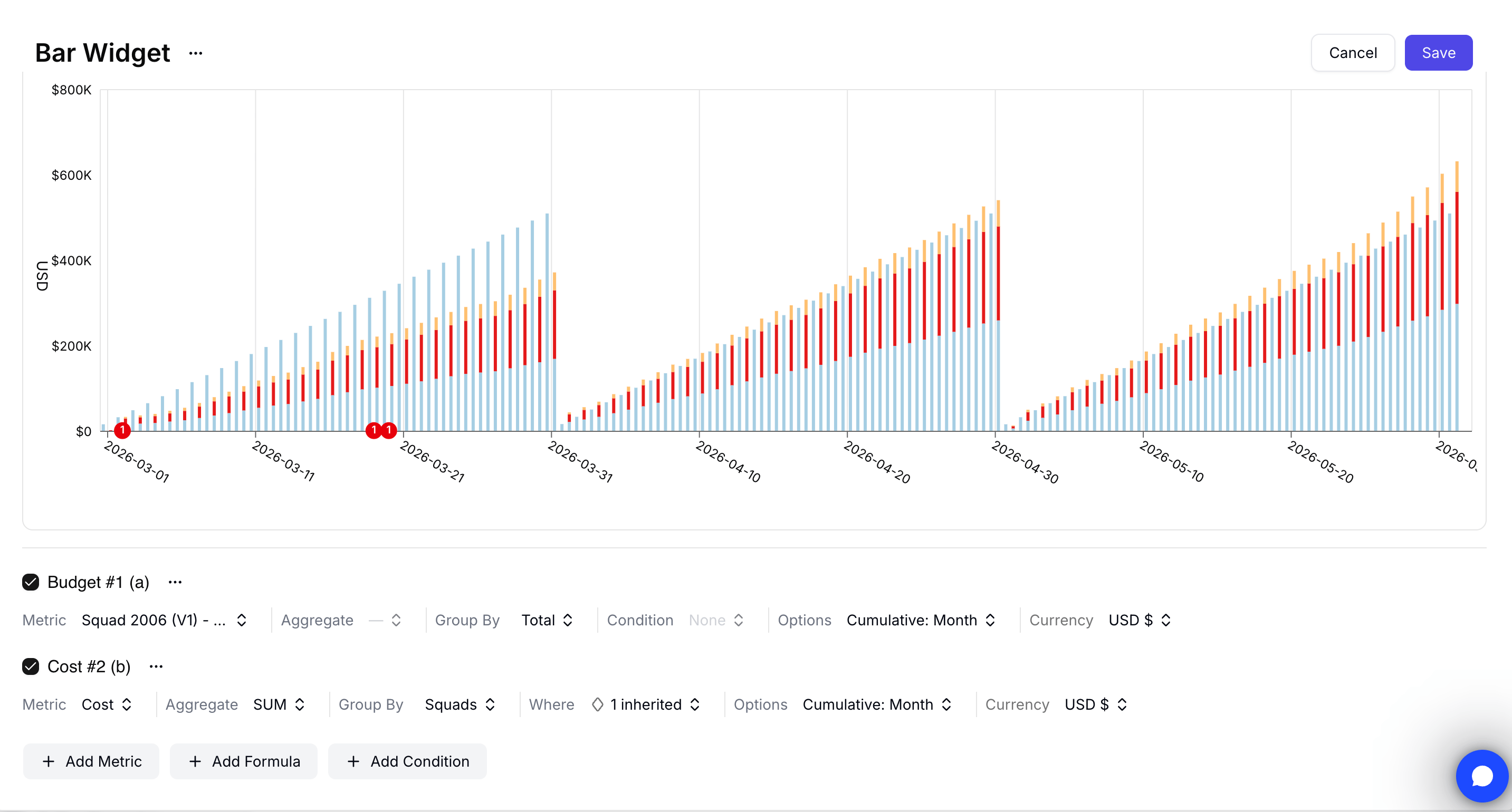 Click **Add related cost** in the query bar to automatically add a cost series scoped to the budget's definition. Costory pre-fills the filters and group-by so plotted cost aligns with the budget lines, no manual configuration needed.
You can use the same metric setup inside a [dashboard widget](/features/dashboards#analyze-budget-vs-actual-spend-on-a-dashboard). Edit the widget, add the budget as a metric, click **Add related cost**, and group the related cost by team or squad to analyze actual spend against the overall budget.
## Use cases
### VP Infrastructure review with engineering leads
Track all team budgets in one table and review which lines are on track, at risk, or exceeded before month end.
### Team-level showback
Give each engineering manager clear visibility into their budget line and ownership of follow-up actions.
### Escalation when forecasted spend drifts
Trigger an alert when a forecast crosses a threshold, then investigate the driver in [Explorer](/features/cost-explorer) and coordinate with the line owner.
## Frequently Asked Questions
Budgets are monthly.
Yes. Each line can have its own owner for accountability and alert routing.
Forecasts use TimesFM by Google.
Yes. You can configure rules for actual threshold breaches and forecasted end-of-month threshold breaches.
You can send alerts to Email or Slack. Include budget line owners for faster response.
## Next Steps
Build team and business scopes that power budget lines
Investigate the root cause behind a budget drift
Share budget progress in weekly or monthly stakeholder updates
Apply a step-by-step process to roll out budget ownership
Click **Add related cost** in the query bar to automatically add a cost series scoped to the budget's definition. Costory pre-fills the filters and group-by so plotted cost aligns with the budget lines, no manual configuration needed.
You can use the same metric setup inside a [dashboard widget](/features/dashboards#analyze-budget-vs-actual-spend-on-a-dashboard). Edit the widget, add the budget as a metric, click **Add related cost**, and group the related cost by team or squad to analyze actual spend against the overall budget.
## Use cases
### VP Infrastructure review with engineering leads
Track all team budgets in one table and review which lines are on track, at risk, or exceeded before month end.
### Team-level showback
Give each engineering manager clear visibility into their budget line and ownership of follow-up actions.
### Escalation when forecasted spend drifts
Trigger an alert when a forecast crosses a threshold, then investigate the driver in [Explorer](/features/cost-explorer) and coordinate with the line owner.
## Frequently Asked Questions
Budgets are monthly.
Yes. Each line can have its own owner for accountability and alert routing.
Forecasts use TimesFM by Google.
Yes. You can configure rules for actual threshold breaches and forecasted end-of-month threshold breaches.
You can send alerts to Email or Slack. Include budget line owners for faster response.
## Next Steps
Build team and business scopes that power budget lines
Investigate the root cause behind a budget drift
Share budget progress in weekly or monthly stakeholder updates
Apply a step-by-step process to roll out budget ownership