> ## Documentation Index
> Fetch the complete documentation index at: https://docs.costory.io/llms.txt
> Use this file to discover all available pages before exploring further.
# Billing Data
> Set up cloud billing data sources in Costory via Terraform or manual configuration. Supports AWS CUR 2.0, GCP BigQuery, Azure Cost Management, Snowflake, and SaaS providers.
Connect your cloud and SaaS billing data so Costory can ingest, normalize, and surface costs in [Explorer](/features/cost-explorer). Unlike native billing consoles, Costory gives platform engineers a single schema to report multi-cloud costs in context of usage and events data, with no pipelines to build or maintain.
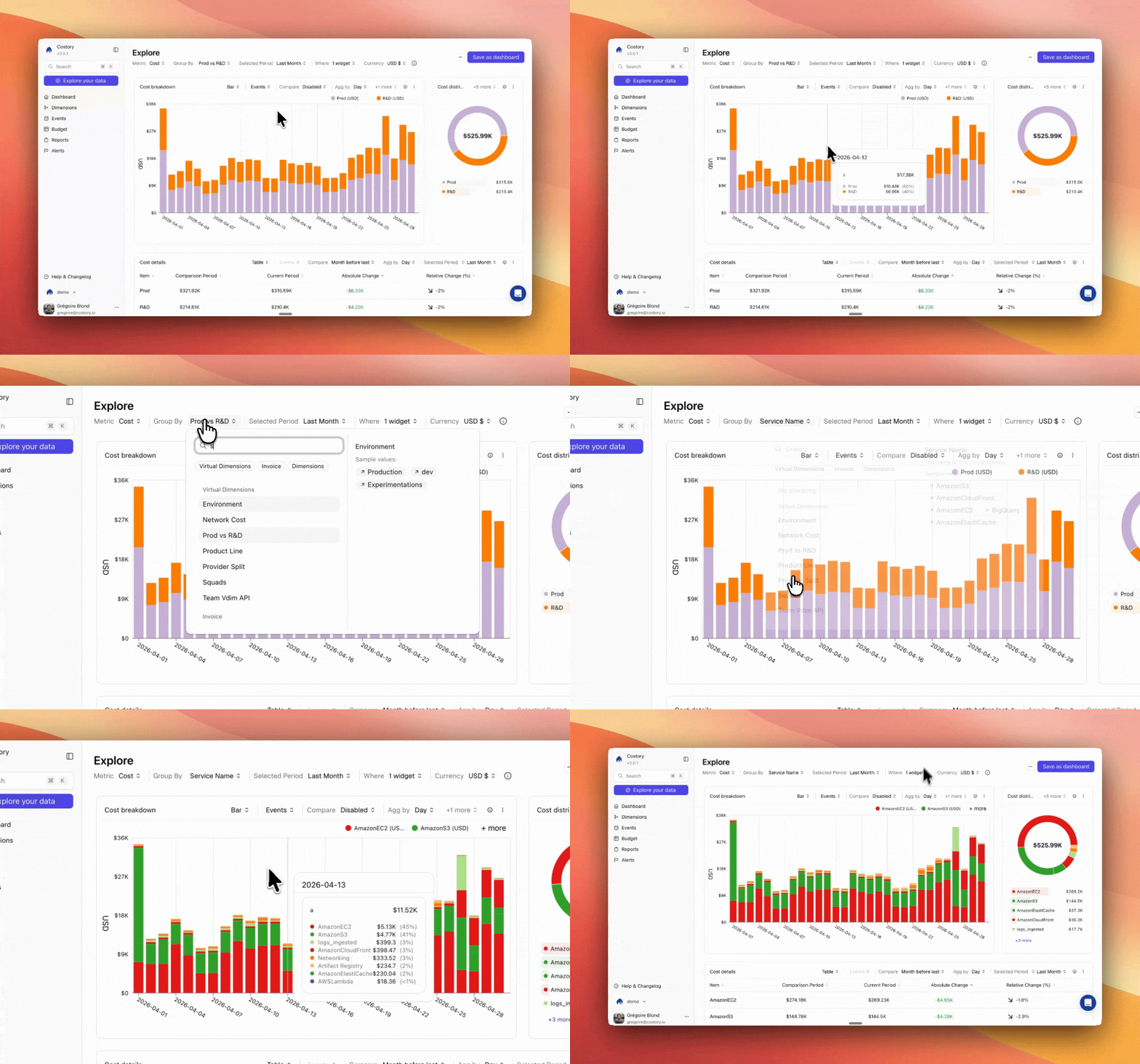
Once a datasource is added, Costory starts ingesting automatically. All data is mapped to [Standard Columns](/docs/standard-columns) so you can group and filter costs by service, account, region, resource, and tags across all your providers in a single view.
 ## Supported providers
Click a provider to jump to the setup steps.
CUR 2.0 exports via Terraform or manual setup. **\~5 min.**
BigQuery billing export with detailed usage costs. **\<5 min.**
Azure Cost Management exports with SAS access. **\~5 min.**
Import FOCUS tables from BigQuery. **\<5 min.**
Connect Confluent Cloud invoice data. **\<5 min.**
Sync Aiven billing via service account. **\<5 min.**
Admin API key for usage charges. **\<5 min.**
Admin API key for API and subscription usage. **\<5 min.**
Commitments metadata from BigQuery exports. **\<5 min.**
Pull Datadog usage and billing estimates. **\<5 min.**
Organization API key and Organization ID for Elastic Cloud billing. **\<5 min.**
Snowflake integration (key-pair auth), then billing datasource. **\<5 min.**
**Coming soon:** MongoDB, Databricks, and more. [Contact us](mailto:contact@costory.io) if your provider is missing. {/* pragma: allowlist secret */}
## Before you start
* **A Costory account.** You need an existing account to connect datasources.
* **Admin billing access** to the cloud provider(s) you want to connect (e.g., AWS Billing console, GCP Billing Admin, Azure Cost Management). See [Your permissions](#your-permissions) below for details.
* **Terraform is optional.** Every provider can be connected via the Costory UI. Terraform examples are provided for infrastructure-as-code workflows.
* **Using Terraform?** Generate a Costory API token under your org name (top-right) > **API Tokens**. Full provider reference: [Costory Terraform Provider](https://registry.terraform.io/providers/costory-io/costory/latest/docs).
* **Read-only access only.** Costory never writes to your cloud accounts or modifies your infrastructure. See [Security](/docs/security) for details.
* **Unlimited datasources.** Connect as many AWS accounts, GCP projects, Azure subscriptions, and SaaS providers as you need within one Costory organization.
* **Already have a billing export?** If you already export CUR 2.0 (AWS), BigQuery billing (GCP), or Cost Management data (Azure) for another tool, you can reuse it. No need to create a second export. Just grant Costory read access to the existing bucket, dataset, or container.
**Time to first data:** SaaS providers (Cursor, Anthropic, Datadog, Elastic Cloud, Snowflake, etc.) sync in about **10 minutes**. AWS takes up to **12 hours** for the first CUR export. Costory notifies you by email when data arrives. See [Data Refresh](/docs/data-refresh) for ongoing cadence details.
### Your permissions
To perform the setup, **you** need the following permissions on your cloud account (separate from the read-only access Costory uses afterwards):
| Provider | Permissions you need |
| --------- | ----------------------------------------------------------------------------------- |
| **AWS** | `iam:CreateRole`, `s3:CreateBucket`, Billing console access (to create CUR exports) |
| **GCP** | BigQuery Admin on the billing dataset, Billing Admin |
| **Azure** | Cost Management Contributor, Storage Account Contributor |
***
## Historical data backfill
Each provider has different backfill capabilities. Costory ingests whatever history is available in the export:
| Provider | Backfill depth | How |
| ------------------ | ---------------------------- | ------------------------------------------------------------------------------------------------------------------------------------------------------------------------------ |
| **AWS** | Up to **12 months** | Automatic via `aws:createdBy` tag backfill. For longer periods, open an AWS Support request. |
| **GCP** | **Current + previous month** | GCP only backfills 2 months by default. |
| **Azure** | Up to **13 months** | Use **Export selected dates** in the portal (1-month chunks) or the Terraform `run_backfill` variable. |
| **SaaS providers** | Up to **12 months** | Automatic on first sync (depends on provider data retention). |
| **Elastic Cloud** | **\~6 months** on first sync | [Product-line costs](/setup/billing/elastic-cloud#data-in-costory) per project from the [Elastic Cloud Billing API](/setup/billing/elastic-cloud); incremental sync afterward. |
***
## What happens after setup
Once a datasource is connected, Costory automatically normalizes your billing data into [Standard Columns](/docs/standard-columns) and prepares [Dimensions](/features/tagging/dimensions) to detect, merge, and clean up your cost allocation tags across all providers. Within minutes, or up to 12 hours for the first AWS export, your costs are ready to explore in [Explorer](/features/cost-explorer).
Follow the [Quickstart guide](https://docs.costory.io/get-started/quickstart) to build your first dashboard, set up alerts, and start tracking cost trends.
## Next steps
Overlay usage data on your costs for unit economics and root-cause analysis.
Link deploys, incidents, and other engineering events for full context.
## FAQ
Costory requires **read-only** access. Here is the minimal permission set per provider:
| Provider | Permissions |
| ----------------- | --------------------------------------------------------------------------------------------------------------------------- |
| **AWS** | `s3:ListBucket`, `s3:GetObject` on the CUR export bucket (via federated IAM role) |
| **GCP** | `roles/bigquery.dataViewer`, `roles/bigquery.metadataViewer` on the billing dataset |
| **Azure** | `Read` + `List` on the storage container (via SAS token) |
| **Datadog** | `usage_read`, `billing_read`, `ci_visibility_read` (optional), `timeseries_query` (optional) |
| **Elastic Cloud** | Elastic Cloud Organization API key with access to the Billing API (see [Elastic Cloud setup](/setup/billing/elastic-cloud)) |
| **Confluent** | Billing read access on the API key |
| **Aiven** | `organization:billing:read` on the application user |
| **Cursor** | Admin API key (organization-scoped, not billing-specific) |
| **Anthropic** | Admin API key (organization-scoped, not billing-specific) |
Costory never writes to your cloud accounts. See [Security](/docs/security) for details.
* **AWS**: Yes. Connect a single CUR export from your **management (payer) account** to cover all member accounts in the organization.
* **GCP**: Yes. The billing export covers **all projects** under the billing account automatically.
* **Azure**: Exports can be scoped at the Management Group or Billing Account level, but this is often restricted by customer agreements. Per-subscription exports are the most common setup.
Costory stores ingested billing data in **GCP EU** by default. If you need US residency, [contact us](mailto:contact@costory.io) to update your configuration. For full details on compliance and certifications, see [Security](/docs/security).
* **AWS**: No rotation needed. Costory uses a federated IAM role (web identity), so there are no long-lived credentials to manage.
* **GCP**: No rotation needed. Access is granted via a GCP service account.
* **Azure**: You can update the SAS token in-place from the Costory UI or via Terraform. The default Terraform config sets a 900-day expiry, so no action is needed for nearly 3 years.
* **SaaS providers** (Datadog, Confluent, Aiven, Cursor, Anthropic, Elastic Cloud): Create a new datasource with the new API key, then delete the old one. No data gap or re-ingestion occurs.
Yes, you can delete a datasource from the Costory UI or via `terraform destroy`. **All ingested data for that datasource is permanently deleted.** If you need to restore it, [contact us](mailto:contact@costory.io).
Delete the datasource in Costory first, then clean up the cloud-side resources:
* **AWS**: Delete the S3 bucket, IAM role, and CUR export, or revert the CloudFormation stack if you used that path.
* **GCP**: Revoke the BigQuery dataset access granted to the Costory service account.
* **Azure**: Delete the storage account, Cost Management exports, and resource group.
If you used **Terraform**, `terraform destroy` handles all cloud-side and Costory-side cleanup automatically.
Yes. If you already have a billing export for another tool, you do not need a second one:
* **AWS**: Reuse your existing CUR 2.0 export (Parquet format). Skip the bucket/export creation and only create the federated IAM role so Costory can read the data.
* **GCP**: There is only one BigQuery billing export table per billing account, so Costory always uses the same table as any other tool.
* **Azure**: Reuse your existing Cost Management export (Parquet format). Skip the export creation and only generate a SAS token for Costory.
No. Costory accesses your data over the **public internet** using the credentials you provide (IAM role, SAS token, or API key). No IP allowlisting, firewall rules, or private connectivity setup is needed on your side.
The cloud-side costs are **negligible**. You only pay for storage (and minor egress) on the export bucket or dataset:
* **AWS**: S3 storage for CUR exports. Use **overwrite mode** (enabled by default) to keep storage flat.
* **GCP**: BigQuery storage for the billing export table.
* **Azure**: Blob storage for the export container.
Most billing exports we see across customers are between **500 MB and 2 GB per month**.
Use the **Data Health** dashboard in Costory (**Settings > Data health**) to:
* Check the status of each datasource.
* See the last successful sync timestamp.
* Force a manual refresh if needed.
Costory does not send proactive alerts for ingestion failures today (planned for a future release). For details on sync frequency per provider, see [Data Refresh Schedule](/docs/data-refresh).
The first CUR export can take up to **12 hours**. Costory sends you an email when data is received. If nothing arrives after 12 hours, contact AWS Support to force-trigger the export. This is rare but can happen.
A common pitfall is **forgetting to backfill historical data**: AWS only exports going forward. Use the `aws:createdBy` tag backfill (up to 12 months) or open an AWS Support request for longer periods.
Costory **validates the connection** when you add a datasource, both via the UI and Terraform. If credentials or permissions are misconfigured (e.g., wrong IAM role trust, invalid SAS token), you'll receive an immediate error message before any sync is attempted.
If your question isn't answered here, [contact us](mailto:billy@costory.io). We typically respond within a few hours.
***
## Supported providers
Click a provider to jump to the setup steps.
CUR 2.0 exports via Terraform or manual setup. **\~5 min.**
BigQuery billing export with detailed usage costs. **\<5 min.**
Azure Cost Management exports with SAS access. **\~5 min.**
Import FOCUS tables from BigQuery. **\<5 min.**
Connect Confluent Cloud invoice data. **\<5 min.**
Sync Aiven billing via service account. **\<5 min.**
Admin API key for usage charges. **\<5 min.**
Admin API key for API and subscription usage. **\<5 min.**
Commitments metadata from BigQuery exports. **\<5 min.**
Pull Datadog usage and billing estimates. **\<5 min.**
Organization API key and Organization ID for Elastic Cloud billing. **\<5 min.**
Snowflake integration (key-pair auth), then billing datasource. **\<5 min.**
**Coming soon:** MongoDB, Databricks, and more. [Contact us](mailto:contact@costory.io) if your provider is missing. {/* pragma: allowlist secret */}
## Before you start
* **A Costory account.** You need an existing account to connect datasources.
* **Admin billing access** to the cloud provider(s) you want to connect (e.g., AWS Billing console, GCP Billing Admin, Azure Cost Management). See [Your permissions](#your-permissions) below for details.
* **Terraform is optional.** Every provider can be connected via the Costory UI. Terraform examples are provided for infrastructure-as-code workflows.
* **Using Terraform?** Generate a Costory API token under your org name (top-right) > **API Tokens**. Full provider reference: [Costory Terraform Provider](https://registry.terraform.io/providers/costory-io/costory/latest/docs).
* **Read-only access only.** Costory never writes to your cloud accounts or modifies your infrastructure. See [Security](/docs/security) for details.
* **Unlimited datasources.** Connect as many AWS accounts, GCP projects, Azure subscriptions, and SaaS providers as you need within one Costory organization.
* **Already have a billing export?** If you already export CUR 2.0 (AWS), BigQuery billing (GCP), or Cost Management data (Azure) for another tool, you can reuse it. No need to create a second export. Just grant Costory read access to the existing bucket, dataset, or container.
**Time to first data:** SaaS providers (Cursor, Anthropic, Datadog, Elastic Cloud, Snowflake, etc.) sync in about **10 minutes**. AWS takes up to **12 hours** for the first CUR export. Costory notifies you by email when data arrives. See [Data Refresh](/docs/data-refresh) for ongoing cadence details.
### Your permissions
To perform the setup, **you** need the following permissions on your cloud account (separate from the read-only access Costory uses afterwards):
| Provider | Permissions you need |
| --------- | ----------------------------------------------------------------------------------- |
| **AWS** | `iam:CreateRole`, `s3:CreateBucket`, Billing console access (to create CUR exports) |
| **GCP** | BigQuery Admin on the billing dataset, Billing Admin |
| **Azure** | Cost Management Contributor, Storage Account Contributor |
***
## Historical data backfill
Each provider has different backfill capabilities. Costory ingests whatever history is available in the export:
| Provider | Backfill depth | How |
| ------------------ | ---------------------------- | ------------------------------------------------------------------------------------------------------------------------------------------------------------------------------ |
| **AWS** | Up to **12 months** | Automatic via `aws:createdBy` tag backfill. For longer periods, open an AWS Support request. |
| **GCP** | **Current + previous month** | GCP only backfills 2 months by default. |
| **Azure** | Up to **13 months** | Use **Export selected dates** in the portal (1-month chunks) or the Terraform `run_backfill` variable. |
| **SaaS providers** | Up to **12 months** | Automatic on first sync (depends on provider data retention). |
| **Elastic Cloud** | **\~6 months** on first sync | [Product-line costs](/setup/billing/elastic-cloud#data-in-costory) per project from the [Elastic Cloud Billing API](/setup/billing/elastic-cloud); incremental sync afterward. |
***
## What happens after setup
Once a datasource is connected, Costory automatically normalizes your billing data into [Standard Columns](/docs/standard-columns) and prepares [Dimensions](/features/tagging/dimensions) to detect, merge, and clean up your cost allocation tags across all providers. Within minutes, or up to 12 hours for the first AWS export, your costs are ready to explore in [Explorer](/features/cost-explorer).
Follow the [Quickstart guide](https://docs.costory.io/get-started/quickstart) to build your first dashboard, set up alerts, and start tracking cost trends.
## Next steps
Overlay usage data on your costs for unit economics and root-cause analysis.
Link deploys, incidents, and other engineering events for full context.
## FAQ
Costory requires **read-only** access. Here is the minimal permission set per provider:
| Provider | Permissions |
| ----------------- | --------------------------------------------------------------------------------------------------------------------------- |
| **AWS** | `s3:ListBucket`, `s3:GetObject` on the CUR export bucket (via federated IAM role) |
| **GCP** | `roles/bigquery.dataViewer`, `roles/bigquery.metadataViewer` on the billing dataset |
| **Azure** | `Read` + `List` on the storage container (via SAS token) |
| **Datadog** | `usage_read`, `billing_read`, `ci_visibility_read` (optional), `timeseries_query` (optional) |
| **Elastic Cloud** | Elastic Cloud Organization API key with access to the Billing API (see [Elastic Cloud setup](/setup/billing/elastic-cloud)) |
| **Confluent** | Billing read access on the API key |
| **Aiven** | `organization:billing:read` on the application user |
| **Cursor** | Admin API key (organization-scoped, not billing-specific) |
| **Anthropic** | Admin API key (organization-scoped, not billing-specific) |
Costory never writes to your cloud accounts. See [Security](/docs/security) for details.
* **AWS**: Yes. Connect a single CUR export from your **management (payer) account** to cover all member accounts in the organization.
* **GCP**: Yes. The billing export covers **all projects** under the billing account automatically.
* **Azure**: Exports can be scoped at the Management Group or Billing Account level, but this is often restricted by customer agreements. Per-subscription exports are the most common setup.
Costory stores ingested billing data in **GCP EU** by default. If you need US residency, [contact us](mailto:contact@costory.io) to update your configuration. For full details on compliance and certifications, see [Security](/docs/security).
* **AWS**: No rotation needed. Costory uses a federated IAM role (web identity), so there are no long-lived credentials to manage.
* **GCP**: No rotation needed. Access is granted via a GCP service account.
* **Azure**: You can update the SAS token in-place from the Costory UI or via Terraform. The default Terraform config sets a 900-day expiry, so no action is needed for nearly 3 years.
* **SaaS providers** (Datadog, Confluent, Aiven, Cursor, Anthropic, Elastic Cloud): Create a new datasource with the new API key, then delete the old one. No data gap or re-ingestion occurs.
Yes, you can delete a datasource from the Costory UI or via `terraform destroy`. **All ingested data for that datasource is permanently deleted.** If you need to restore it, [contact us](mailto:contact@costory.io).
Delete the datasource in Costory first, then clean up the cloud-side resources:
* **AWS**: Delete the S3 bucket, IAM role, and CUR export, or revert the CloudFormation stack if you used that path.
* **GCP**: Revoke the BigQuery dataset access granted to the Costory service account.
* **Azure**: Delete the storage account, Cost Management exports, and resource group.
If you used **Terraform**, `terraform destroy` handles all cloud-side and Costory-side cleanup automatically.
Yes. If you already have a billing export for another tool, you do not need a second one:
* **AWS**: Reuse your existing CUR 2.0 export (Parquet format). Skip the bucket/export creation and only create the federated IAM role so Costory can read the data.
* **GCP**: There is only one BigQuery billing export table per billing account, so Costory always uses the same table as any other tool.
* **Azure**: Reuse your existing Cost Management export (Parquet format). Skip the export creation and only generate a SAS token for Costory.
No. Costory accesses your data over the **public internet** using the credentials you provide (IAM role, SAS token, or API key). No IP allowlisting, firewall rules, or private connectivity setup is needed on your side.
The cloud-side costs are **negligible**. You only pay for storage (and minor egress) on the export bucket or dataset:
* **AWS**: S3 storage for CUR exports. Use **overwrite mode** (enabled by default) to keep storage flat.
* **GCP**: BigQuery storage for the billing export table.
* **Azure**: Blob storage for the export container.
Most billing exports we see across customers are between **500 MB and 2 GB per month**.
Use the **Data Health** dashboard in Costory (**Settings > Data health**) to:
* Check the status of each datasource.
* See the last successful sync timestamp.
* Force a manual refresh if needed.
Costory does not send proactive alerts for ingestion failures today (planned for a future release). For details on sync frequency per provider, see [Data Refresh Schedule](/docs/data-refresh).
The first CUR export can take up to **12 hours**. Costory sends you an email when data is received. If nothing arrives after 12 hours, contact AWS Support to force-trigger the export. This is rare but can happen.
A common pitfall is **forgetting to backfill historical data**: AWS only exports going forward. Use the `aws:createdBy` tag backfill (up to 12 months) or open an AWS Support request for longer periods.
Costory **validates the connection** when you add a datasource, both via the UI and Terraform. If credentials or permissions are misconfigured (e.g., wrong IAM role trust, invalid SAS token), you'll receive an immediate error message before any sync is attempted.
If your question isn't answered here, [contact us](mailto:billy@costory.io). We typically respond within a few hours.
***