> ## Documentation Index
> Fetch the complete documentation index at: https://docs.costory.io/llms.txt
> Use this file to discover all available pages before exploring further.
# BigQuery Data Exports
> Set up BigQuery data exports in Costory so analysts can query dashboard widget data from Looker, notebooks, dbt, and custom SQL.
# BigQuery data exports
**BigQuery data exports** let Copilot Pro organizations query the cost data behind their dashboard widgets from their own BigQuery project. Use them to connect Looker, notebooks, dbt, or custom SQL without rebuilding dashboard filters by hand.
BigQuery data exports are available on Copilot Pro.
## How it works
An **Organization Admin** configures access under **Integrations > Destinations**. After access is granted, analysts can copy SQL from any [dashboard](/features/dashboards) widget and run it against the Costory export table in BigQuery.
The copied SQL matches the dashboard widget configuration, including the metric, filters, group-by, and date range.
## Prerequisites
* A Costory organization on Copilot Pro
* **Organization Admin** access in Costory to manage **Integrations > Destinations**
* A BigQuery user or service account that should run the exported queries
* At least one [dashboard widget](/features/dashboards) with the cost view you want to query
## Grant access to the export table
In Costory, go to **Integrations > Destinations**.
Select the BigQuery data export destination for your organization.
Add the BigQuery user or service account that should query the export table.
Save the destination settings. The user or service account can now run copied dashboard queries against the export table.
## Copy SQL from a dashboard widget
Open the [dashboard](/features/dashboards) that contains the widget you want to analyze outside Costory.
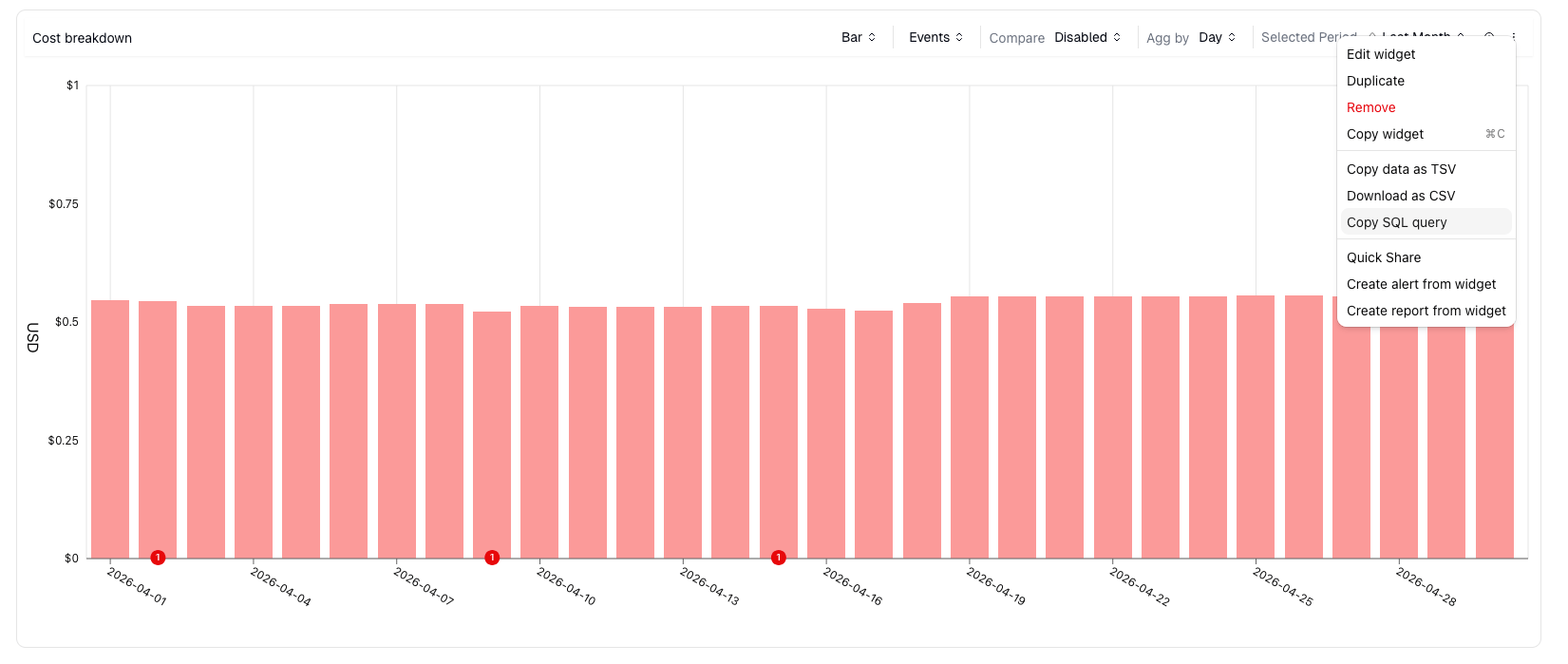
Click the widget action menu.
Click **Copy SQL query**.
Paste the SQL into BigQuery, Looker, a notebook, or another tool that can query BigQuery.
 ## Permissions
| Permission | Who needs it | Why |
| ---------------------------------------- | ------------------------------------------- | -------------------------------------------------------------- |
| Costory **Organization Admin** | The person configuring the destination | Required to grant access under **Integrations > Destinations** |
| BigQuery read access to the export table | The user or service account running queries | Required to run copied SQL outside Costory |
| Dashboard access in Costory | The person copying SQL | Required to open the widget and copy its query |
## FAQ
No. BigQuery data exports are for querying Costory data outside Costory. You still need to connect billing data first through [Billing Data](/setup/billing).
The copy action is available on dashboard widgets. To reuse an Explorer query, save it as a dashboard widget first.
Yes. The copied SQL matches the widget configuration, including filters, group-by, metric, and date range.
## Next steps
Build the dashboard widgets you want to query from BigQuery
Connect cloud billing data before exporting Costory data
## Permissions
| Permission | Who needs it | Why |
| ---------------------------------------- | ------------------------------------------- | -------------------------------------------------------------- |
| Costory **Organization Admin** | The person configuring the destination | Required to grant access under **Integrations > Destinations** |
| BigQuery read access to the export table | The user or service account running queries | Required to run copied SQL outside Costory |
| Dashboard access in Costory | The person copying SQL | Required to open the widget and copy its query |
## FAQ
No. BigQuery data exports are for querying Costory data outside Costory. You still need to connect billing data first through [Billing Data](/setup/billing).
The copy action is available on dashboard widgets. To reuse an Explorer query, save it as a dashboard widget first.
Yes. The copied SQL matches the widget configuration, including filters, group-by, metric, and date range.
## Next steps
Build the dashboard widgets you want to query from BigQuery
Connect cloud billing data before exporting Costory data