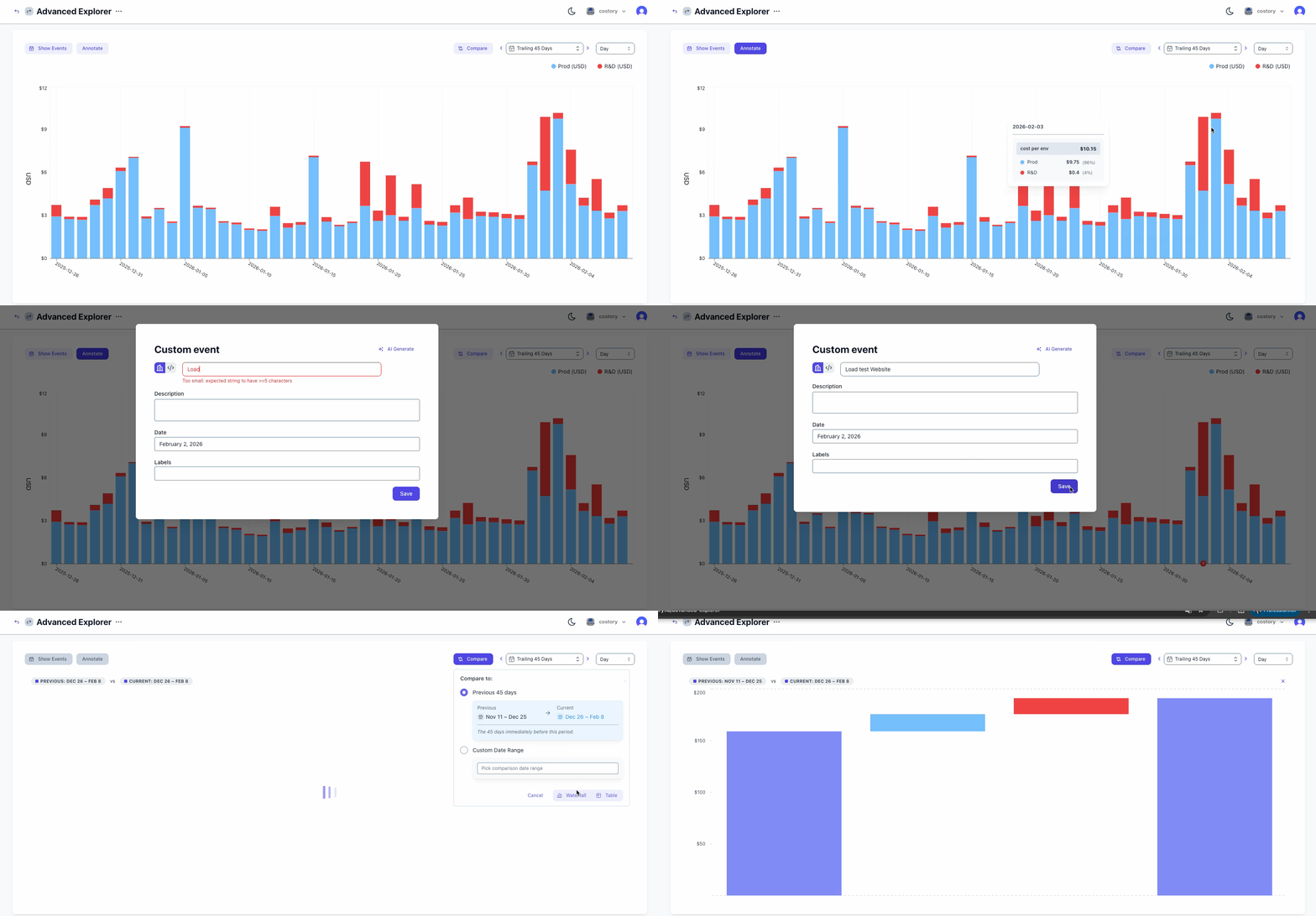
Prerequisites:
- If you have an AWS provider connected to Costory, you enabled in Cost Allocation tags AWS UI all the tags available.
- If you’re using the same Kubernetes cluster for all your environments, you have a way to identify the environment of the pod using a namespace / or a label attached to the pod.
- You identified which marketplace purchases are required for your production environment.
Output:
- You can compute your cost per environment either using only labels, or using a virtual dimension.
- You can schedule monthly reports to share with your team to monitor the cost of each environment.
- Your Digest will surface the cost changes for each environment.
Steps:
1
Step 1: Ingest the env-related labels in your billing data
When you connect your billing data, Costory analyzes every available label and finds the ones tied to environments.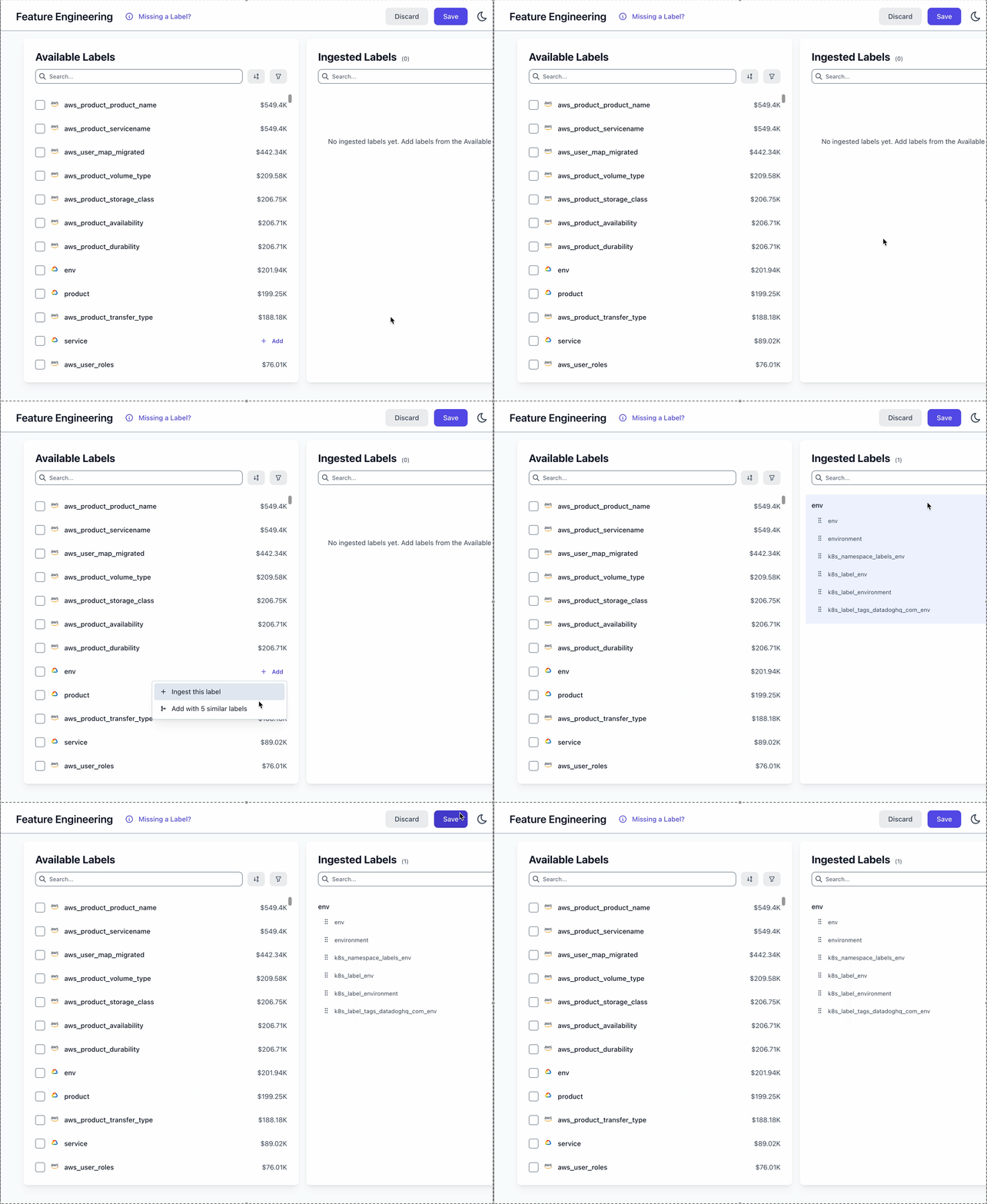
- Merge columns from multiple sources into a single label:
k8s_label_envwithenvandenvironment,environnment… - Rename values to standardize naming across providers:
stg->staging,dev->development,prod->production…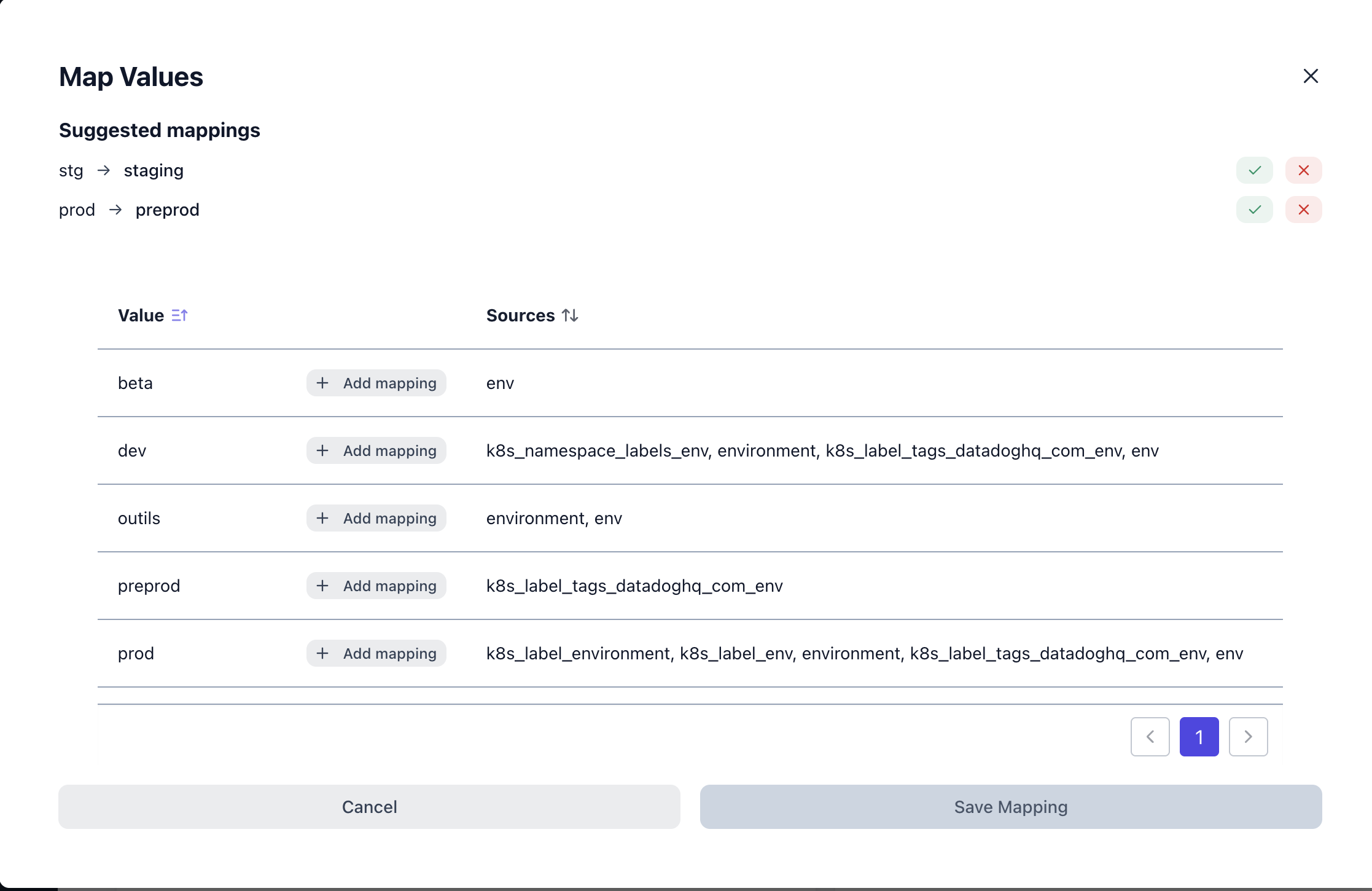
2
Step 2: Create a virtual dimension to allocate the leftover costs
Some of your costs might not be allocated using those labels: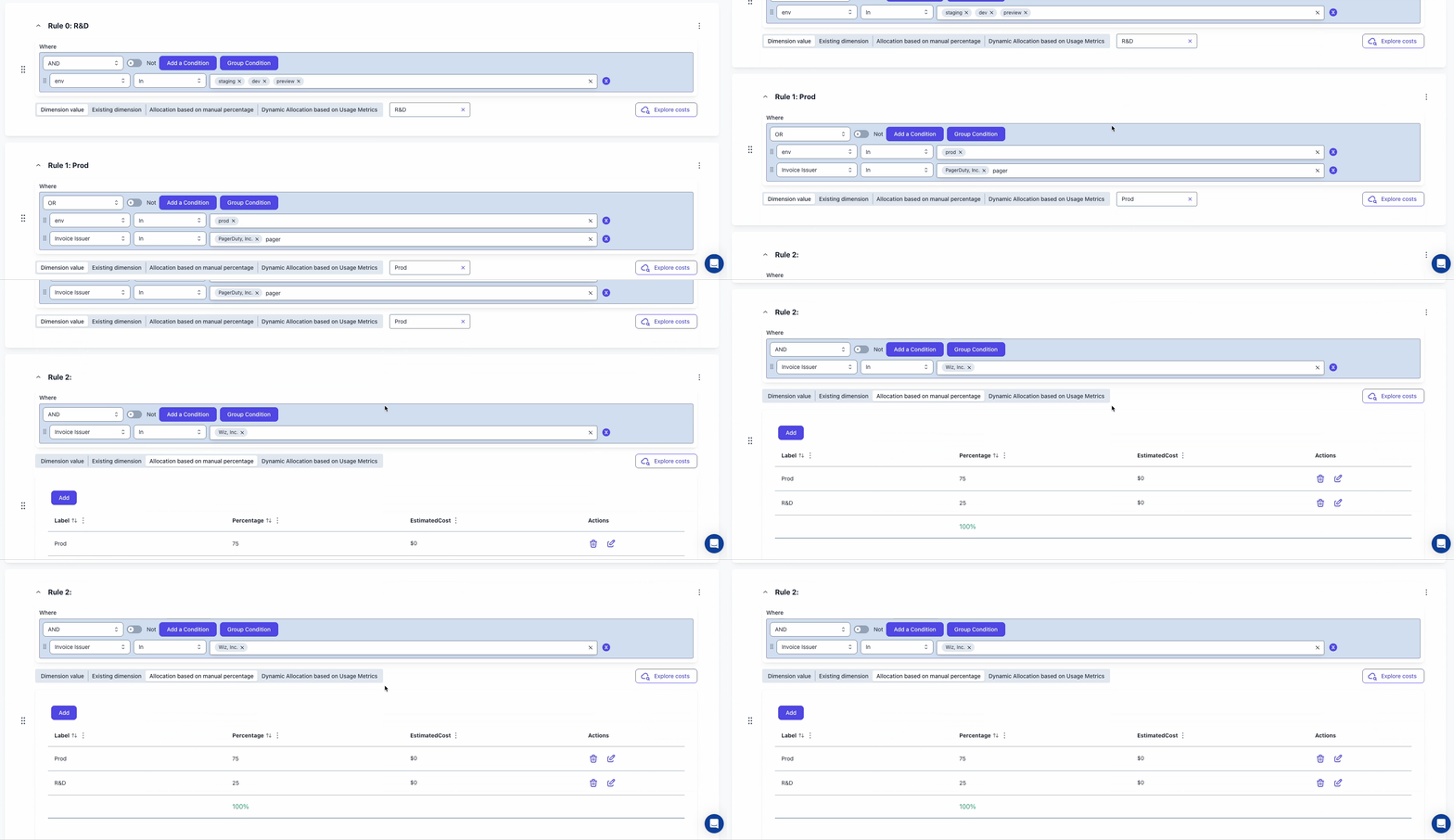
- either because they can’t (network costs, Datadog, etc.)
- or because they would require an additional split (for example a marketplace purchase used in both prod and staging) that you need to share.
3
Step 3: Create a report to visualize the cost allocation
Once costs are allocated per environment, you can: