
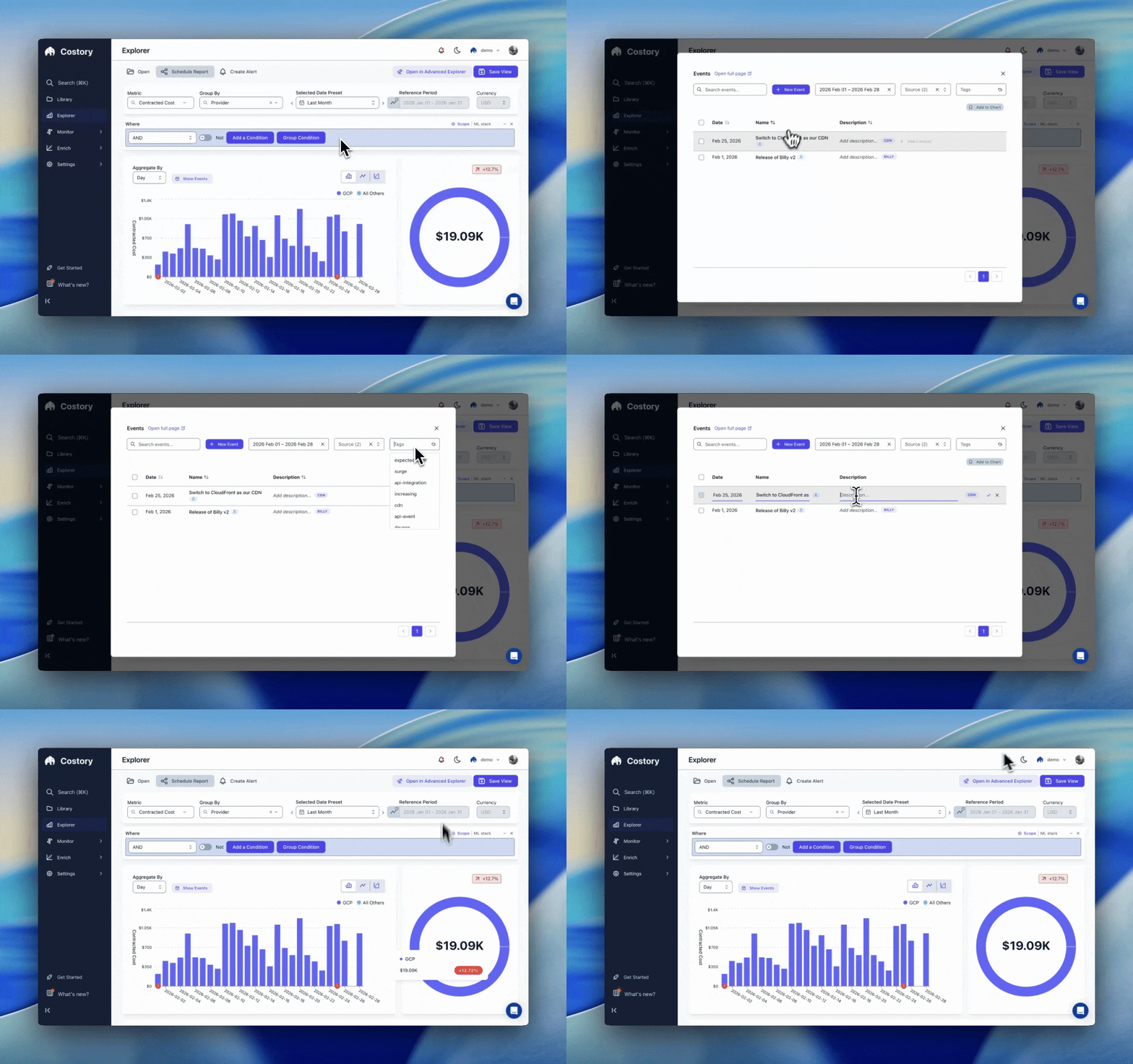
A dashboard with event markers, so cost changes carry their explanation
Two ways to use events
Save an analysis instead of redoing it
When an investigation ends with a clear cause, create a saved event with your conclusion and add it to the relevant dashboard or Explorer view. Anyone who looks at the chart later sees the marker and the cause together, and the question stops coming back to you.Record a change before costs move
When you ship something that will affect spend (a new batch job, an instance migration, a commitment purchase), push an event from your pipeline at deploy time. It is a singlePOST /v1/events call. When the cost line moves a few days later, the context is already on the timeline, and Costory’s AI analysis and agents connected through the Costory MCP use it to explain the change rather than guessing at causes.
Connect an event source
GitHub deploys
PR merges and releases appear as deploy markers, with a link back to the PR.
CI/CD pipelines
Post an event from your deploy step with a single API call.
Custom API events
Send incidents, migrations, campaigns, or anything else that explains spend.
Provider events
Commitment purchases detected automatically from billing data.