
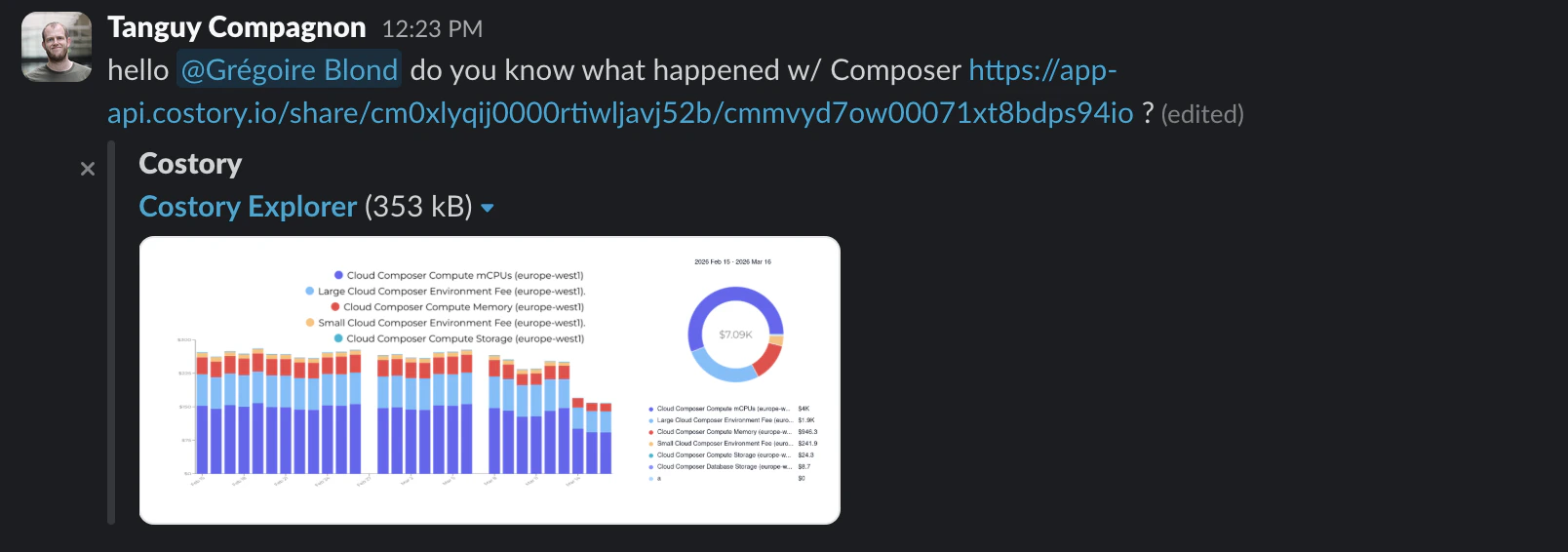
Investigating a cost spike often involves back-and-forth: “which filters did you use?”, “what time range are you looking at?”, “can you send me a screenshot?”. Quick share eliminates that friction by generating a link that captures the full state and allows you to share it externally: in Slack, a Linear ticket, or anywhere your team collaborates.Documentation Index
Fetch the complete documentation index at: https://docs.costory.io/llms.txt
Use this file to discover all available pages before exploring further.
How it works
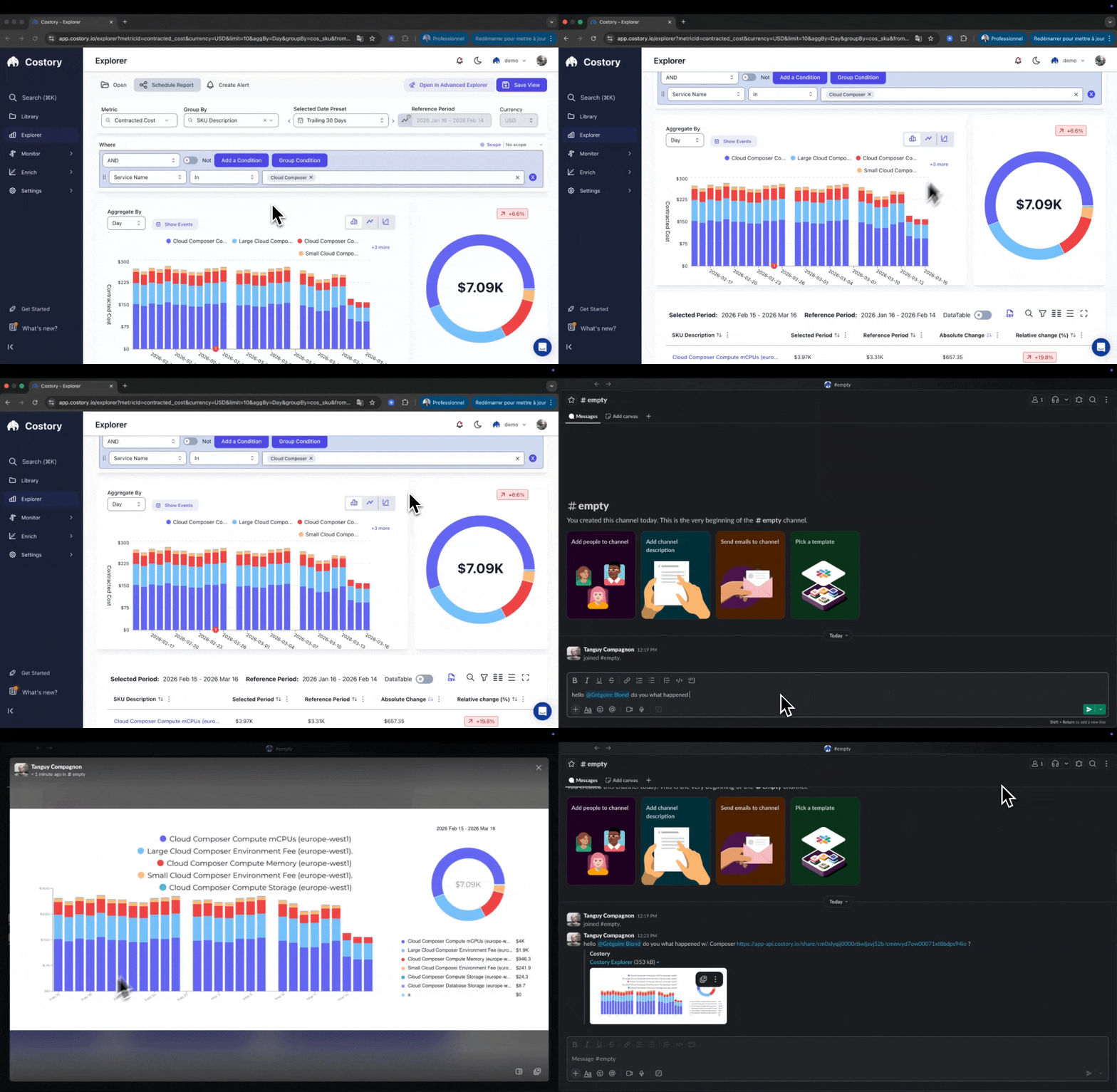
- Open the Cost Explorer or and build your query with the filters, group-bys, and date range you want to share.
- Press CMD+K to generate a shareable link. Costory encodes your entire query configuration, including any event overlays.
- Paste the link in Slack, a pull request, or an incident thread. The recipient opens it and sees exactly what you see.
When to use quick share
- Send your current view to a colleague during a cost investigation, no need to explain which filters to apply
- Drop a link in a Slack or Teams thread so everyone in a cost discussion is looking at the same data
- Link the cost impact of a change directly in a pull request description
- Hand off a pre-filtered cost view to the on-call engineer during incident triage so they can investigate immediately
Quick share vs. other sharing options
| Method | Best for |
|---|---|
| Quick share | Ad-hoc collaboration: share a live query link in Slack, PRs, or incident threads |
| Dashboards | Persistent views: combine multiple widgets on a canvas for ongoing monitoring |
| Cost Reports | Scheduled delivery: send recurring snapshots to Slack, Teams, or email |
Security & Privacy
Quick share links are publicly accessible URLs. Anyone with the link can view the data, no Costory login required. This makes sharing fast and frictionless, but you should review what data your query exposes before sharing.- Shared links self-delete after 90 days. After that, the URL returns a 404.
- Recipients cannot modify the original query. They get their own copy to explore.
- Anyone with the URL can view the snapshot, no Costory login required. Treat shared links like you would a public Google Docs link.
Frequently Asked Questions
Can I share a link with someone outside my organization?
Can I share a link with someone outside my organization?
Does modifying a shared link affect the original query?
Does modifying a shared link affect the original query?
Can I revoke a shared link?
Can I revoke a shared link?
Next Steps
Cost Explorer
Build the queries you want to share
Events & Unit Economics
Add event overlays and custom formulas before sharing
Dashboards
Pin important queries as permanent dashboard widgets
Cost Reports
Schedule recurring cost snapshots to Slack, Teams, or email