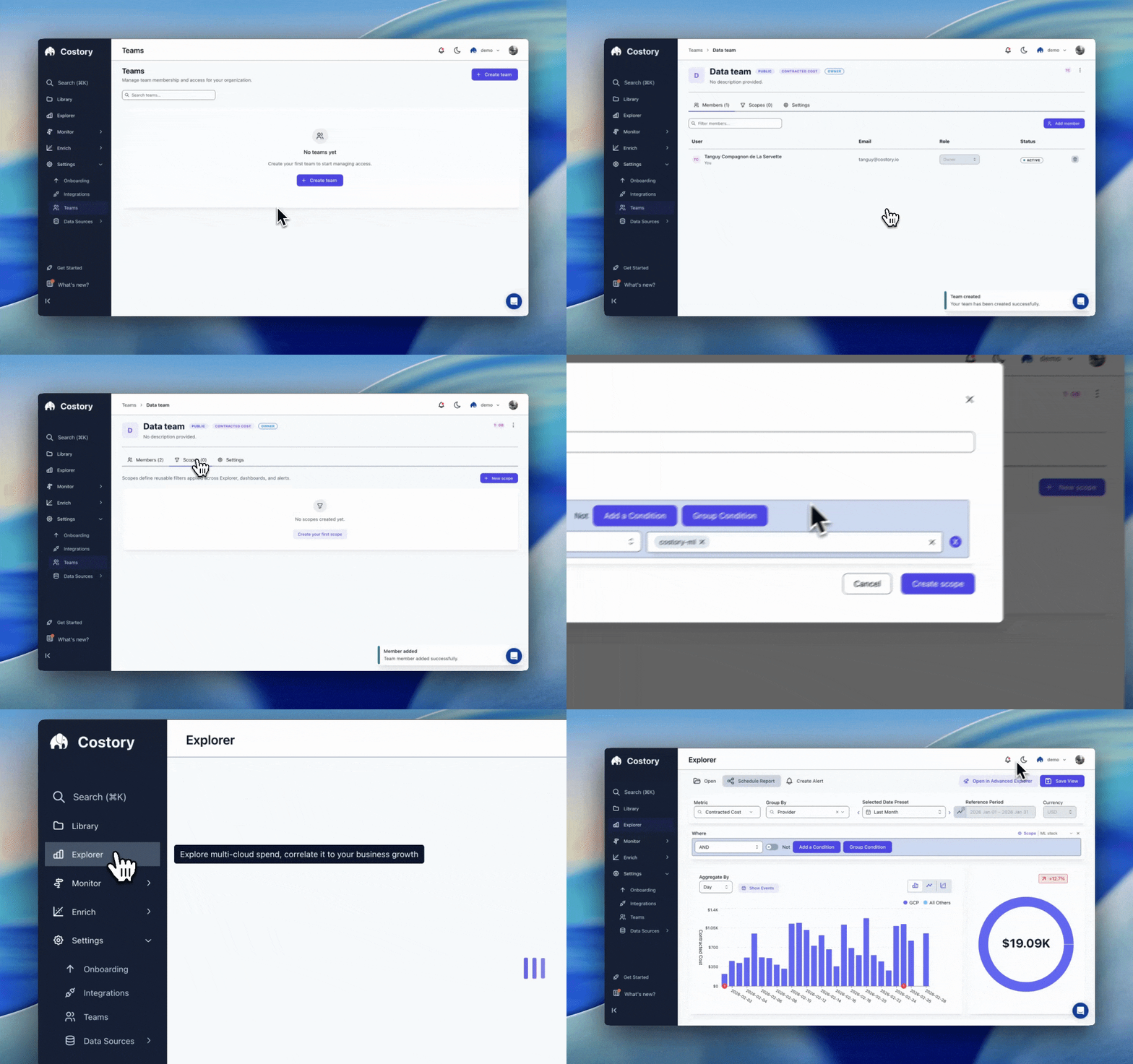
Scope cloud costs, default metrics, and dashboards per team so every stakeholder sees the data that matters to them.
A single cost view rarely works for an entire organization. Your backend squad needs scoped to their services, while finance needs Billed Cost across everything. Teams let you configure those defaults once so each group lands on the right numbers without manual filtering.
A Team is a group of users that share three things: a default cost metric (Contracted, Effective, or Billed) applied across all screens, one or more cost scopes that pre-filter every view to the team’s perimeter, and a set of dashboards they work from. Who can view or edit a dashboard is set on the object with Reader, Editor, or Can manage, or by making it public. See Share cost views.If you are looking for where Teams and other admin pages live in the app, see Settings. To invite someone to the Costory organization first, click the account name in the left sidebar and open Invites. This is available to Admin users. After they join, add them to a team.
When a user belongs to multiple teams, the first team they were added to provides the default scope.
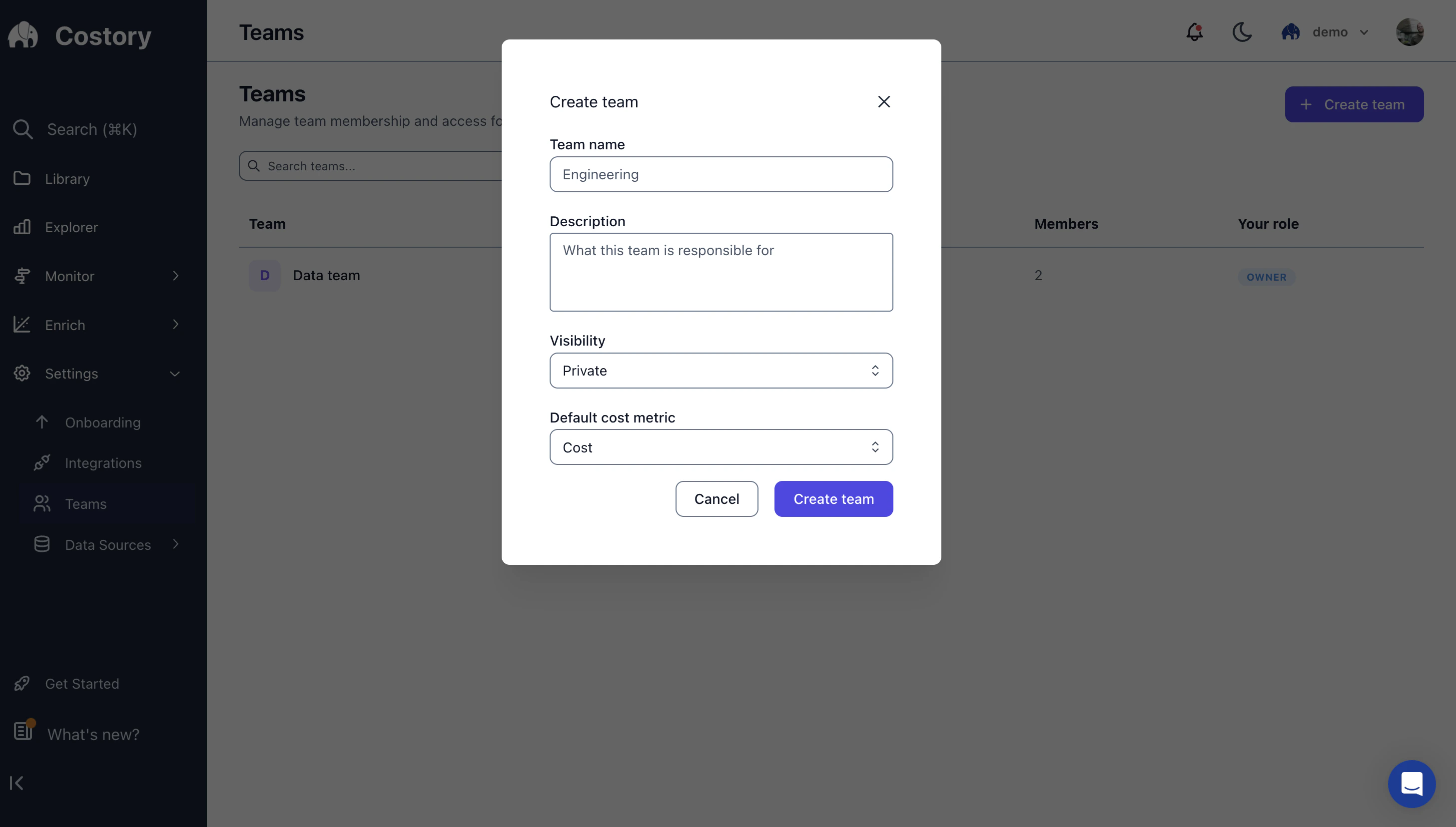
Navigate to Settings > Teams and click Create Team. Give the team a name, an optional description, and choose its visibility.
Creating a new team in Costory
terraform { required_providers { costory = { source = "costory-io/costory" version = ">= 0.1.0" } }}variable "costory_api_token" { type = string description = "Costory API token." sensitive = true}provider "costory" { token = var.costory_api_token}# Public teamresource "costory_team" "engineering" { name = "Engineering" description = "All engineering members" visibility = "PUBLIC"}
terraform { required_providers { costory = { source = "costory-io/costory" version = ">= 0.1.0" } }}variable "costory_api_token" { type = string description = "Costory API token." sensitive = true}provider "costory" { token = var.costory_api_token}# Public teamresource "costory_team" "engineering" { name = "Engineering" description = "All engineering members" visibility = "PUBLIC"}
2
Add members
UI
Terraform
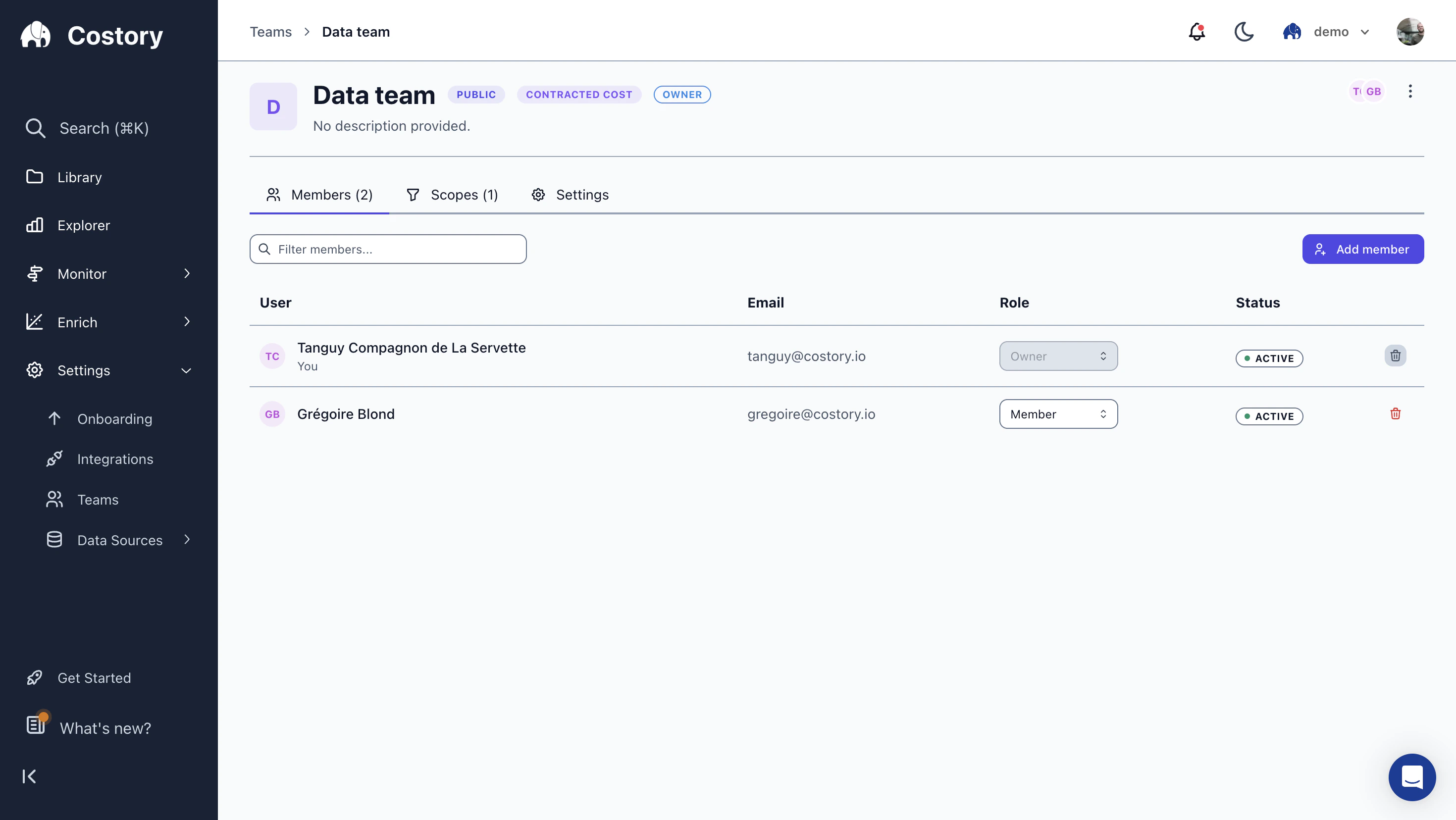
Open your team in Settings > Teams and click Add member. Invite members by email and assign each person a role.
Team detail page showing members, roles, and the team's default cost metric
Role
Permissions
Owner
Add/remove members, manage scopes, edit team settings
Member
Use team scopes, view and edit team dashboards
terraform { required_providers { costory = { source = "costory-io/costory" version = ">= 0.1.0" } }}variable "costory_api_token" { type = string description = "Costory API token." sensitive = true}provider "costory" { token = var.costory_api_token}resource "costory_team" "engineering" { name = "Engineering" visibility = "PRIVATE"}variable "team_members" { type = map(object({ email = string role = string })) default = { alice = { email = "alice@example.com", role = "OWNER" } bob = { email = "bob@example.com", role = "MEMBER" } carol = { email = "carol@example.com", role = "MEMBER" } }}resource "costory_team_member" "members" { for_each = var.team_members team_id = costory_team.engineering.id email = each.value.email role = each.value.role}
terraform { required_providers { costory = { source = "costory-io/costory" version = ">= 0.1.0" } }}variable "costory_api_token" { type = string description = "Costory API token." sensitive = true}provider "costory" { token = var.costory_api_token}resource "costory_team" "engineering" { name = "Engineering" visibility = "PRIVATE"}variable "team_members" { type = map(object({ email = string role = string })) default = { alice = { email = "alice@example.com", role = "OWNER" } bob = { email = "bob@example.com", role = "MEMBER" } carol = { email = "carol@example.com", role = "MEMBER" } }}resource "costory_team_member" "members" { for_each = var.team_members team_id = costory_team.engineering.id email = each.value.email role = each.value.role}
3
Assign cost scopes
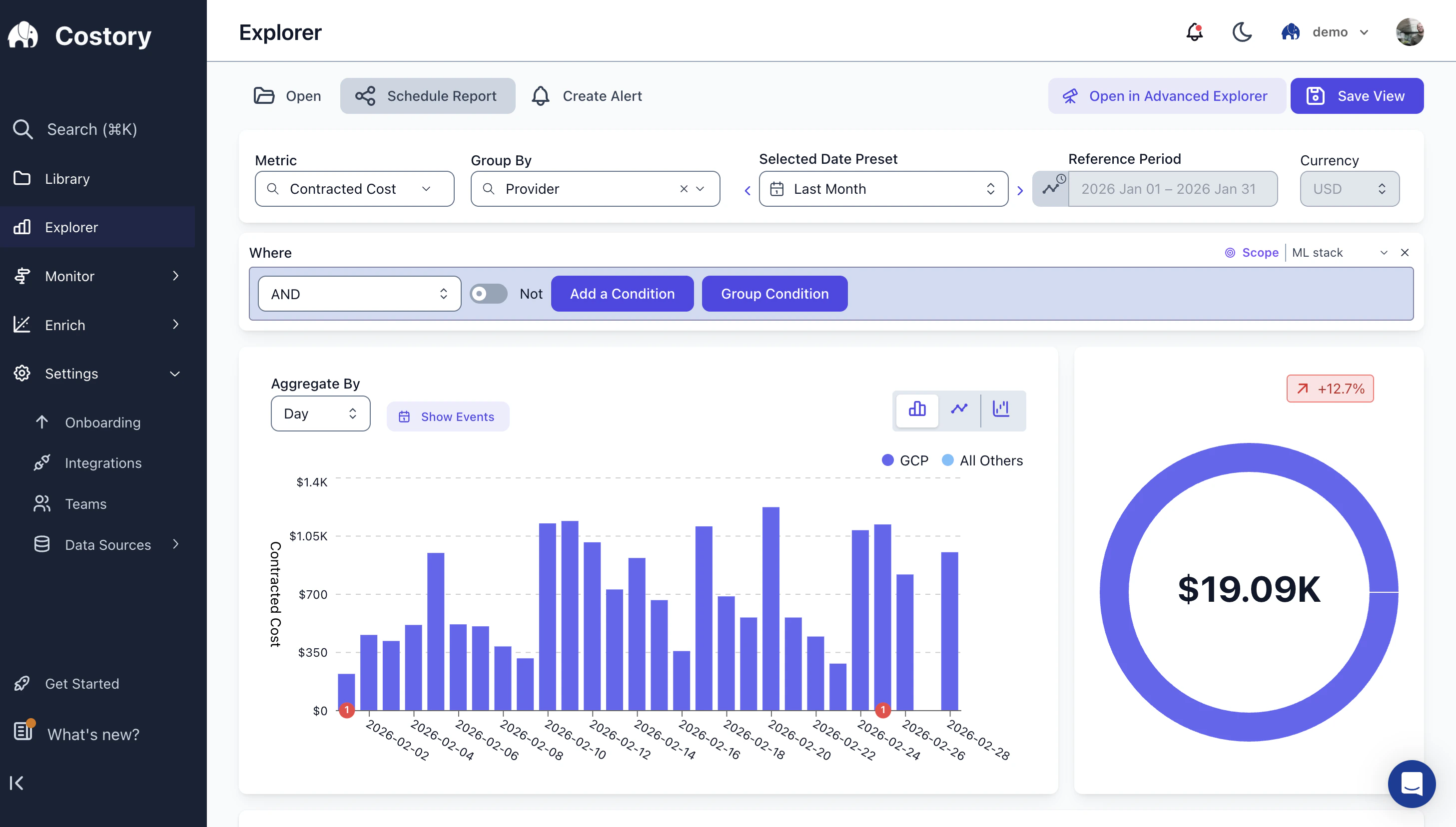
Scopes are persistent filters that apply by default whenever a team member opens Explorer, a dashboard, or any cost view. They define the team’s cost boundary: for example, only the AWS accounts or GCP projects the team owns.
The scope 'ML stack' applied as a default filter in Explorer
To add a scope:
Go to Settings > Teams and select your team.
Click Add Scope and define the filter conditions.
Save. The scope applies by default to every view for all team members.
You can assign multiple scopes per team, for example one for compute resources and another for storage.
Team members can temporarily remove a scope to see organization-wide costs. The scope is re-applied automatically when they open a new view.
Different stakeholders need different cost metrics. With Teams, you set the default once and it applies across Explorer, dashboards, and Digest.Engineering teams typically default to , which is stable and reflects actual resource usage without Savings Plan fluctuations. Finance teams prefer Effective Cost or Billed Cost, which reflects what is actually invoiced.Individual users can still switch metrics on the fly. For a guide on matching metrics to personas, see Cost Metrics Per Persona.
Common scope patterns include scoping by AWS account or GCP project to match the team’s ownership, by cloud service (e.g., SageMaker, BigQuery), by such as team = ML using Dimensions, or by Kubernetes namespace.
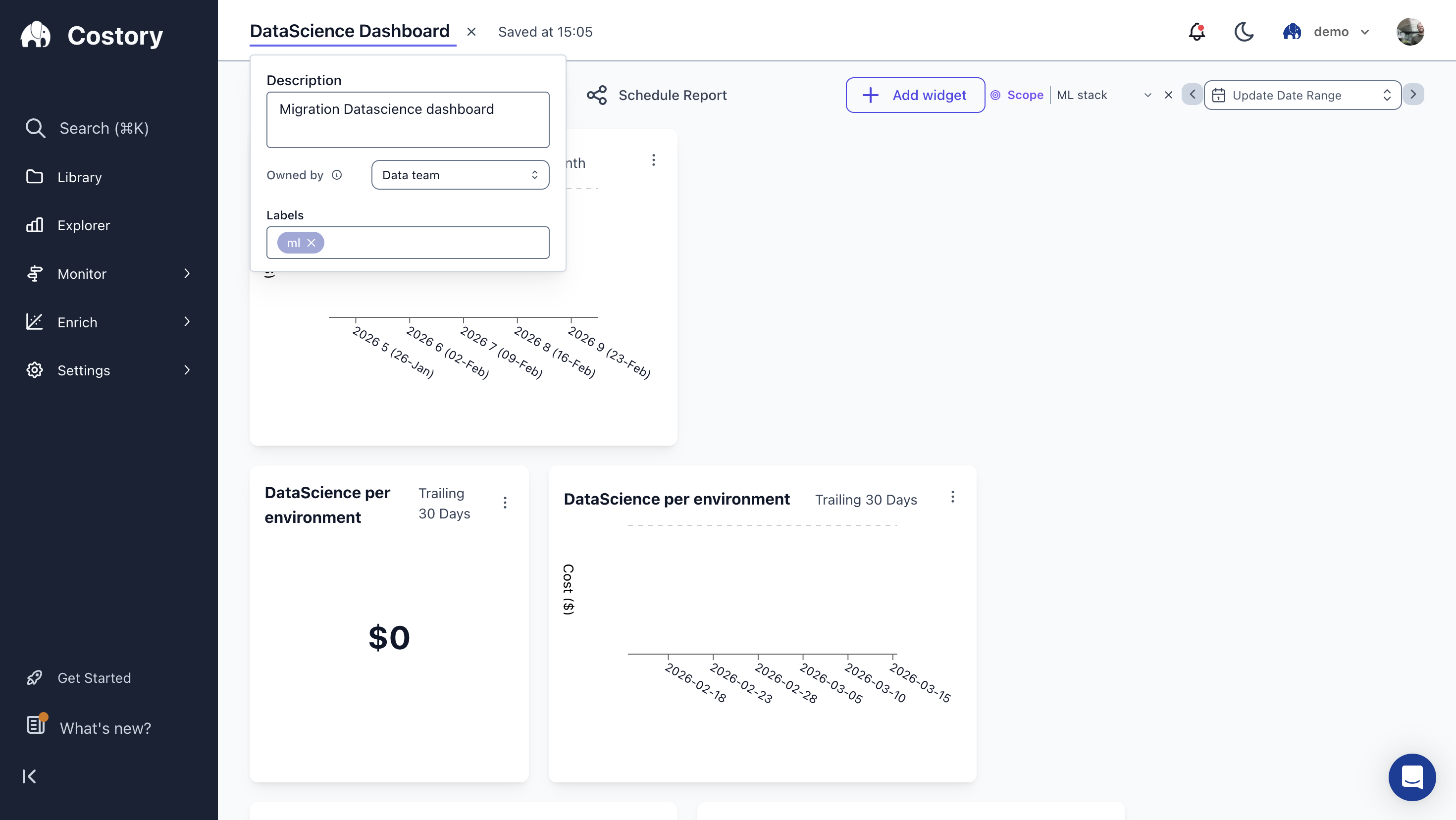
Assign dashboards to a team so members open the right views with the team’s default scope. Access is still granted on each dashboard: add members as Reader, Editor, or Can manage, or make the dashboard public to the organization. See Share cost views.
A dashboard owned by the Data team, with the 'ML stack' scope applied
Team assignment does not replace object permissions. Grant the people who need the dashboard a role on that dashboard.
Open Settings > Teams and select the team you want to modify. From there you can rename the team, update its description, change its visibility (Public or Private), and update the default cost metric.In Terraform, update the corresponding costory_team resource attributes and run terraform apply.
Open Settings > Teams, select the team, and click Delete Team. Deleting a team removes all scopes and unlinks all dashboards. Members are not deleted from Costory. Dashboard access stays on each object, so review permissions after you delete a team.
Deleting a team cannot be undone. Make sure to reassign any dashboards you want to keep before deleting.
In Terraform, remove the costory_team resource from your configuration and run terraform apply.
Owners have full control over the team configuration. Members can use the team’s scopes. Grant Reader, Editor, or Can manage on each dashboard those people should open. See Share cost views. Both roles can temporarily remove a scope to see organization-wide costs.
What happens when a user belongs to multiple teams?
The first team the user was added to provides the default scope. The user can still access dashboards and scopes from all their teams.
Can team members remove a scope temporarily?
Yes. Scopes apply by default, but any team member can remove the scope filter to see organization-wide costs. The scope is re-applied when they navigate to a new view.
Do Cost Reports inherit team scopes?
Team scopes are applied when a team member creates a Cost Report or a saved View. Alerts and scheduled reports cannot be owned by a team yet, so they are managed per user.
What is the difference between PUBLIC and PRIVATE team visibility?
Public and Private on a team control whether the team itself is visible in the organization. They do not decide who can open a dashboard. Grant Reader, Editor, or Can manage on the dashboard, or make that dashboard public. See Share cost views.
Can I manage team scopes via Terraform?
Not yet. Scopes are currently managed through the UI. Team creation and member assignment are available via the Costory Terraform provider.