
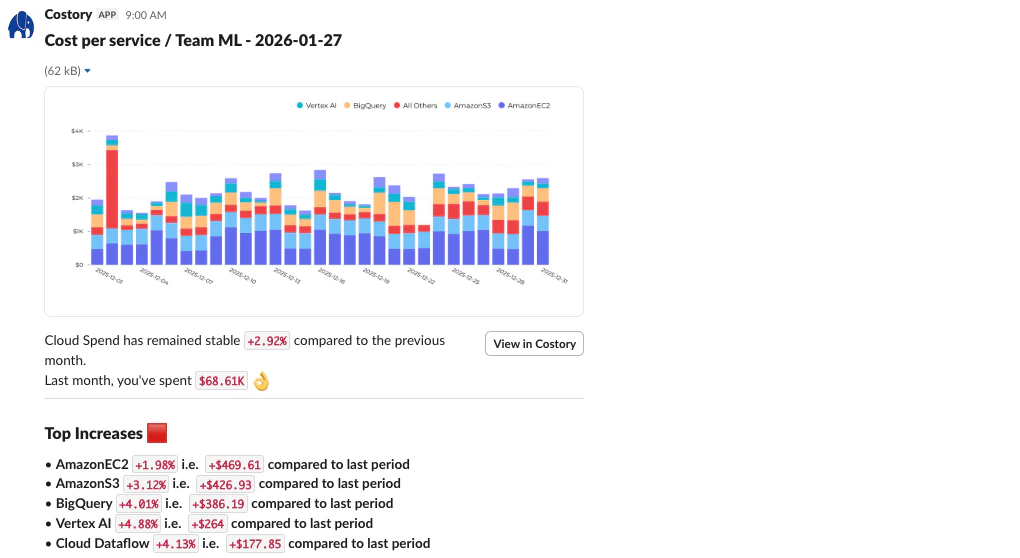
Costory's scheduled reports deliver actionable insights on cloud costs directly to your workspace.
- Set up your 14-day free trial with your cloud billing data connected.
- Get a unified view of your costs across teams, providers, and environments.
- Receive your first Costory report in your team’s inbox (Slack, Teams, or email).
Prerequisites for Costory cloud cost management setup
- Cloud billing admin access: Be a billing admin on your cloud provider account. Marketplace admins can also purchase Costory from the marketplace at the end of onboarding.
- Slack or Teams app install: Have your Slack or Teams admin ready to install the Costory app, or hold admin permissions yourself.
Step 1: Connect your AWS, GCP, Azure billing accounts (10 minutes)
Create your Costory Account: 1 minute
Sign up for Costory
Connect your cloud billing data: 10 minutes
- AWS CUR using CloudFormation
- GCP Billing Export
- Azure Billing Export
- Datadog
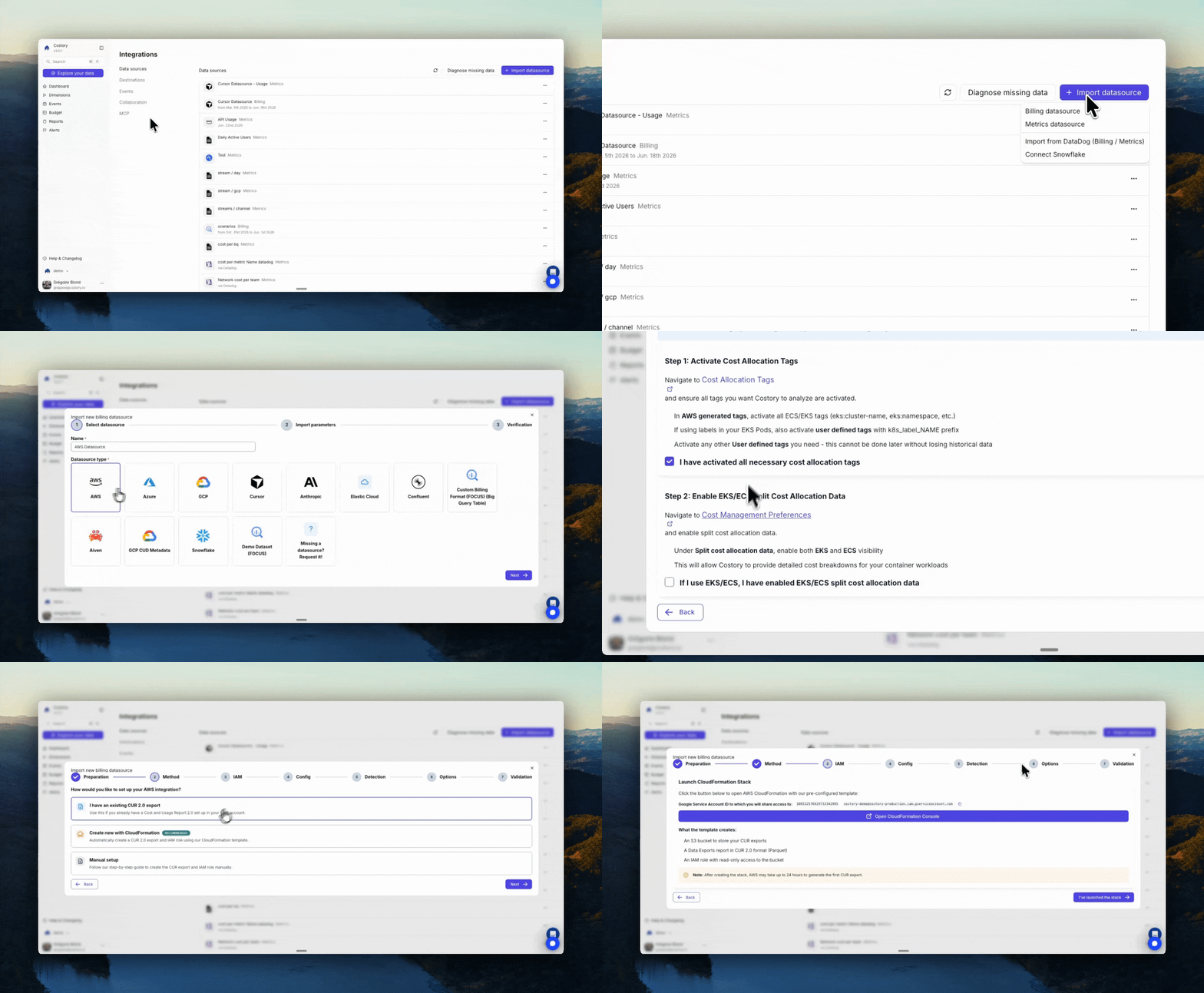
Setup AWS CUR using CloudFormation Template
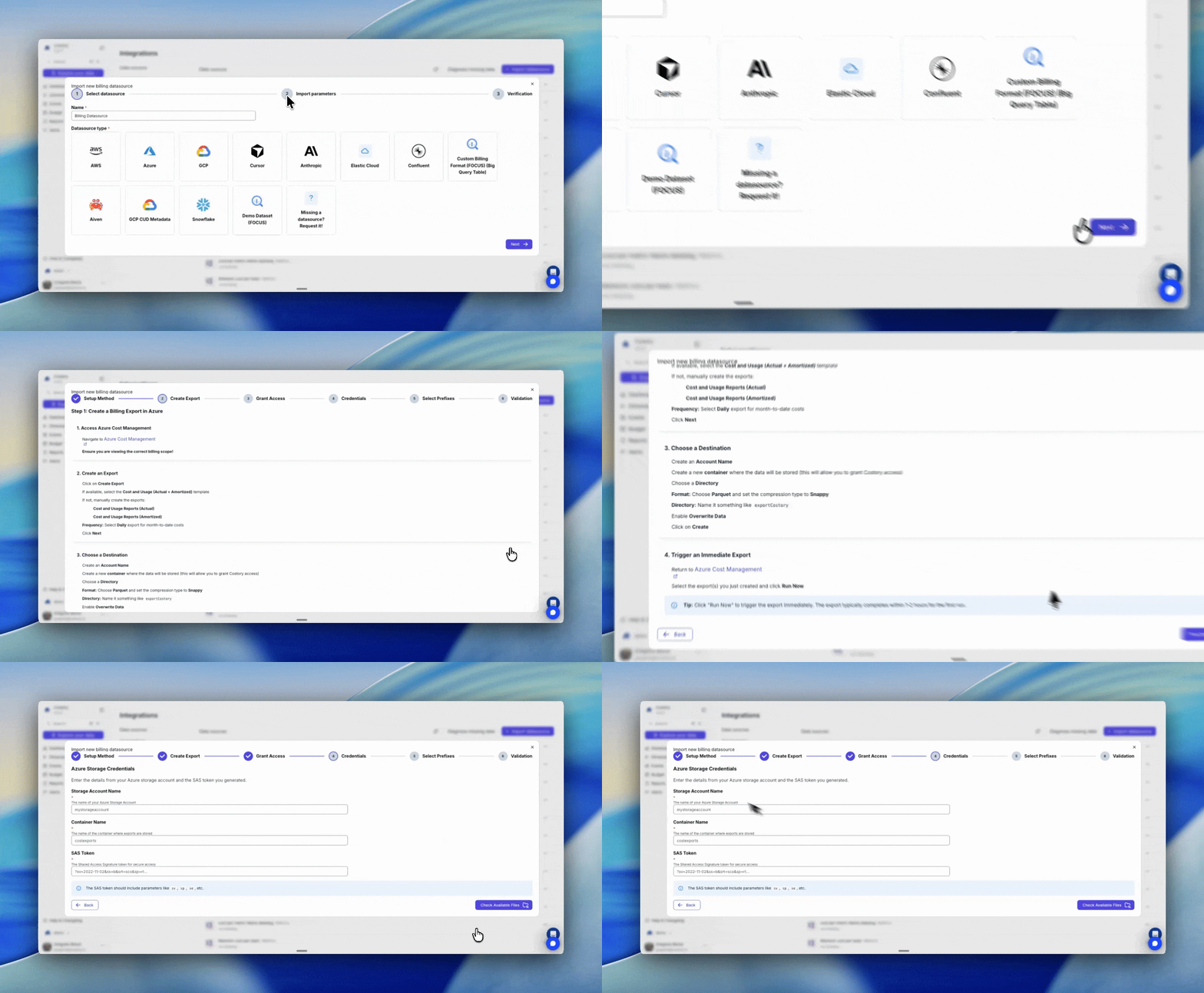
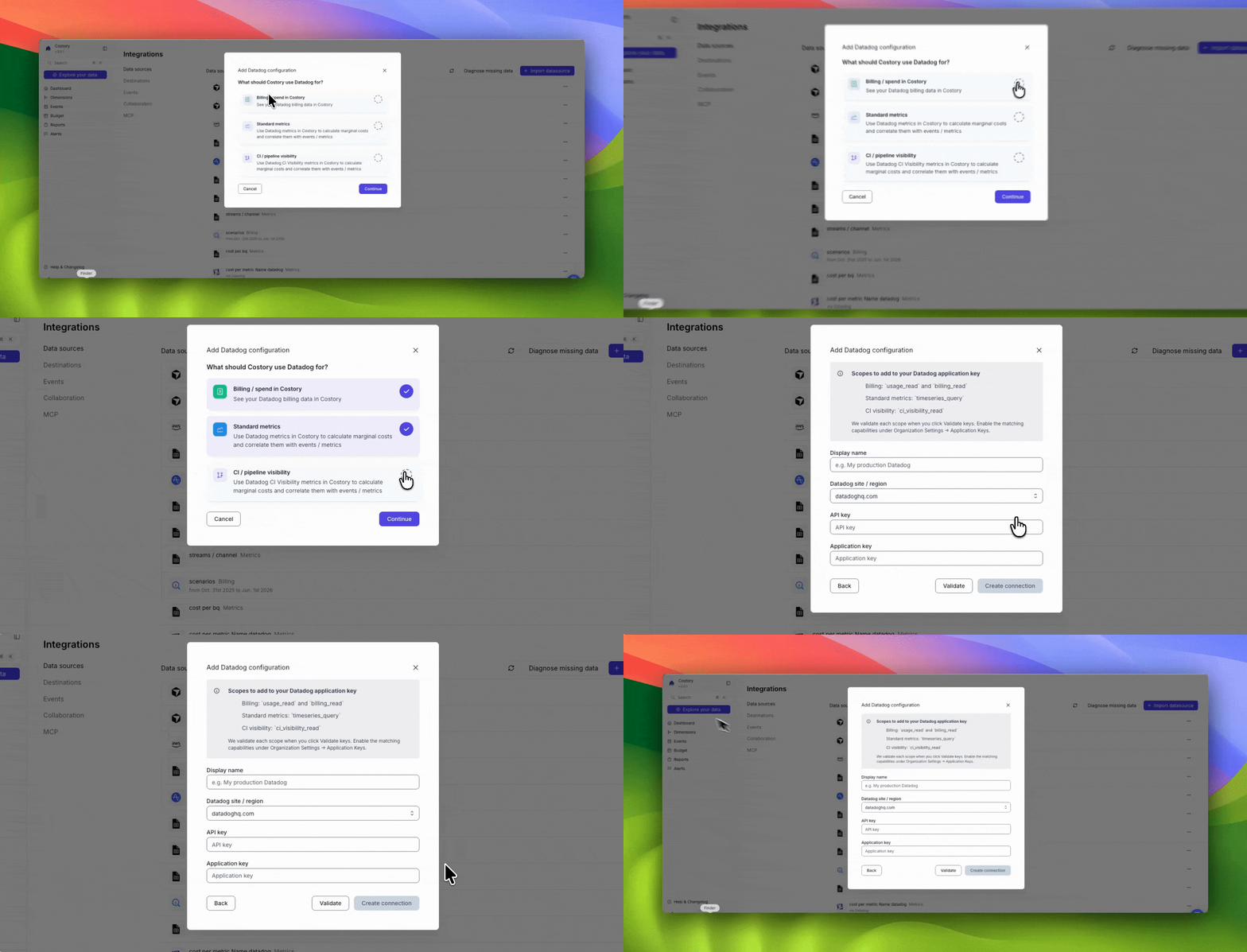
Wait for your data to be ingested: (from 10 minutes to 24 hours depending on your luck but mostly on your provider...)
Step 2: Automate your cloud cost reporting (20 minutes)
Create Dimensions: Costory automatically finds your best labels: 5 minutes
env, environment, k8s_label_env with many different values to a single label: environment, with only 3 values: development, staging, production.You can review those in the Dimensions page, and add more transformations to your labels: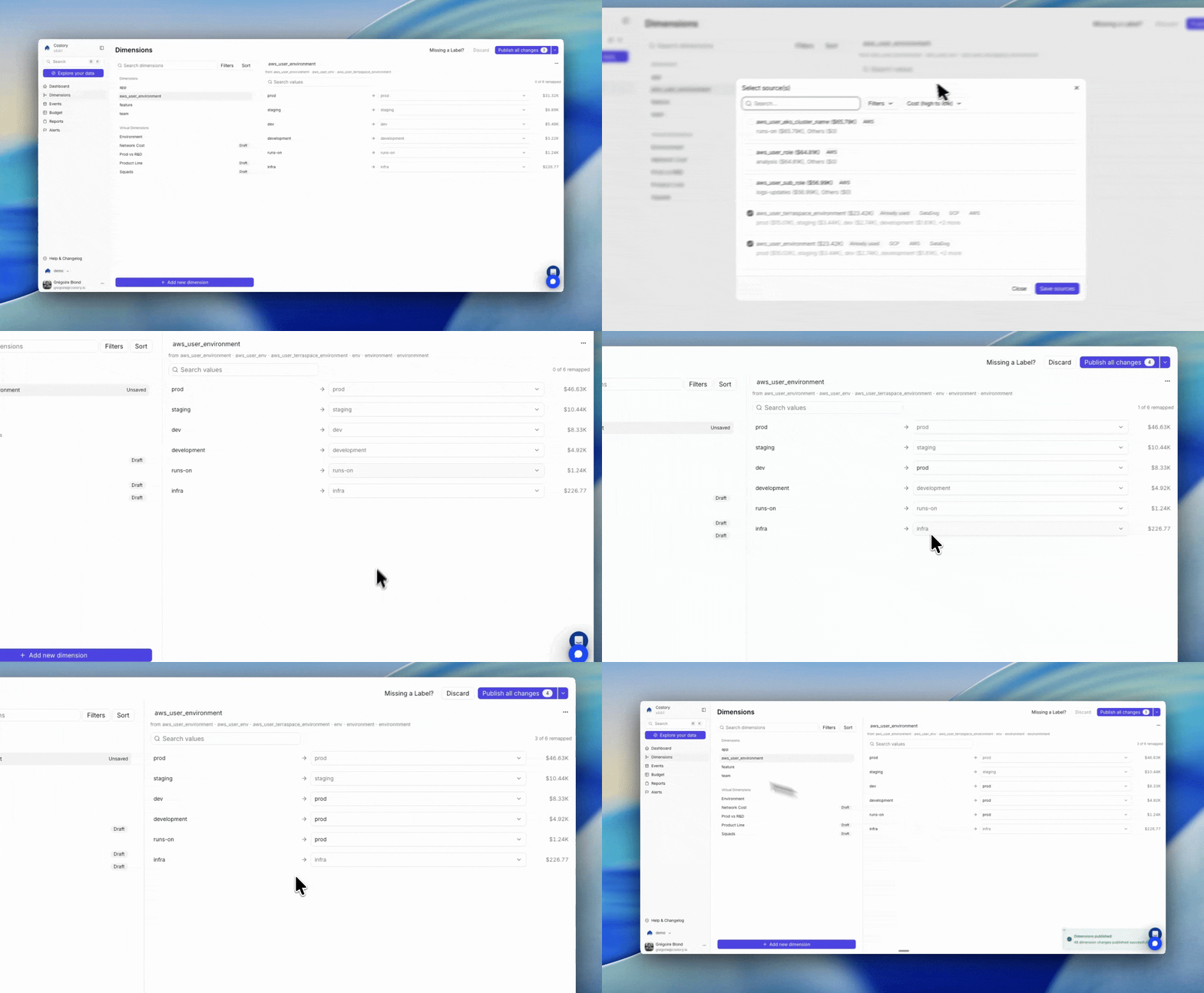
Dimensions let you merge labels and map values into clean reporting fields
Verify Billing Data: 5 minutes

Check your last month costs and compare them to your invoice
- Standard Columns: how we normalize raw exports into columns.
- Cost Metrics: the metrics we compute on top of your data.
- Currency conversion: how we convert into your reporting currency.
Deploy FinOps Dashboards & Alerts: 10 minutes
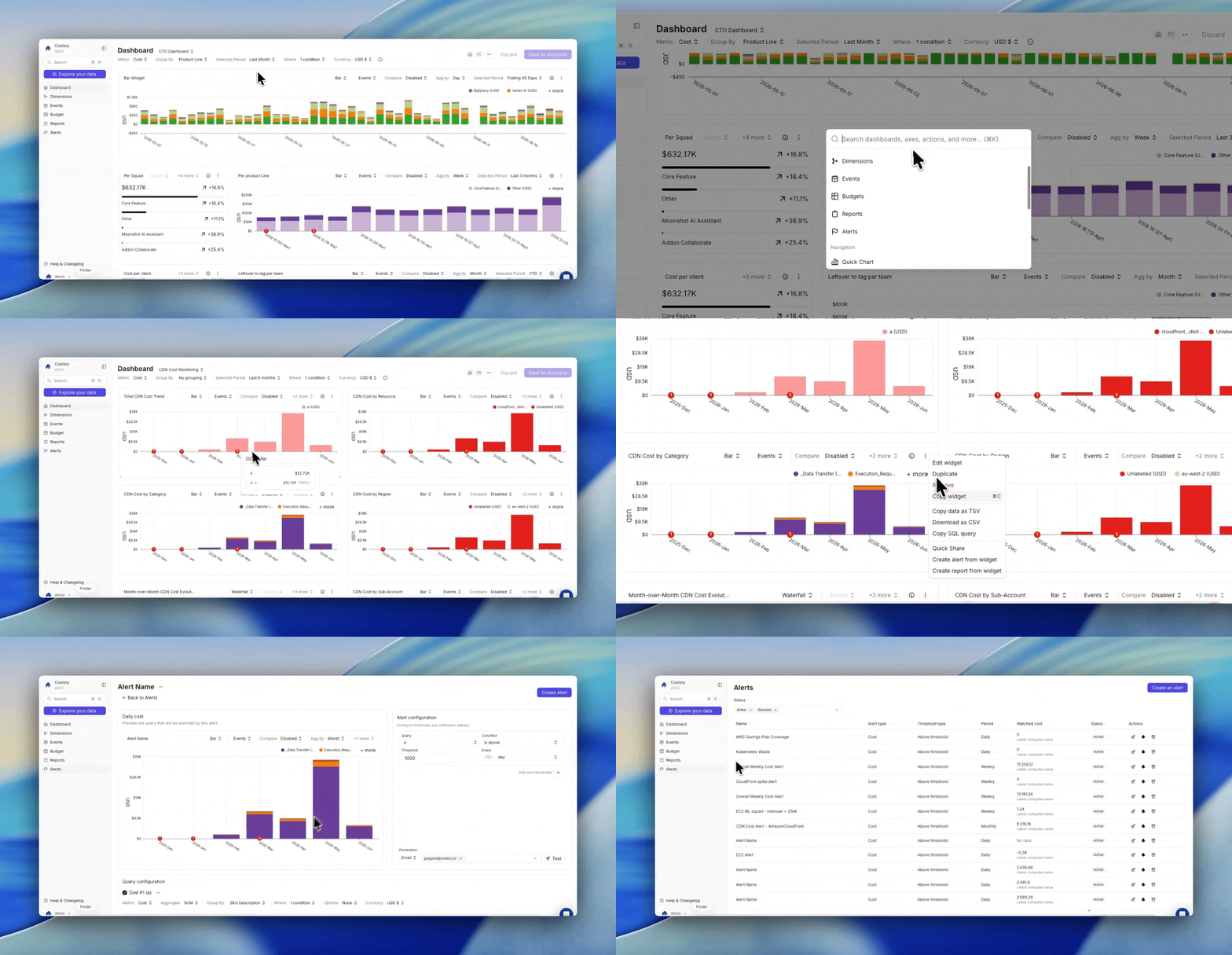
Start from a template dashboard and customize it to your needs
- The cost of your R&D environment is above your production costs.
- The data scientists started two VMs with huge GPU during the week-end.
- Reserved instances are not fully used.
- Your savings plan no longer covers 50% of your costs.
- A mandatory tag is no longer attached to most of your costs.
- Your K8S waste ratio is above 75%.
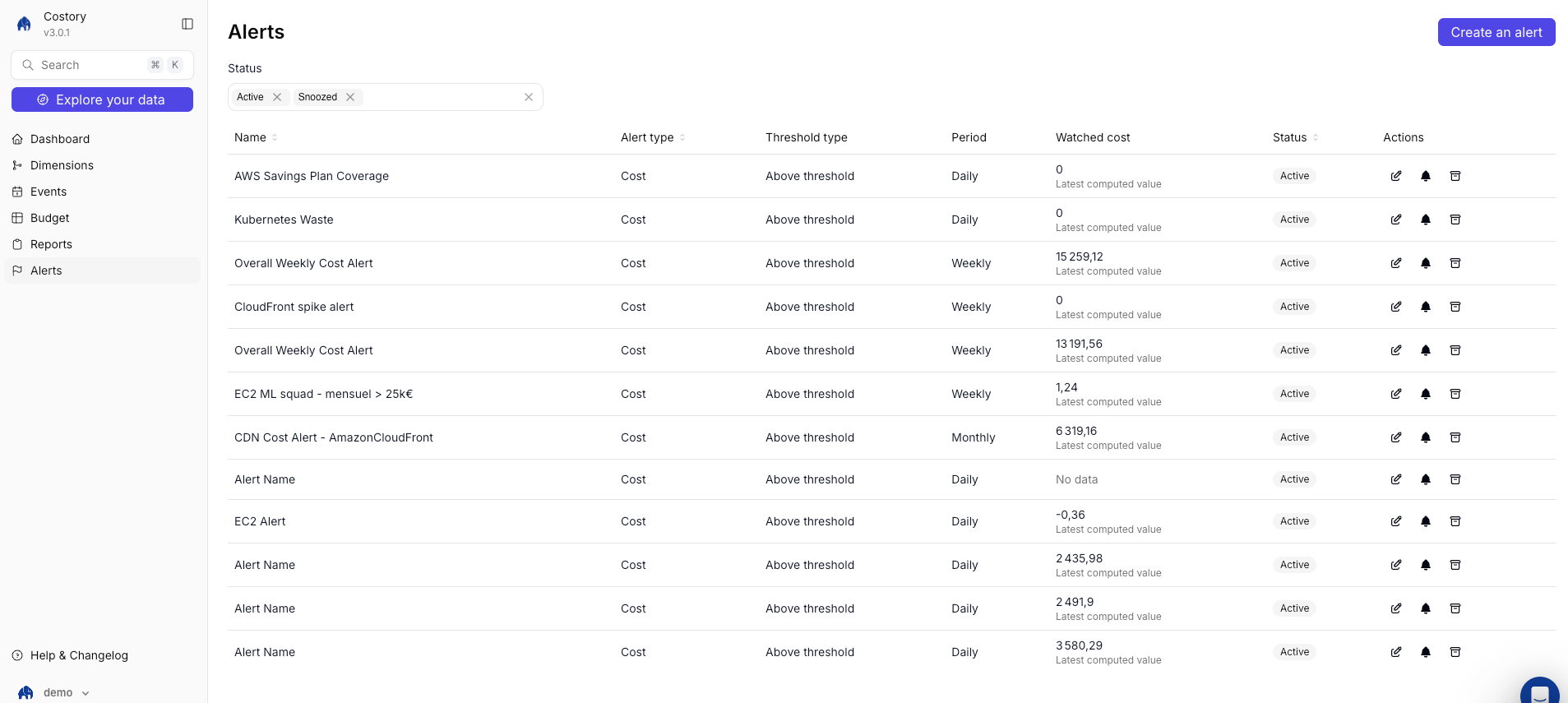
Review active alerts for common FinOps scenarios
Automate Slack and Teams Cost Reports: Share costs with your team: 5 minutes
- Cost per environment
- Service name with cost changes over the last week.
-
Monthly cost per daily active users
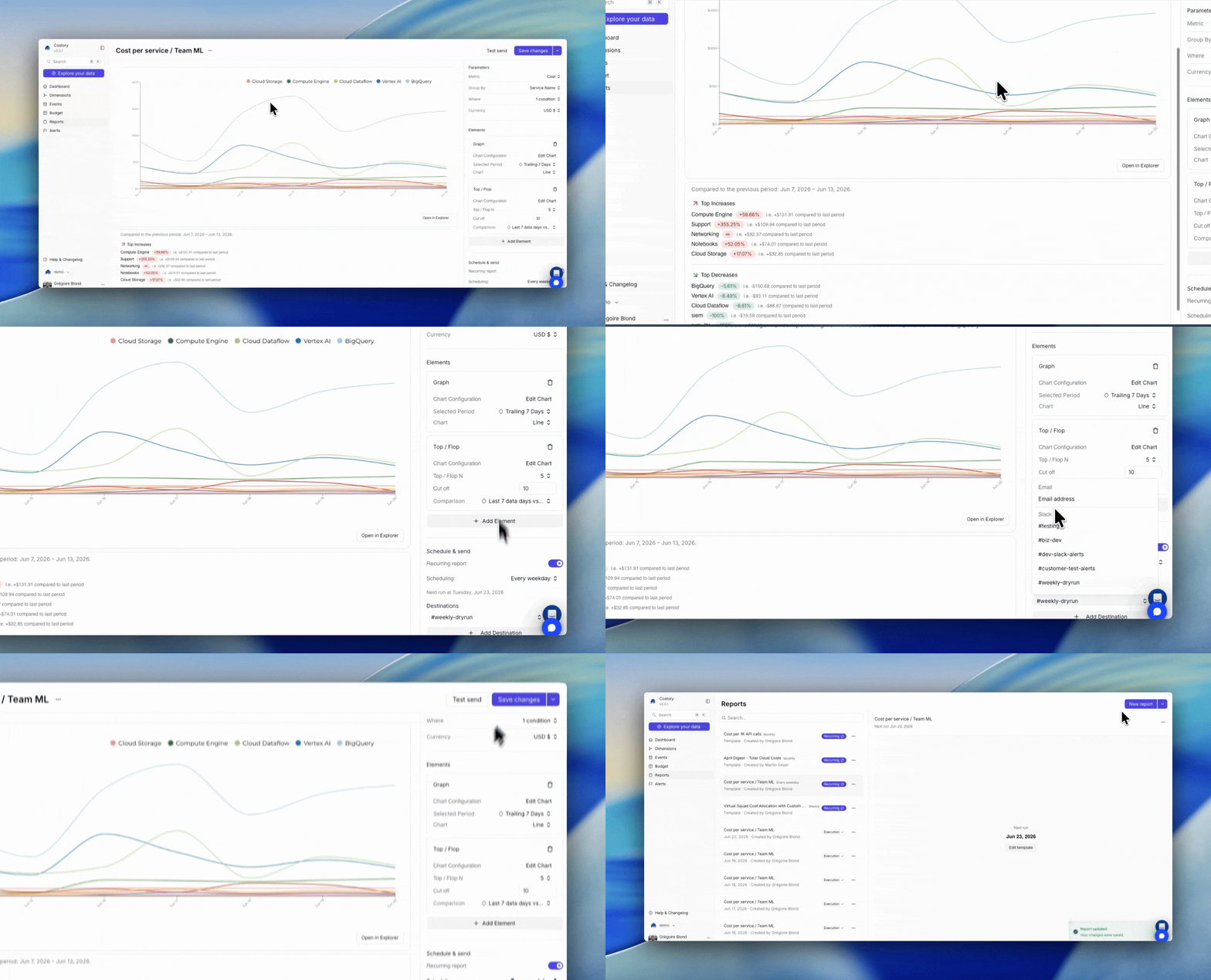
Create and schedule a recurring report from a Costory view
Your first Costory report delivered directly to your team's inbox.
- Slack
- Teams
- Email
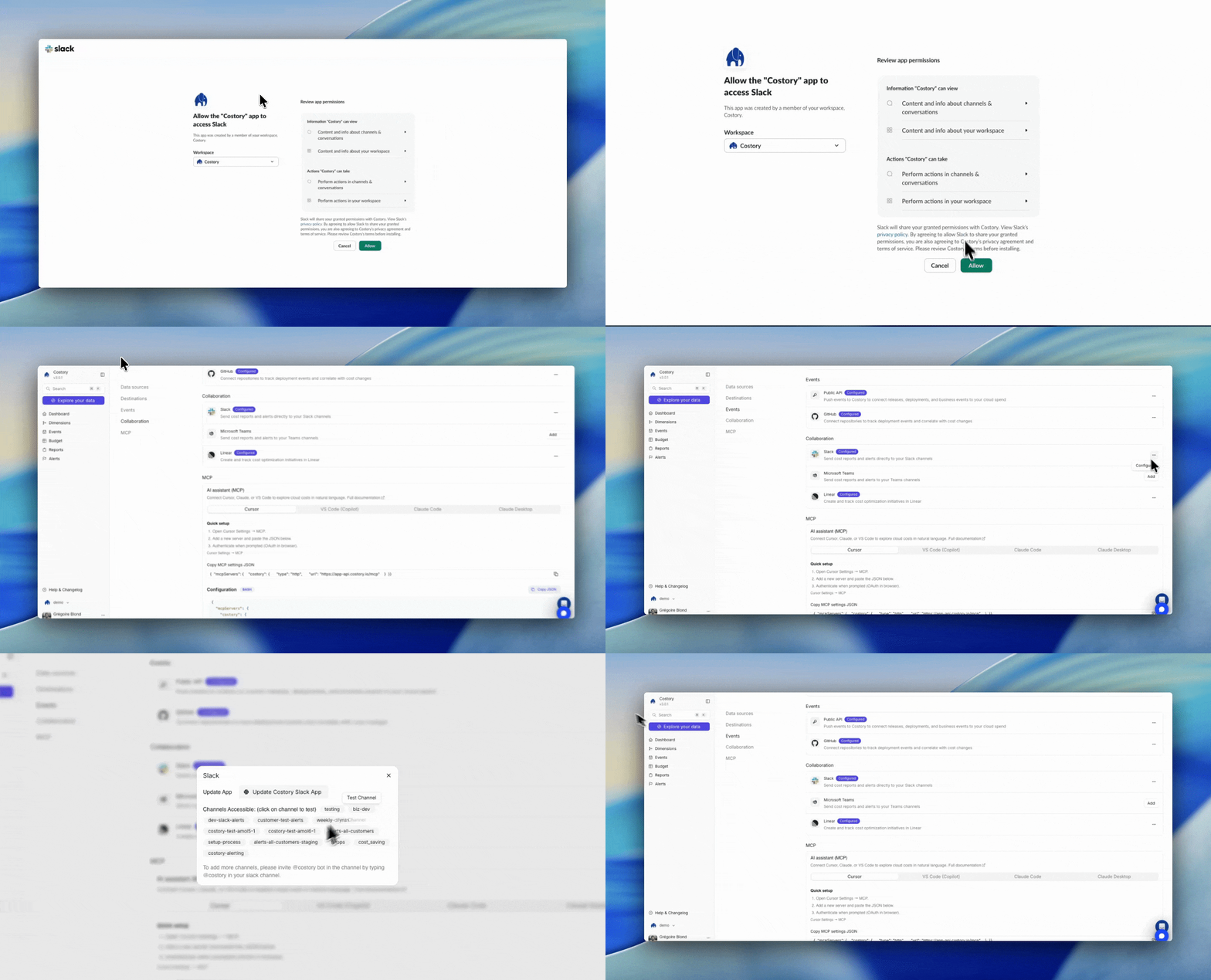
Setup Slack integration
Next Steps
Here’s what most of our customers do in their first week:- Invite teammates: click the account name in the left sidebar, then Invites (Admins). See Settings.
- Set up alerts: check our templates
- Calculate your cost per environment
- Show the correct metrics to your exec team
- Connect a business metric to understand your marginal costs.