Build cloud unit economics in Costory Explorer by combining cloud cost metrics, usage metrics, and formulas such as cost per user, cost per API call, or ROI.
turns cloud spend into efficiency metrics. Use it when total cost is rising and you need to know whether cost per user, transaction, request, or workload is improving.
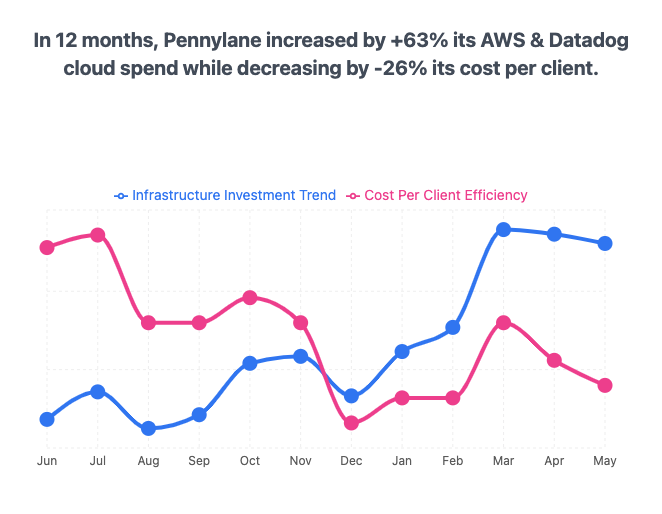
Total cloud spend increased while cost per client decreased, making infrastructure efficiency visible
Costory Explorer lets you combine cost metrics, usage metrics, and formulas in the same chart. Instead of stopping at “compute spend increased”, you can track “cost per active user decreased” or “cost per transaction crossed our target”.Use unit economics when you need to:
Explain cloud cost increases in the context of business growth
Track cost per customer, API call, transaction, build minute, or container-hour
Compare efficiency by team, service, region, or product
Report engineering improvements in the same terms finance and leadership use
Track infrastructure ratios such as cost per GB transferred, build minute, or container-hour by dividing cloud spend by usage metrics from your billing data or Datadog.
Track application ratios such as cost per API call, daily active user, or transaction by connecting an external metric from Datadog, Datadog CI Visibility, Amplitude, BigQuery, Cloud Monitoring, Google Sheets, Tsuga, CloudWatch, S3, Snowflake, or Custom metrics.
Compare the cost of a new service against the service it replaced by grouping formulas by service tag.
Track realized savings from or CUDs by computing list_cost - total_cost.
Build custom KPIs for commitment utilization, coverage, and ROI.
Costory’s query bar supports the metric types you need for formulas.
Cost metrics
Usage metrics
External metrics
Built-in billing metrics from your connected cloud providers. These include total cost, , list cost, and usage quantity.
Cloud provider usage metrics such as GB-Hours, ReadCapacityUnit-Hrs, and vCPU-Hours. These come from your billing data and describe how much of a resource you consumed.
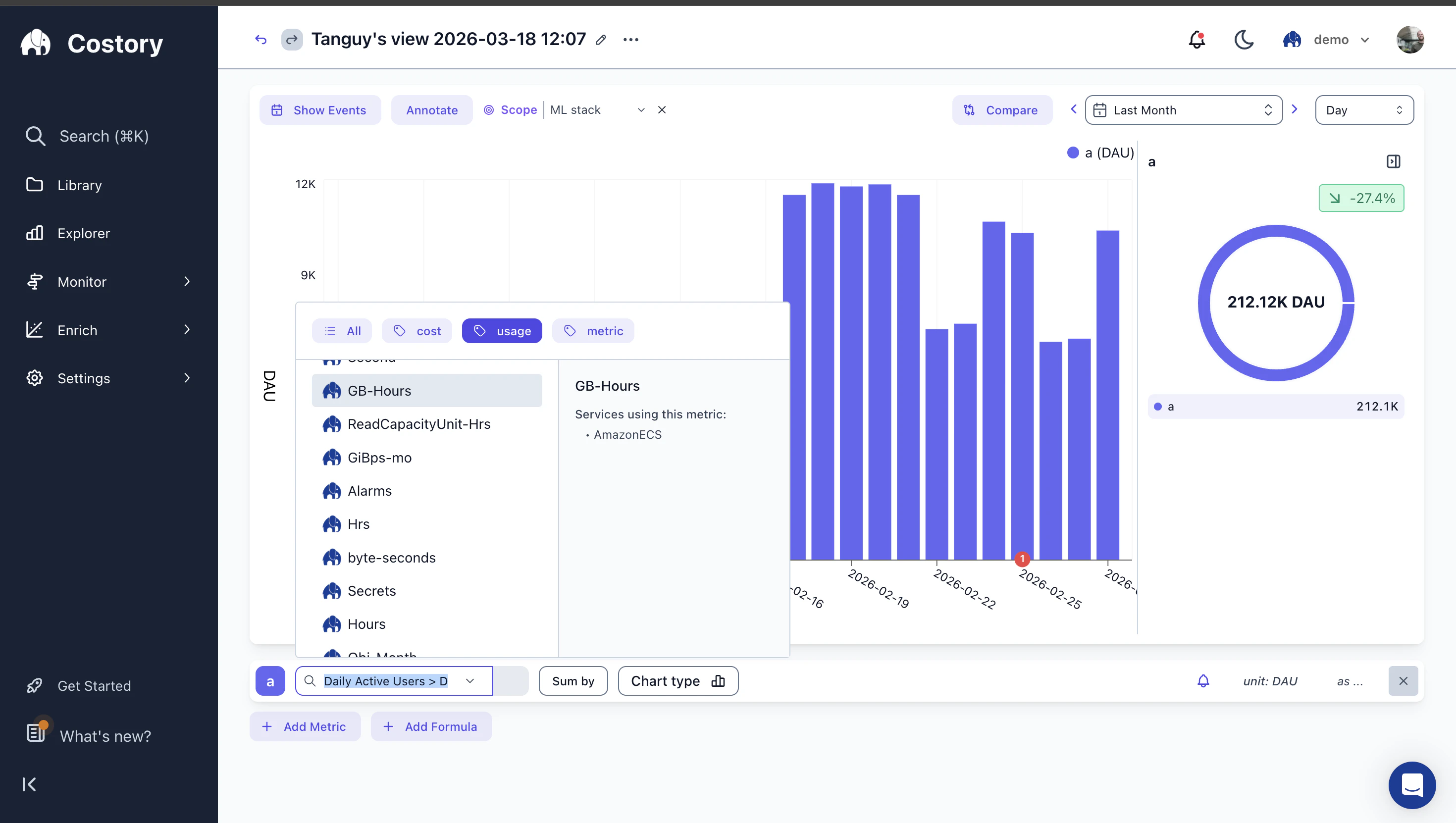
Usage metrics available in the query builder, sourced from cloud billing data
Metrics from sources you connect under Integrations > + Add integration > External metric: Datadog, Datadog CI Visibility, Amplitude, BigQuery, Google Sheets, Tsuga, CloudWatch, S3, Snowflake, or Custom metrics. These describe business or application activity that you correlate with cloud cost. Query them in Advanced Explorer only. Classic greys out non-cost metrics.
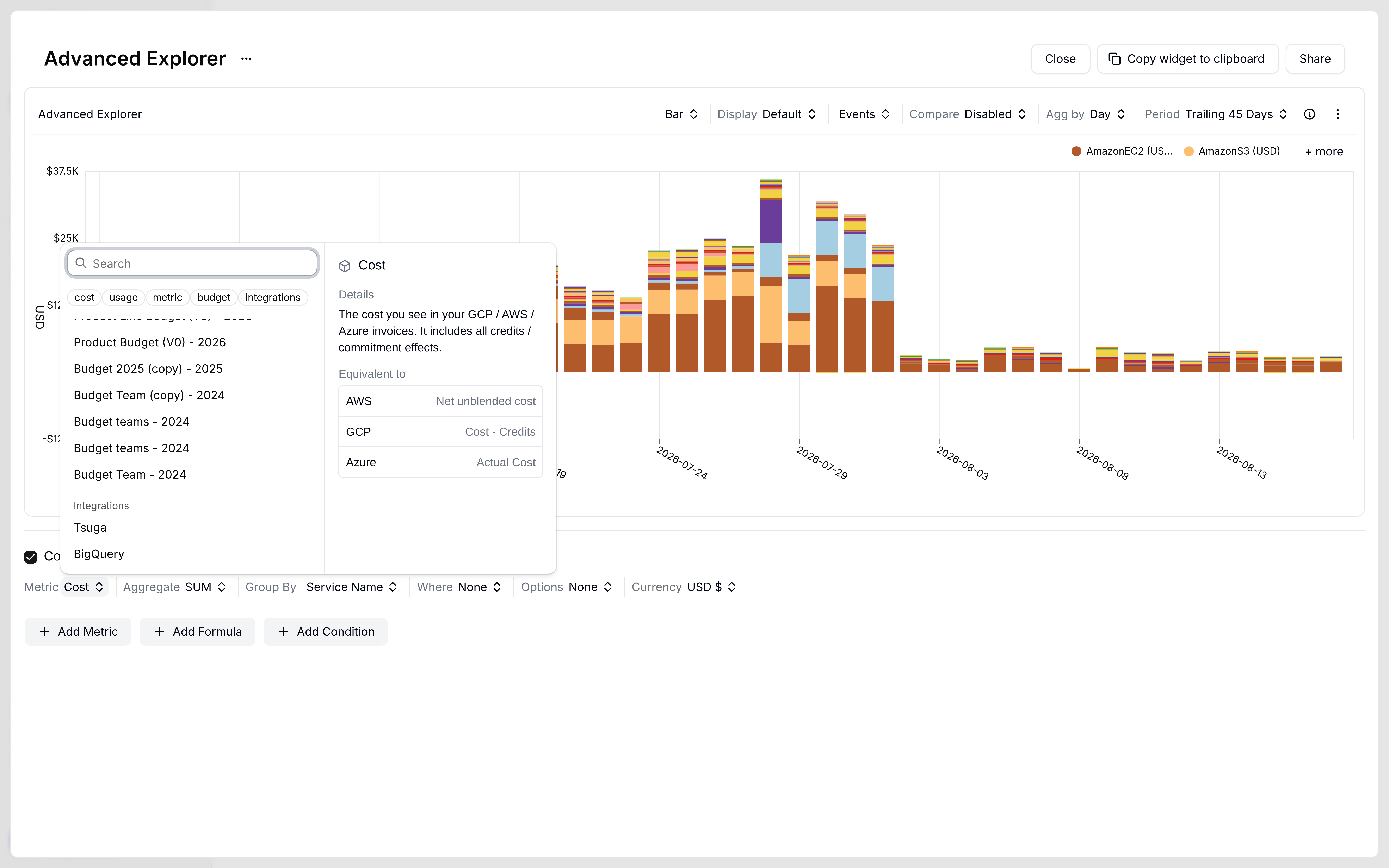
Metric picker chips: cost, usage, metric, budget, and integrations
To build formulas from business or application activity, connect at least one external metrics source from Integrations > + Add integration > External metric. Supported sources include:
Datadog for infrastructure and application metrics
You can still use formulas without external metrics. Combine cost fields with usage metrics from billing data, such as cost per GB-Hour, without connecting another source.
Click Explore your data, switch Classic to Advanced, and configure the cost query you want to analyze. Classic greys out non-cost metrics. See Explorer.
2
Add metrics
Click + Add Metric in the query bar to add a cost metric, usage metric, or external metric. Use the integrations chip for sources you connected under External metric. Each metric gets a letter label that you reference in formulas.
3
Add a formula
Click + Add Formula and write your formula with the metric labels.Examples:
If metric a is total cost and metric b is GB-Hours, a / b gives you cost per GB-Hour.
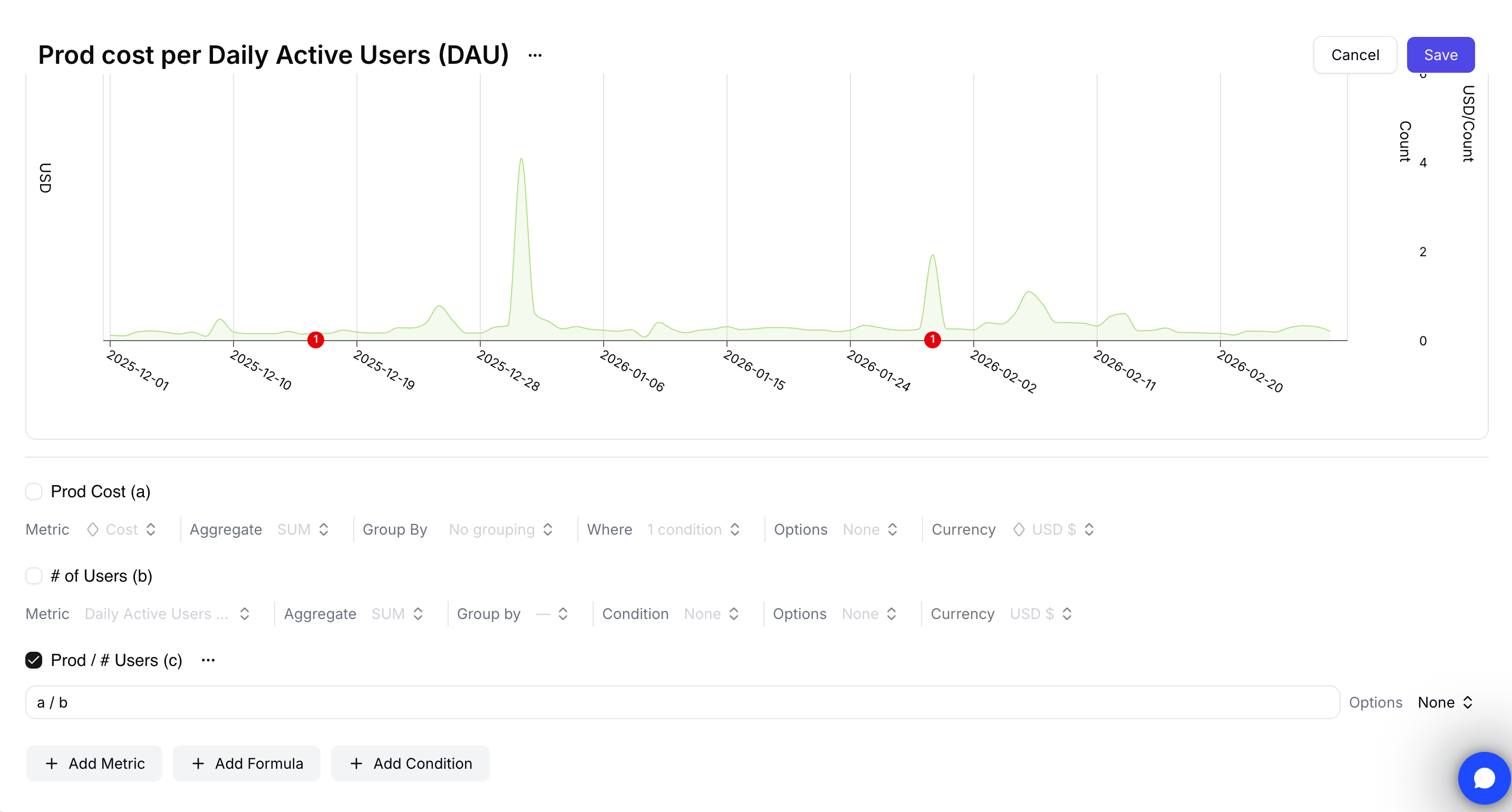
If metric a is total cost and metric b is Daily Active Users, a / b gives you cost per DAU.
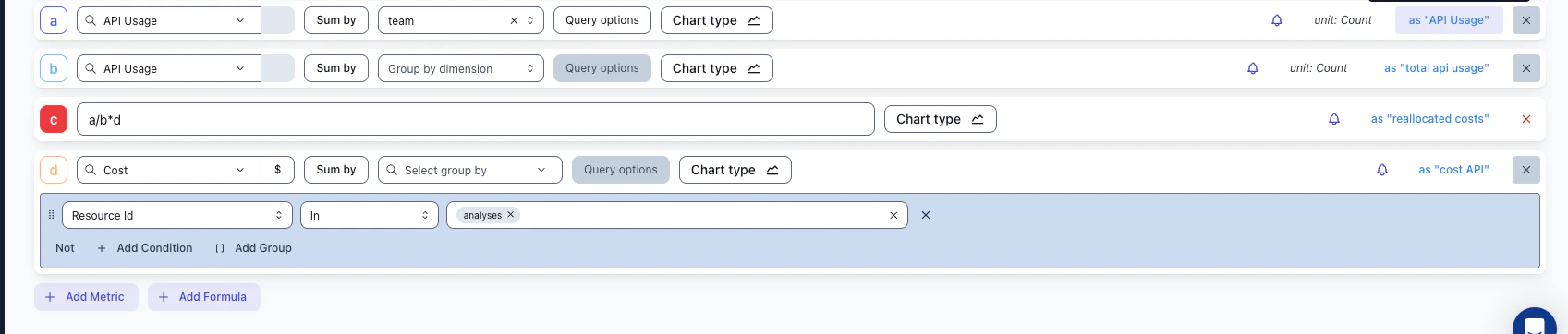
The formula editor combines multiple metrics and cost queries with letter references
Formulas support +, -, *, /, and parentheses. For rolling averages or conditional logic, pre-compute the metric in your source system before you connect it.
4
Visualize the result
The chart updates to show the formula over time. Switch chart types and toggle between raw metrics and the formula output.
Cost per DAU plotted over time alongside total cloud spend
Formulas respect your group-by dimensions. If you group by team and define cost / daily_active_users, Costory returns a separate cost-per-DAU value for each team.
You can ask the Costory MCP to build the ratio for you: “show cost per active user this quarter, broken down by service.” It picks the right usage metric and returns the result you can save as a widget.
You can set threshold alerts on any formula. If cost per request exceeds your target, Costory sends a notification through Slack or email. Configure thresholds in cloud cost alerts.
How do I track cloud cost per user or per transaction?
Connect a usage metric such as DAU from Amplitude or transactions from your database. In Explorer, create a formula that divides cloud spend by that metric. For a full walkthrough, see cost per active user with Amplitude.
Do formulas work with group-by dimensions?
Yes. If you group by a dimension such as team or service, the formula is applied per group. This lets you compare unit economics across teams, services, or products.
What operators can I use in formulas?
Formulas support arithmetic operators (+, -, *, /) and parentheses. Each metric is referenced by its letter label. Formulas operate on the aggregated value per time bucket.
Can I alert on a unit economics metric?
Yes. Save the formula and create an alert from it. Use this for targets such as cost per request, cost per active user, or cost per build minute.