Correlate your costs with technical or business metrics
Connect external metrics in Costory Integrations, then query usage metrics next to cloud cost in Advanced Explorer.
Billing explains what you spent. External metrics explain why. Connect a usage source in Integrations, then query it next to cloud cost in Advanced Explorer.Use this when you need to:
Reallocate shared infrastructure with a technical signal (requests, latency, schema size)
Track such as cost per active user or cost per transaction
Overlay business activity (orders, sessions, pipeline runs) on the same chart as spend
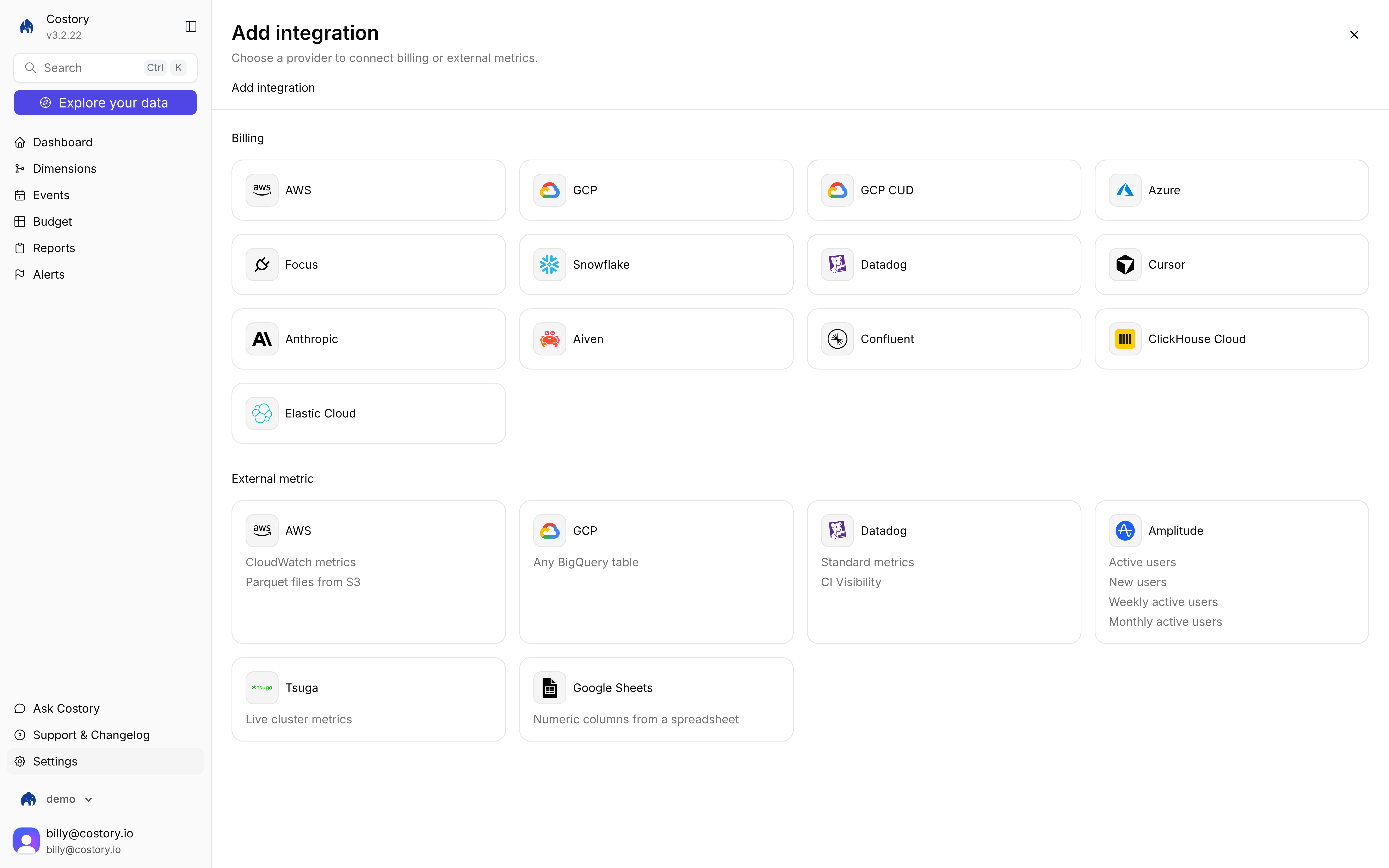
Add integration, External metric tiles for AWS, GCP, Datadog, Amplitude, Tsuga, and Google Sheets
The page title is Add integration. The subtitle is Choose a provider to connect billing or external metrics. Tiles are split into Billing and External metric.
3
Validate, then save
Connect screens are two columns: instructions on the left, Connection details on the right. Click Validate. Save connection stays disabled until validation succeeds. Custom metrics has no Validate step: Save connection creates the table.
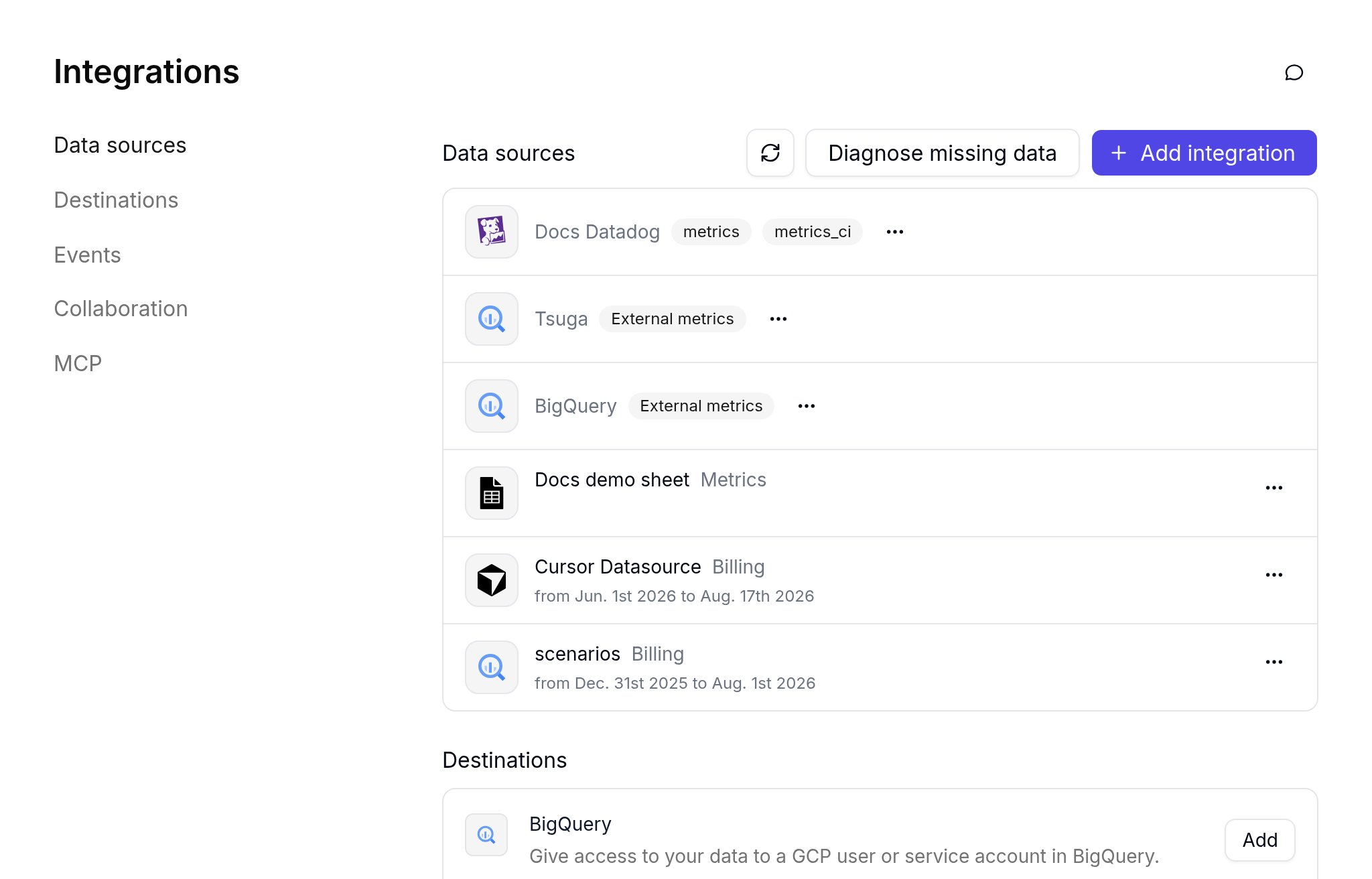
After you save, the source appears under Integrations > Data sources. Most external metric sources use the External metrics badge. Google Sheets uses the Metrics badge. Custom metrics uses the Custom metrics badge. A Datadog connection shows metrics and, if you enabled CI Visibility, metrics_ci.
Integrations Data sources list with Datadog, External metrics, and Metrics badges
Query external metrics in Advanced Explorer only. Open Explore your data, then switch Classic to Advanced. Classic greys out non-cost metrics.
Click Explore your data in the sidebar, then switch Classic to Advanced.
2
Add a metric
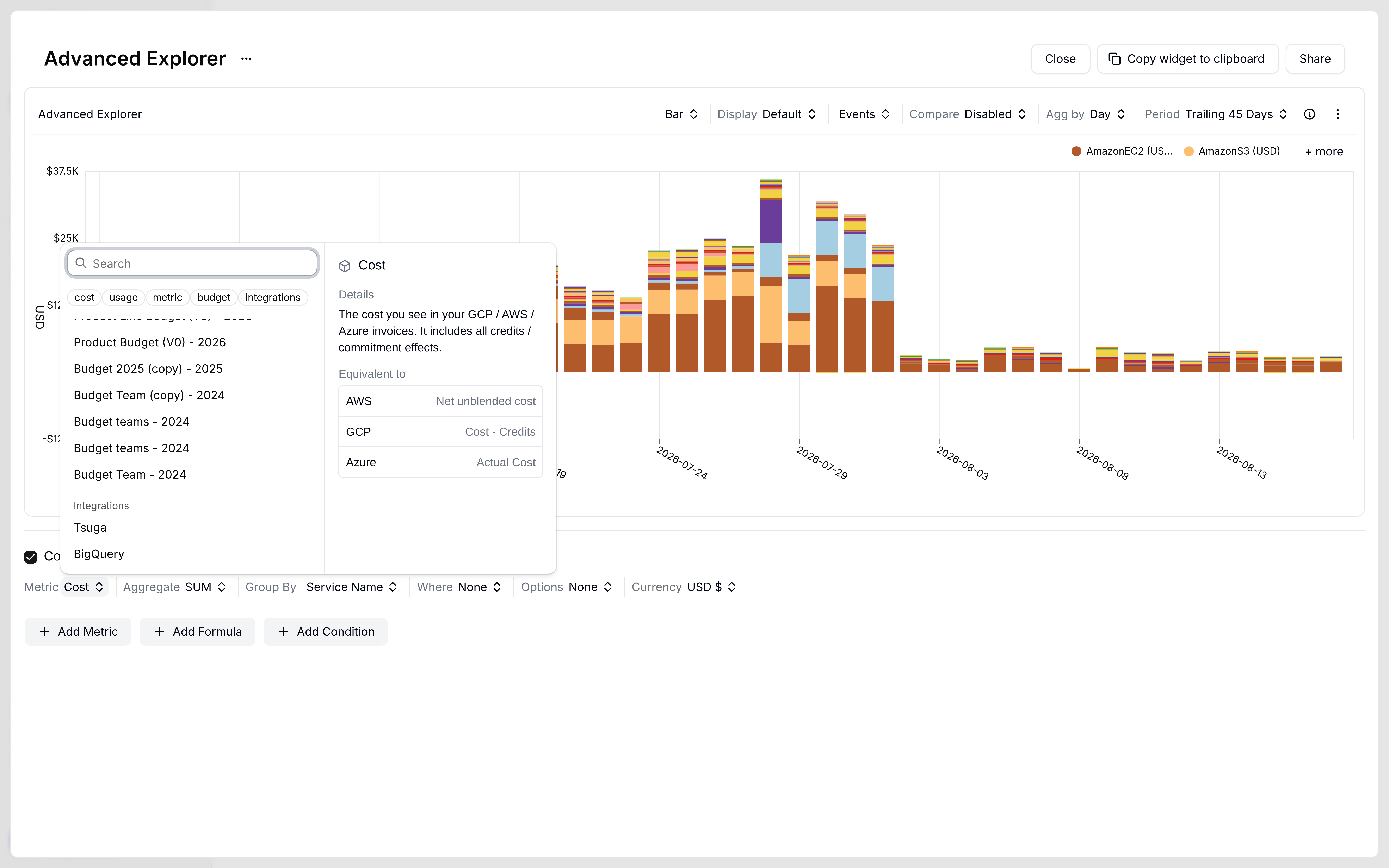
Click + Add Metric. In the metric picker, use the chips cost, usage, metric, budget, and integrations.
Metric picker chips: cost, usage, metric, budget, and integrations
3
Pick the integration
Open integrations, then choose the source you connected. Helper text describes it as a live external usage metric.
4
Configure the series
For BigQuery, choose a table, then set Date field, Value column, Aggregate (for example SUM), Gap fill (FORWARD FILL, ZERO, or LINEAR), and optional Group by.
BigQuery table picker after you select the BigQuery integration
5
Fix an empty chart
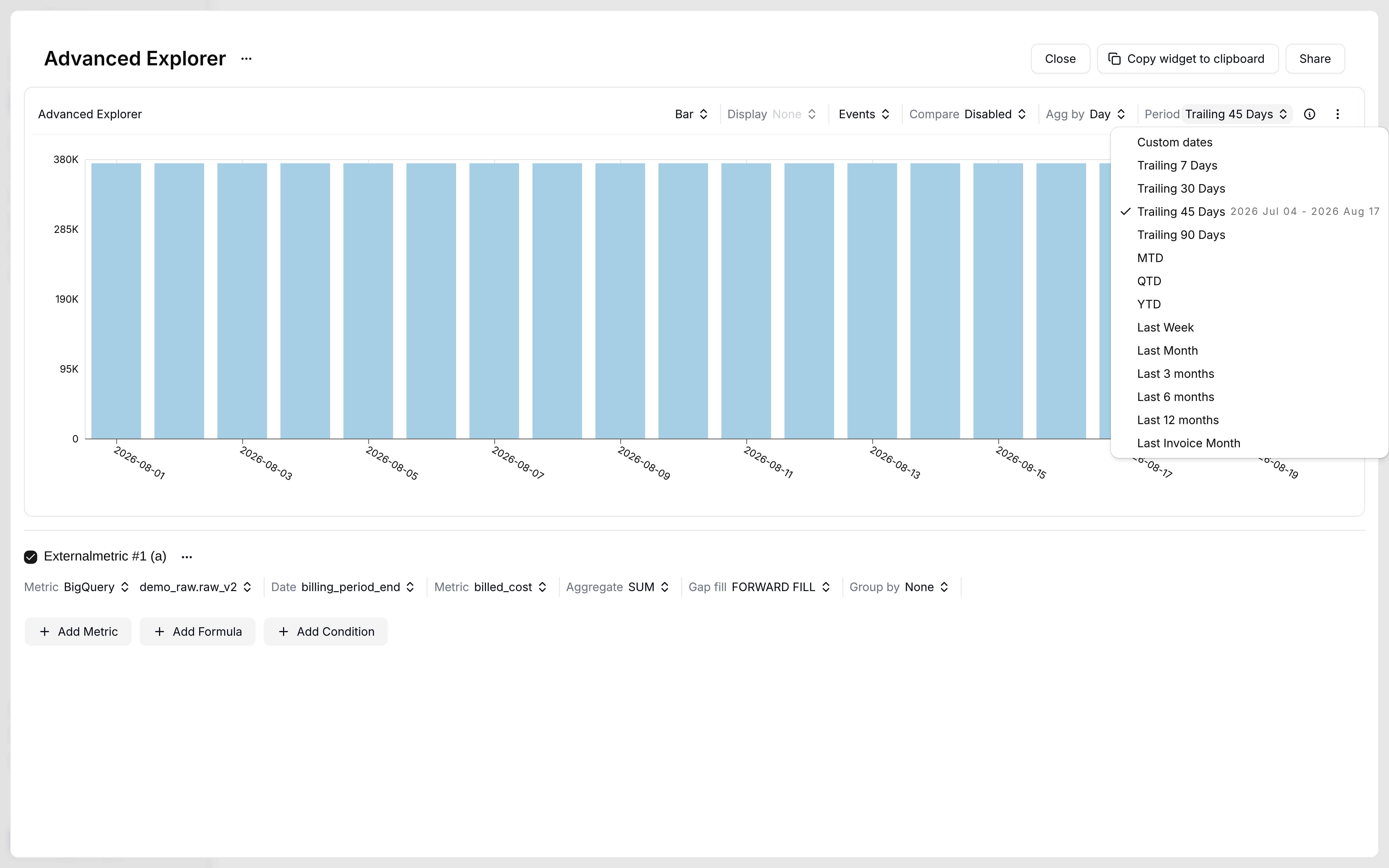
If the chart is empty, pick a different table and change Period. Options include Custom dates, Trailing 7 / 30 / 45 / 90 Days, MTD, QTD, YTD, Last Week, Last Month, Last 3 / 6 / 12 months, and Last Invoice Month.
Period dropdown with Trailing 45 Days selected
In the demo workspace, demo_raw.artifact_* tables stayed empty at every range. demo_raw.raw_v2 with Trailing 90 Days rendered using date billing_period_end, value billed_cost, SUM, and FORWARD FILL.
External metric chart for demo_raw.raw_v2 with billed_cost SUM and FORWARD FILL
6
Add cost or a formula
Optionally click + Add Metric for Cost, then + Add Formula such as b / a.