
part-*.parquet files counts as one metric. Every other .parquet file is its own metric, including dated snapshots. Hive partitions (dt=2026-08-01/) are not supported. The maximum is 50 metrics per bucket.
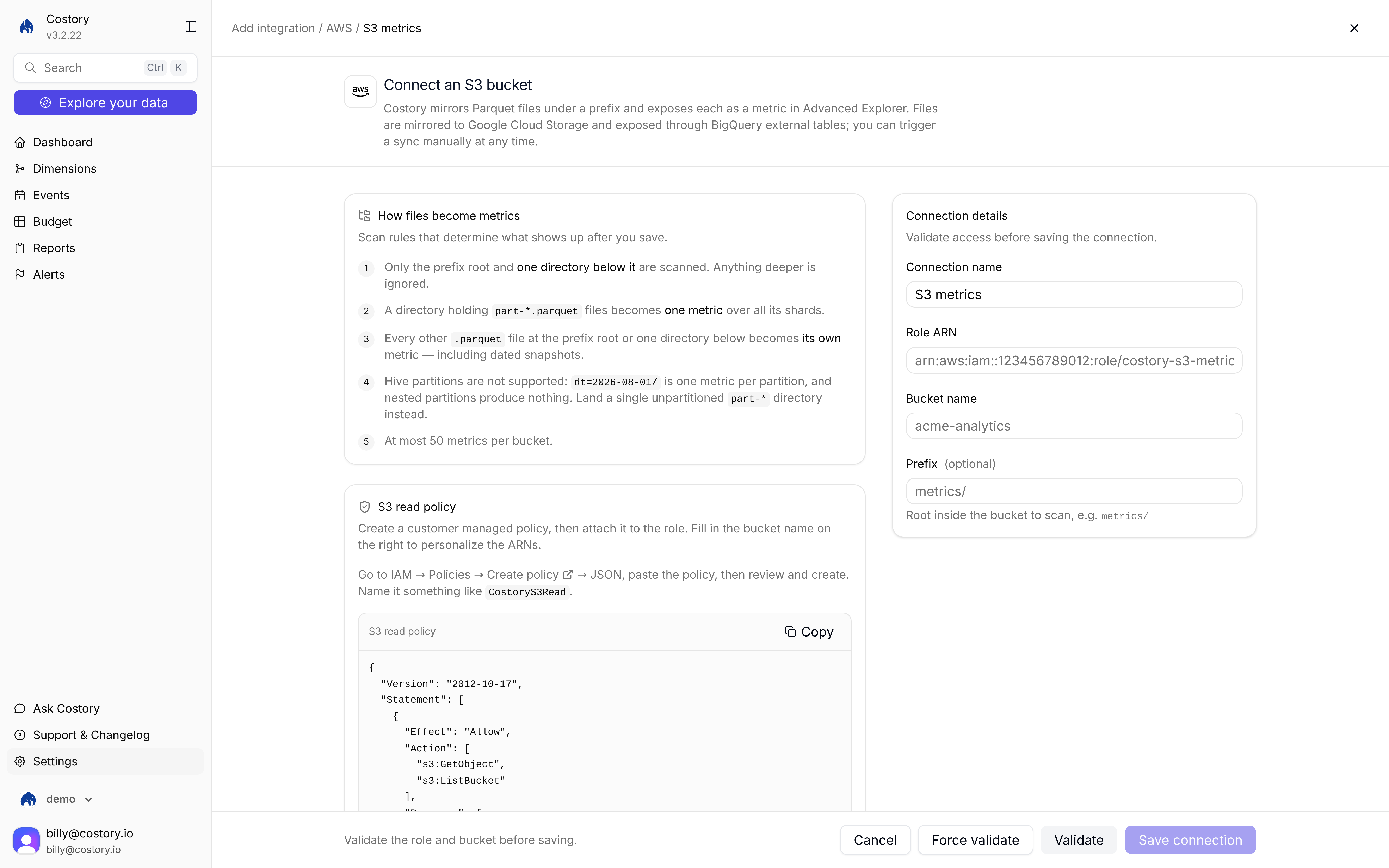
Connect an S3 bucket: how files become metrics, then Role ARN, bucket, and prefix
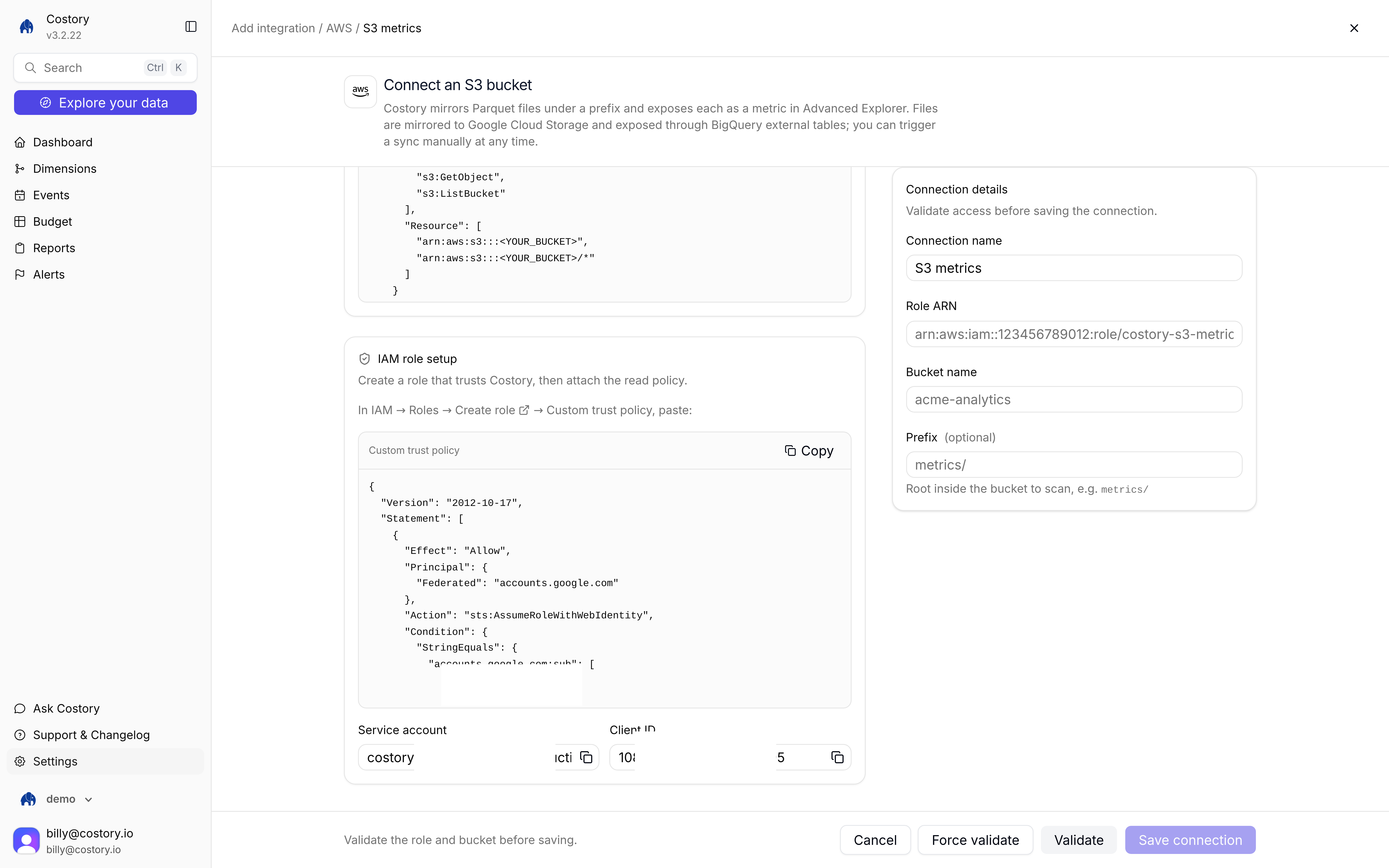
S3 metrics connect screen: S3 read policy, prefix, Force validate, and Save connection
- Manual setup
- Terraform
1
Store Parquet files in S3
Put metric files under a bucket prefix. Keep the layout to the prefix root and one directory. Do not rely on Hive-style partitions (
dt=2026-08-01/...).2
Create a read-only IAM role
Create an IAM role with read-only S3 access on that bucket and prefix, plus a web identity trust for Costory. Use the same federated trust as AWS billing. Copy the trust policy from the Costory connect screen.
3
Open the AWS tile
Go to Integrations, click + Add integration, then under External metric choose AWS. Pick S3 metrics.
4
Enter connection details
Fill Connection name, Role ARN, and Bucket name. Prefix is optional. Click Validate, then Save connection. Use Force validate if you need to re-check the role and bucket after a failed attempt.
5
Query in Advanced Explorer
Click Explore your data, switch to Advanced, then + Add Metric. Open integrations and pick the S3 source. See Query after you connect.
Save connection stays disabled until validation succeeds. Hive partitions are not supported. Costory stops at 50 metrics per bucket.
How files become metrics
Related pages
AWS CloudWatch
Connect CloudWatch on the same AWS tile.
Metrics Correlation
Query external metrics in Advanced Explorer.
Google Sheets
Connect numeric columns from a spreadsheet instead.