
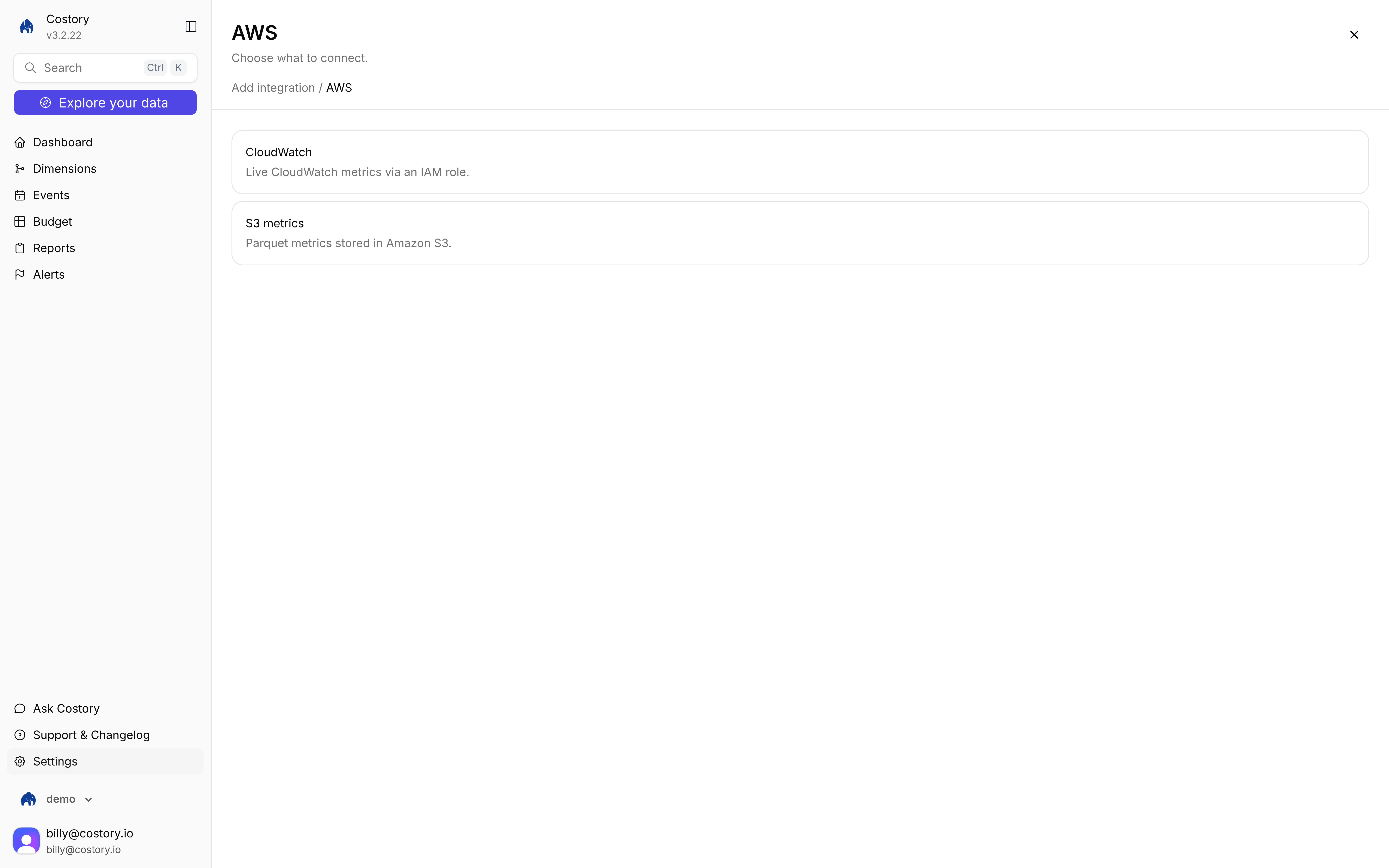
AWS External metric choice: CloudWatch or S3 metrics
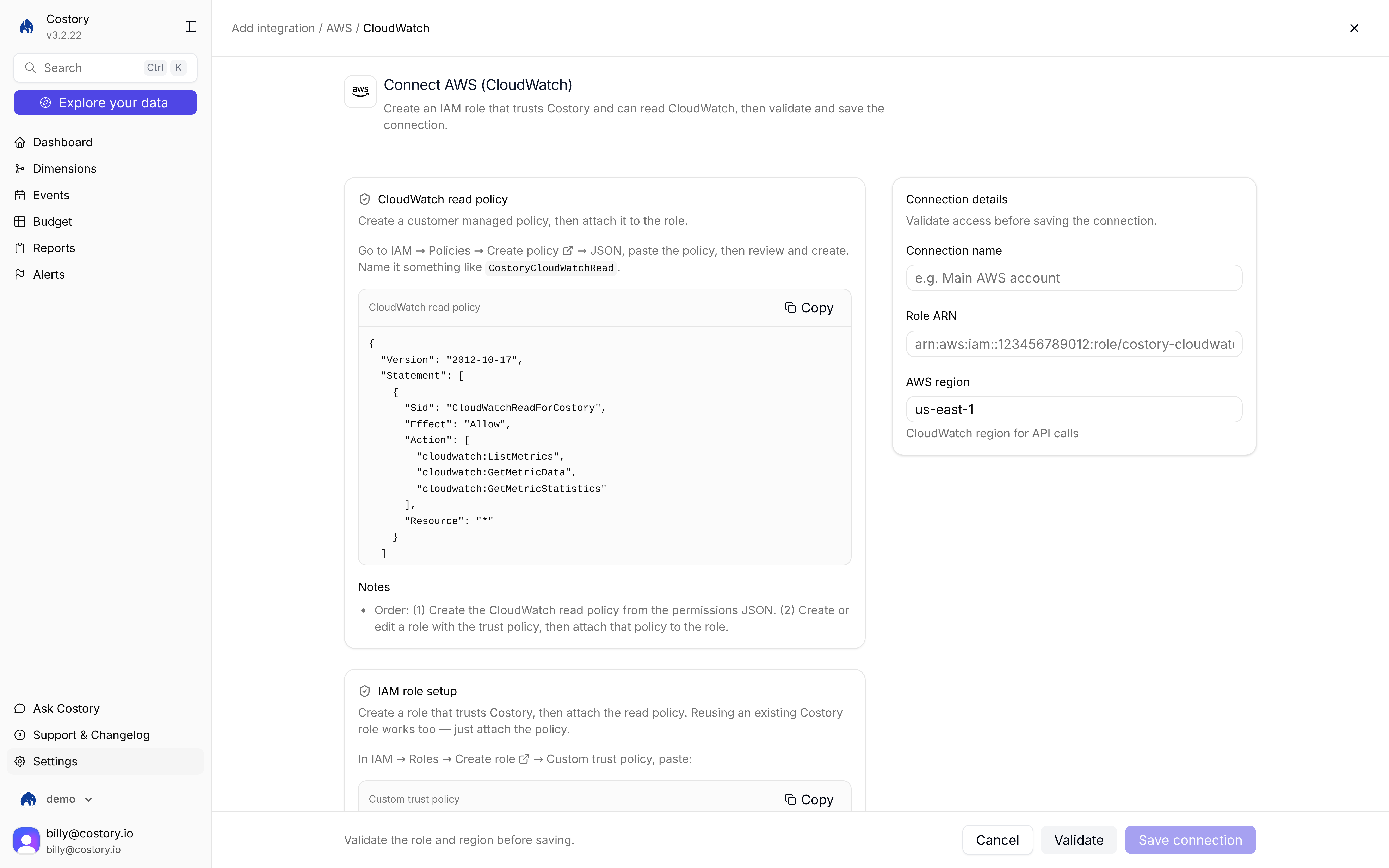
Connect AWS CloudWatch: read policy on the left, Role ARN and region on the right
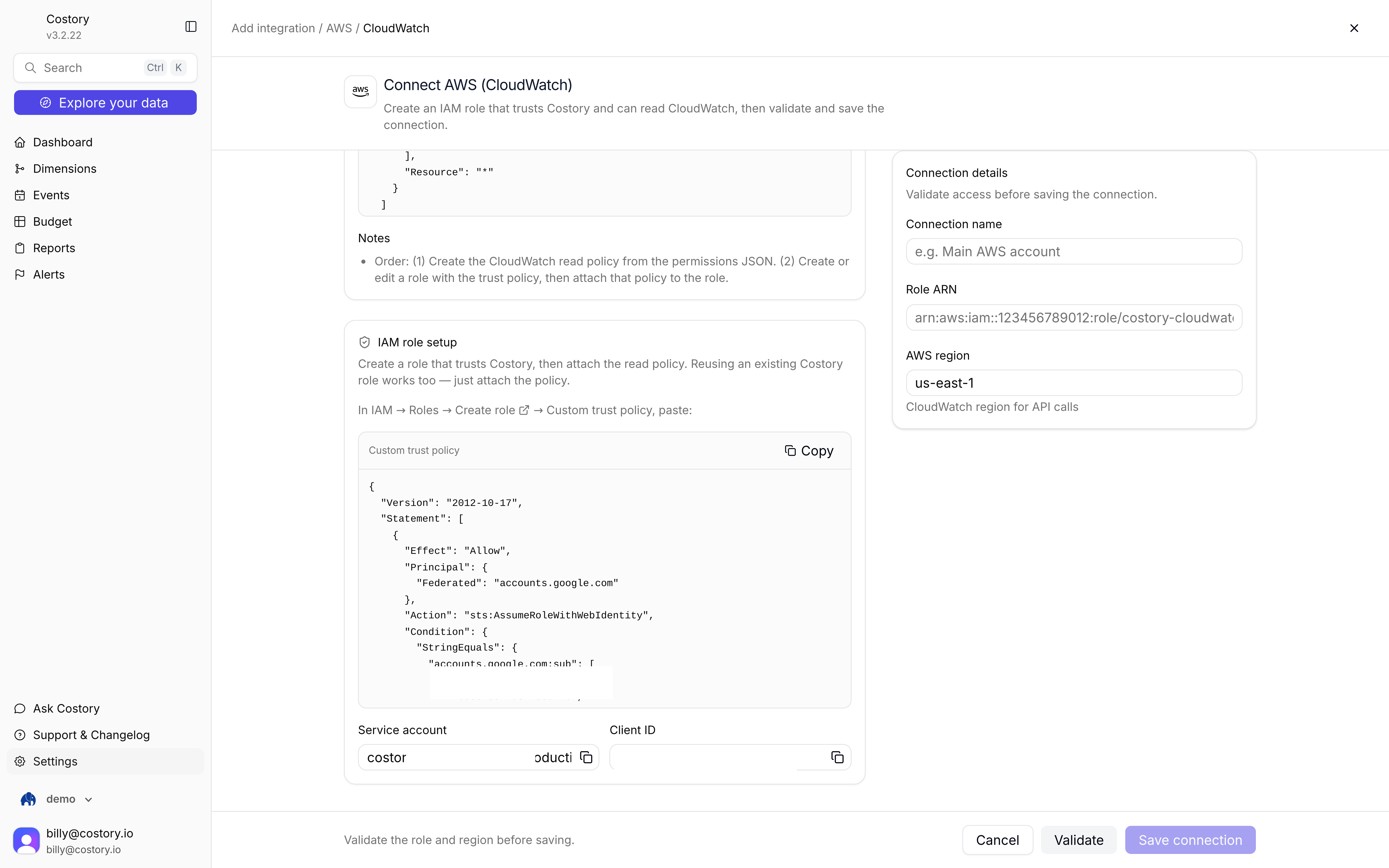
CloudWatch connect screen: IAM trust policy and Validate before Save connection
- Manual setup
- Terraform
1
Create the CloudWatch read policy
In IAM, create a customer managed policy from this JSON. Attach it to the role after you set up trust.
2
Create the trust policy
Create or edit an IAM role Costory can assume. Use the same web identity trust as AWS billing: federated access for Costory’s GCP service account. Copy the trust policy from the Costory connect screen, then attach the CloudWatch read policy to that role.
3
Open the AWS tile
Go to Integrations, click + Add integration, then under External metric choose AWS. Pick CloudWatch (not S3 metrics).
4
Enter connection details
Fill Connection name, Role ARN, and AWS region. Click Validate, then Save connection.
5
Query in Advanced Explorer
Click Explore your data, switch to Advanced, then + Add Metric. Open integrations and pick the CloudWatch source. See Query after you connect.
Save connection stays disabled until validation succeeds.
Example CloudWatch metrics
After you connect, pick a CloudWatch metric in Advanced Explorer. One common series is total bytes per S3 bucket (AWS/S3 BucketSizeBytes).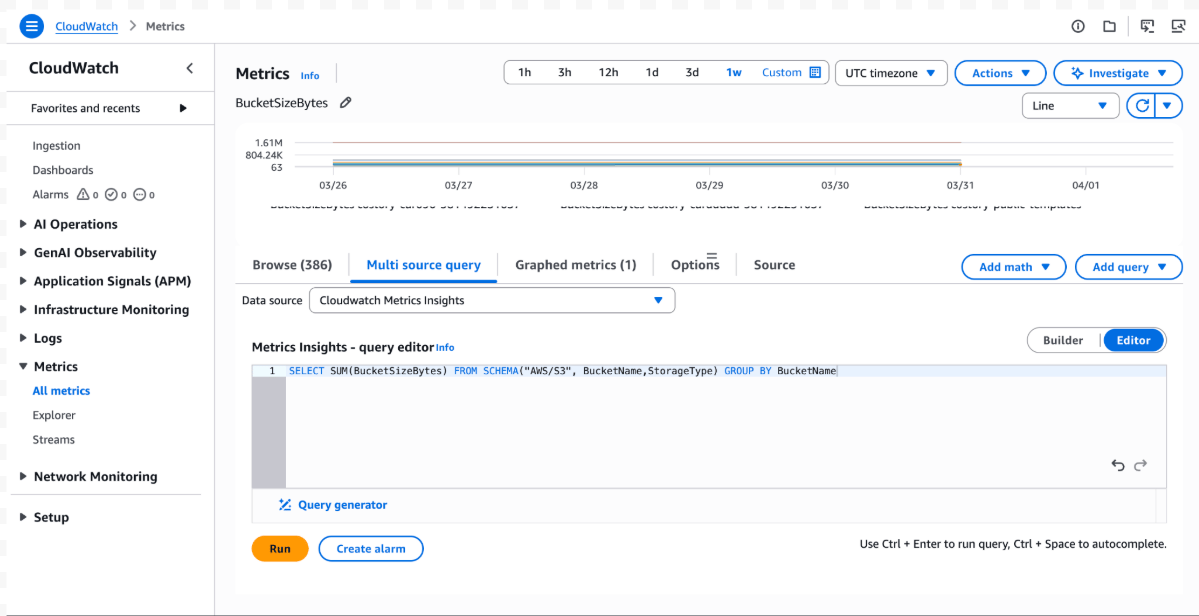
CloudWatch metric query for S3 bucket size
- Total bytes per S3 bucket (
AWS/S3BucketSizeBytes) - Request counts on API Gateway, ALB, or CloudFront (
AWS/ApiGateway,AWS/ApplicationELB,AWS/CloudFront) - Average CPU or memory by service, cluster, or Auto Scaling group (
AWS/EC2,AWS/ECS,AWS/EKS) - SQS queue length and messages sent or received (
AWS/SQS) - RDS or Aurora connections, CPU, and IOPS (
AWS/RDS)
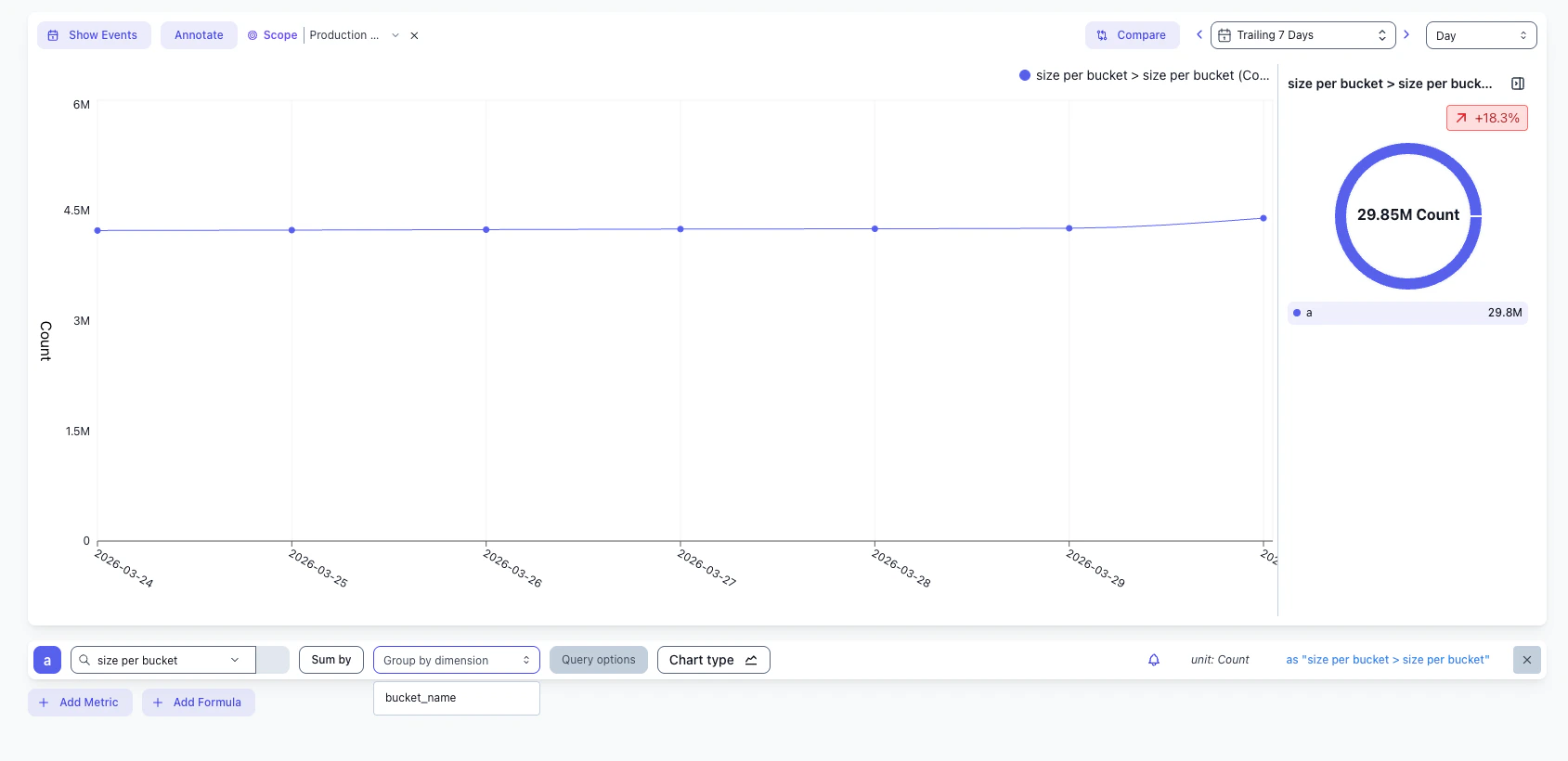
CloudWatch metric series in Costory after the query returns data
Related pages
S3 metrics
Connect Parquet files from S3 on the same AWS tile.
Metrics Correlation
Query external metrics in Advanced Explorer.
Unit Economics
Divide cloud cost by a CloudWatch metric.
AWS Billing
Connect CUR 2.0 with the same federated IAM trust.