
to Team A and$3K` to Team B based on actual database usage from Datadog. Connect any usage metric, and Costory splits the cost proportionally, with no manual percentages to maintain.
Allocate a shared database cost to the teams using it, based on actual usage metrics
Key terms
- Shared cost allocation: The process of distributing a shared infrastructure cost across the teams or services that consume it, proportionally based on usage.
- Usage metric: An external measurement (e.g., database size per schema, CPU time per user, API calls per team) used to determine each team’s share of a shared cost.
- Virtual dimension: A rule-based cost grouping. Shared cost allocation is configured as a special type of virtual dimension rule. See Dimensions.
Supported metric sources
Costory can use usage metrics from several data sources to drive proportional cost allocation.Datadog
Datadog CI Visibility
BigQuery
Tsuga
AWS CloudWatch
S3 metrics
Amplitude
Google Sheets
Snowflake
Custom metrics
How it works
1
Connect a usage metric source
Go to Integrations, click + Add integration, then under External metric connect a source from the grid above. See Metrics Correlation for details.
2
Create or edit a virtual dimension
Open the virtual dimension where you want to add shared cost allocation, for example
Team. See Dimensions if you haven’t created one yet.3
Add a metric-based rule
Select the usage metric you connected. Costory will use the metric’s values to determine each team’s proportional share of the cost.
4
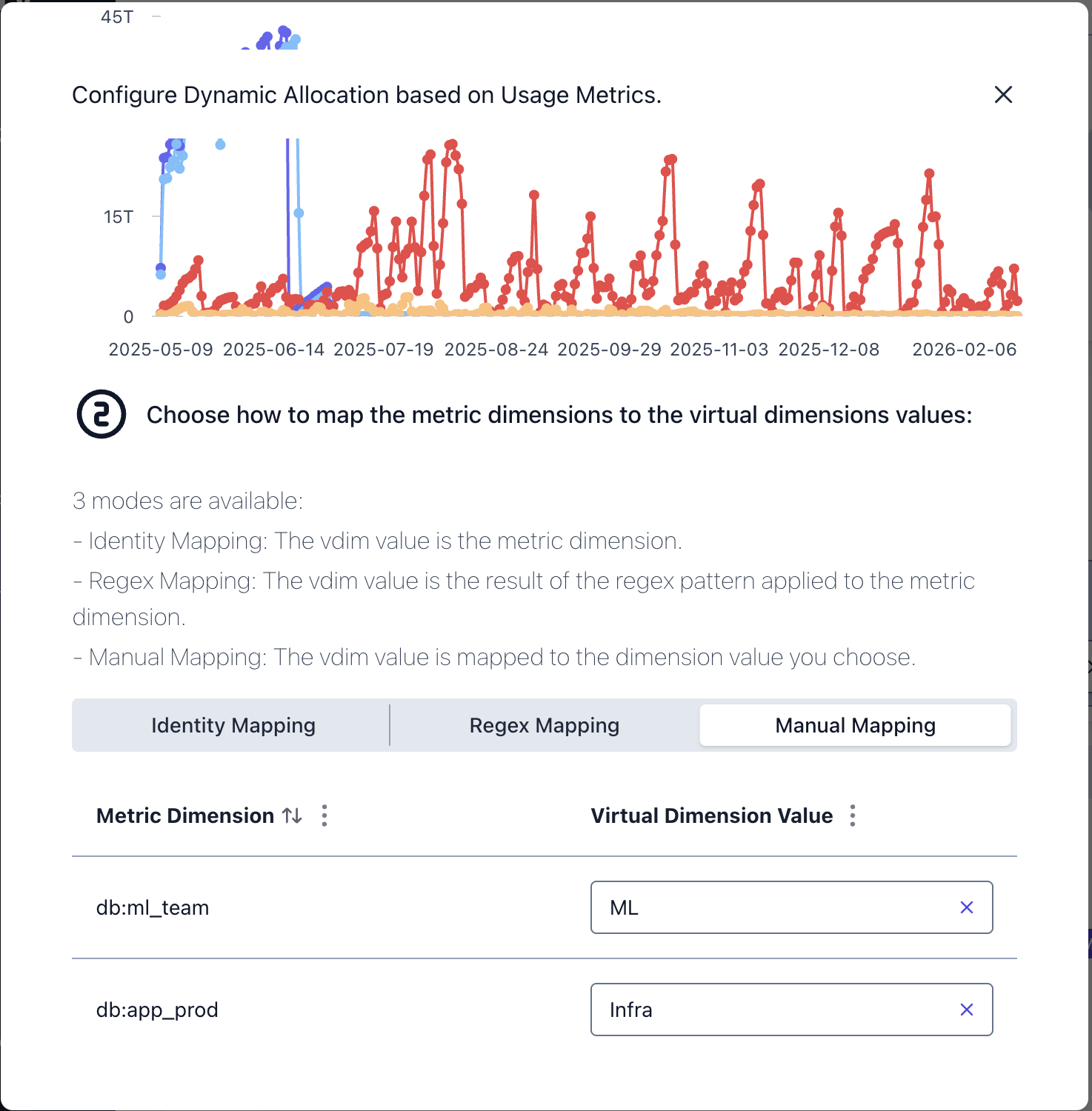
Map metric dimensions to teams
Tell Costory how metric labels correspond to team names. Three mapping types are available (see below).
5
Apply
Costory reprocesses your data. The shared cost is split proportionally and appears in Explorer grouped by team.
Mapping metric labels to teams
When a usage metric has dimension labels (e.g., aschema label per database schema), you need to map those labels to the team names in your virtual dimension.
Common allocation patterns
Shared cost allocation works well for:- Shared databases (Cloud SQL, RDS, Aurora), split by schema size, query count, or connection time per team
- Network and egress costs, split by traffic volume per namespace or service
- Shared Kubernetes clusters, split by CPU or memory usage per namespace. See EKS cost allocation for a full example.
- Third-party API costs, split by API call count per team. See Reallocate API Costs for a walkthrough.
- Support and licensing fees, split proportionally based on each team’s share of total spend
Automate reporting
Once costs are allocated, you can automate weekly reports per team via Cost Reports. Each team sees their share of shared infrastructure alongside their direct costs, all in one place.For a step-by-step walkthrough, see Allocate a shared Cloud SQL database.
Next Steps
Dimensions
Build imported and rule-based dimensions
Allocate a Shared Database
Step-by-step: split a Cloud SQL bill across teams
Reallocate API Costs
Split shared API costs using an external usage metric
Metrics Correlation
Connect any External metric source