Create cloud cost allocation dimensions that merge native AWS, GCP, and Azure tags, normalize values, and define rule-based virtual dimensions for team, product, or environment reporting.
Dimensions are Costory reporting fields. They map provider-specific tags, labels, and billing metadata to consistent values you can group, filter, allocate, alert, and report on across AWS, GCP, and Azure.Costory resolves dimensions on top of your billing export and recomputes history on every change, so a dimension reads the same in Explorer, dashboards, alerts, and reports. The UI and the Costory MCP write the same definitions: rules you build in the app are the same CEL conditions an agent drafts and publishes through the virtual dimension tools.
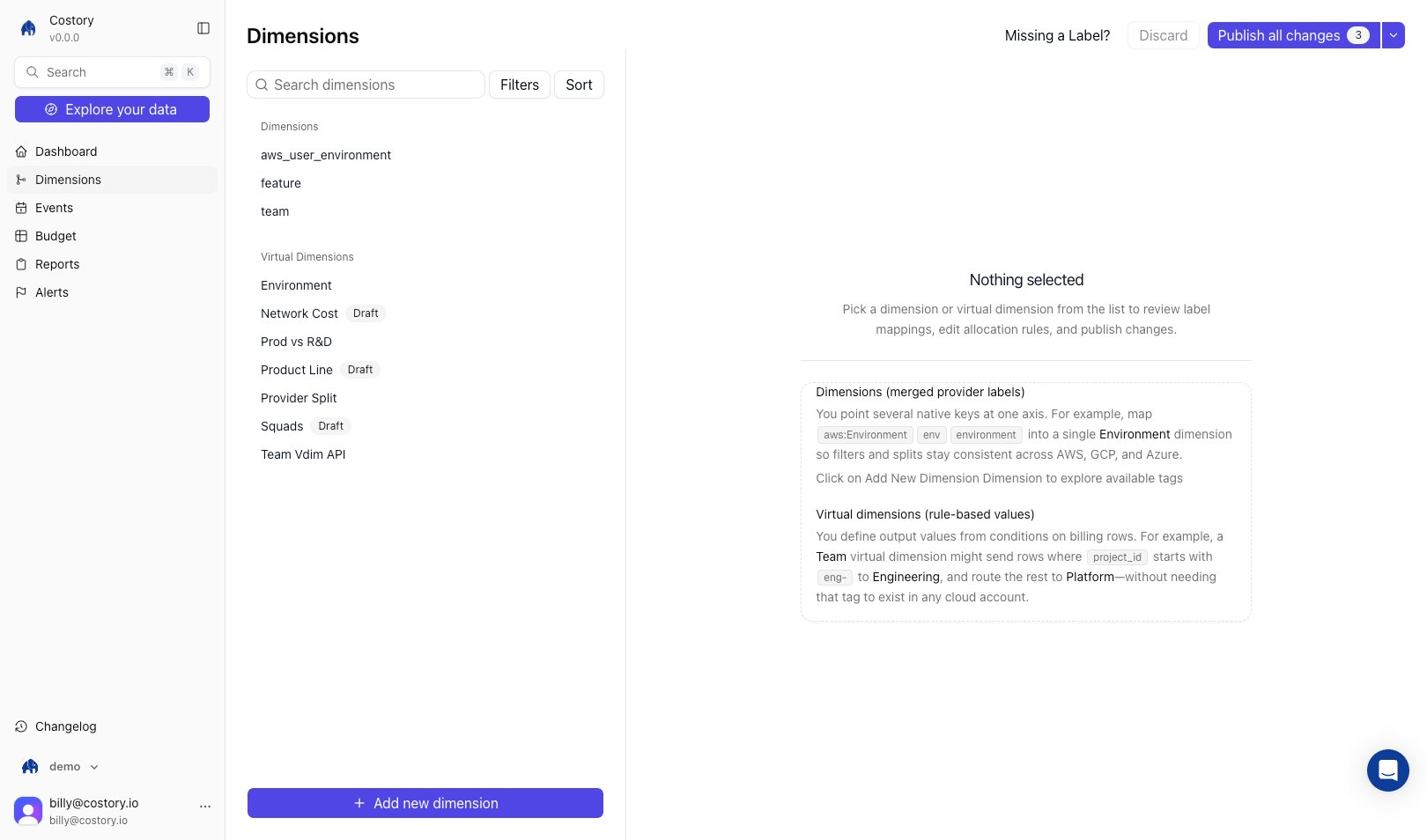
Dimensions page listing imported labels and virtual dimensions in one place
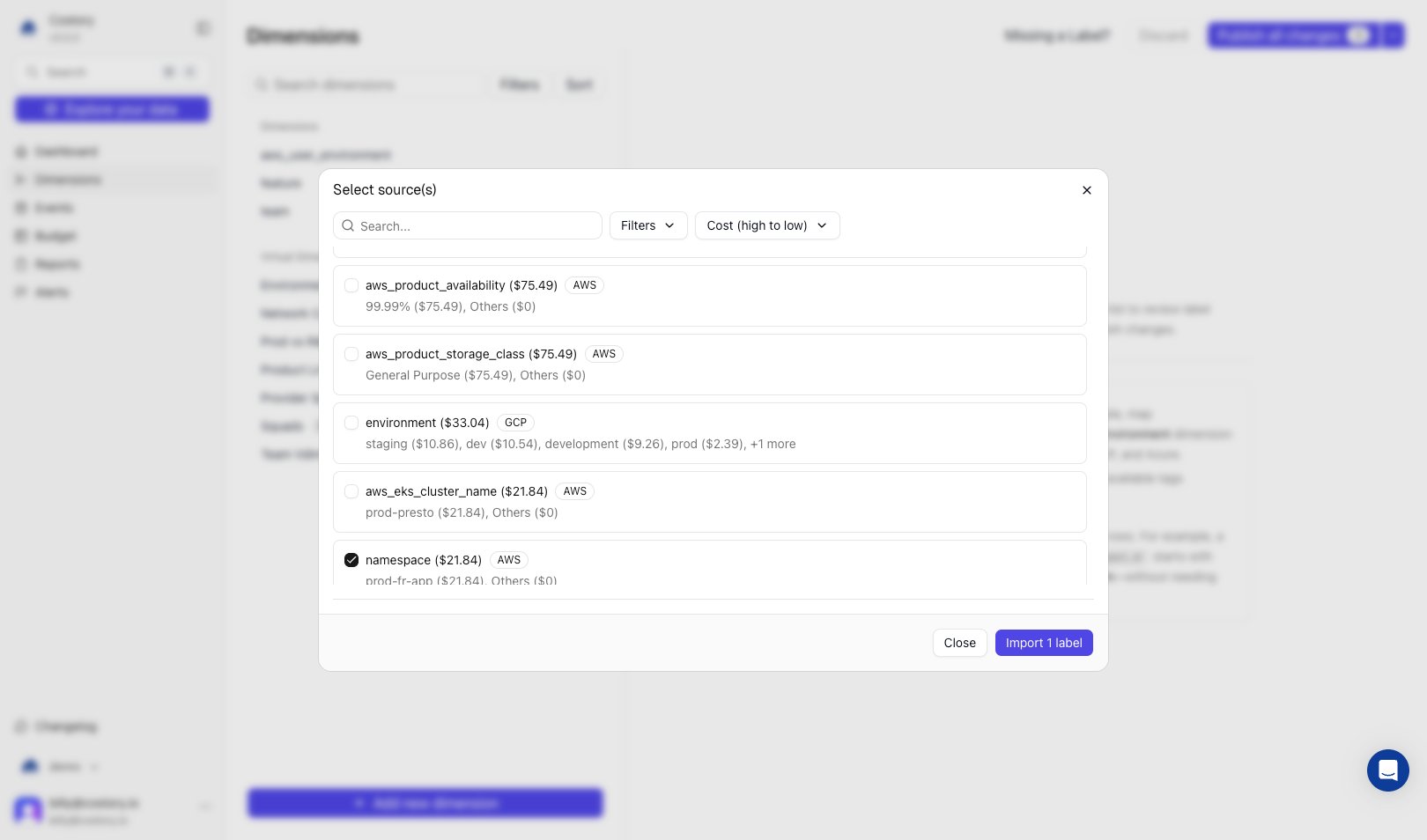
There are two kinds of dimension.An imported dimension points several native tags or labels at the same concept. Map aws:Environment, env, and environment into one Environment dimension so filters and splits stay consistent across providers.A virtual dimension derives its values from rules instead of an existing tag. Each rule is a CEL condition evaluated top to bottom, first match wins. A Team virtual dimension can route rows where cos_gcp_project_id.startsWith("eng-") to Engineering and send everything else to a leftover bucket.Common uses:
Collapse duplicate tag keys across AWS, GCP, and Azure into one field
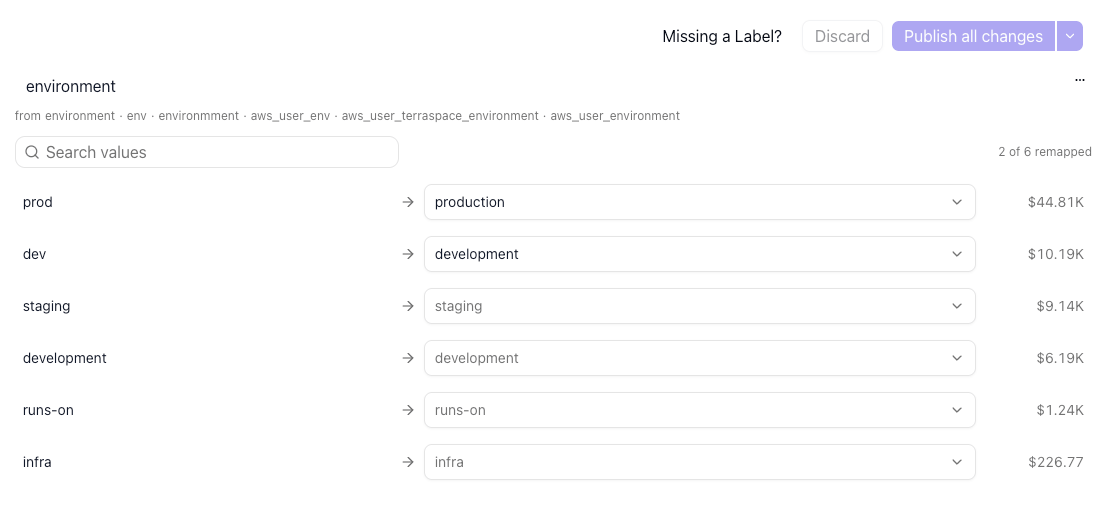
Normalize values such as prod, prd, and production
Allocate untagged resources to teams, products, or cost centers
Build shared dashboards, alerts, and reports on stable business fields
Use virtual dimensions when the right grouping does not exist as a clean tag. Rules can use billing metadata, imported dimensions, or other virtual dimensions.
1
Create the virtual dimension
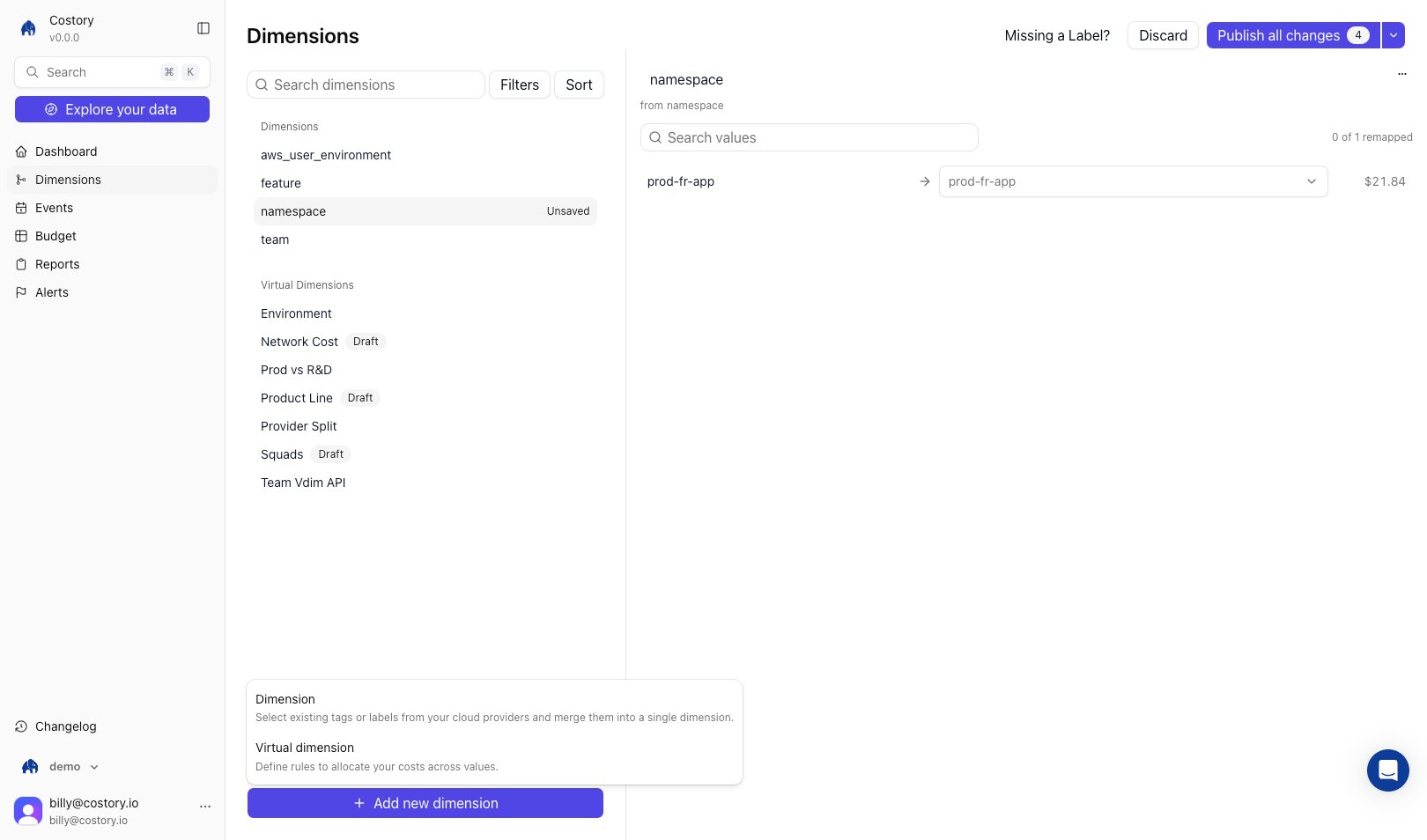
Open Dimensions, click + Add new dimension > Virtual dimension, and enter a name such as team, business_unit, or product.
Add a virtual dimension from the Dimensions page
2
Define rules
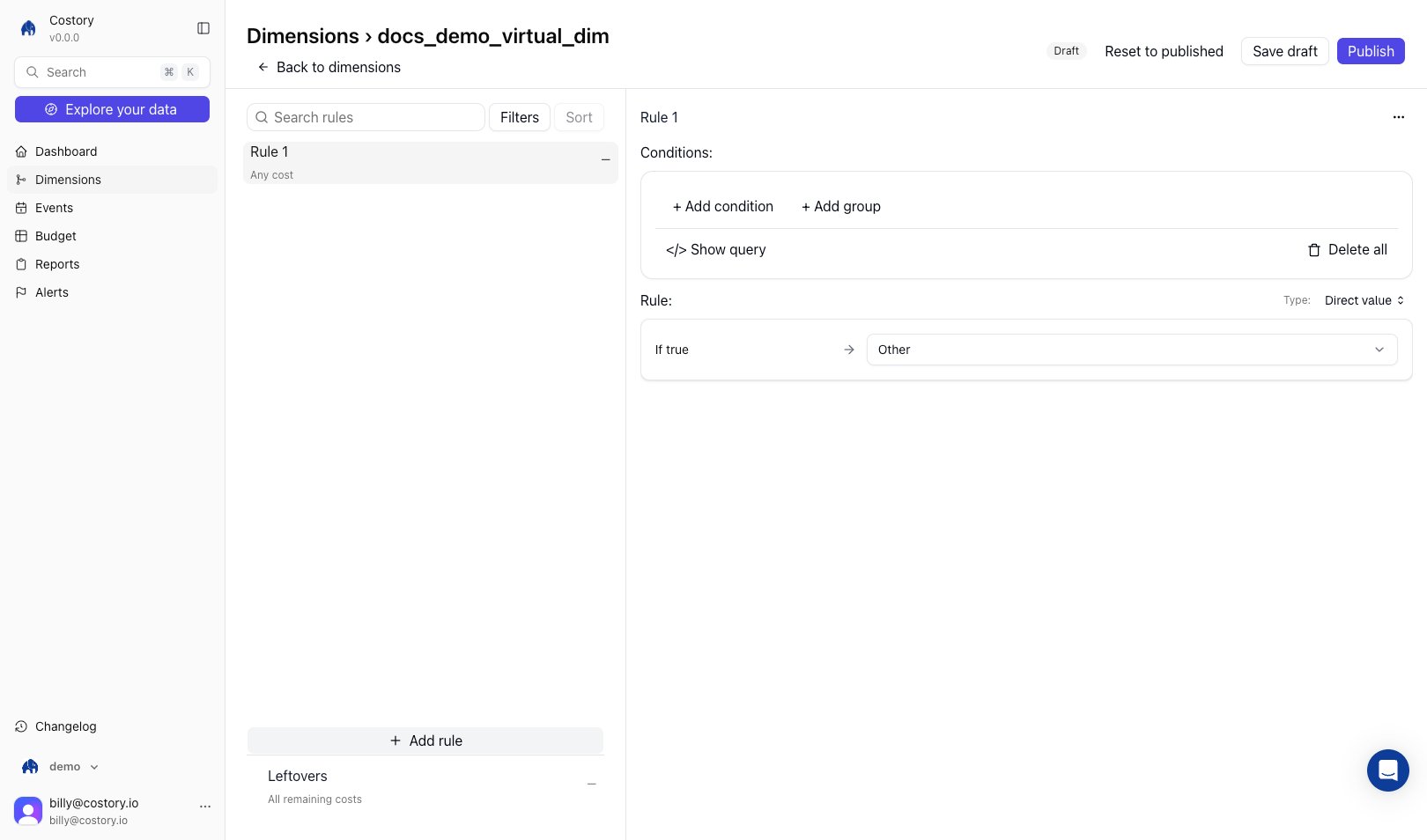
Add conditions that map cost rows to output values. Conditions can use fields such as account, service, resource name, Kubernetes namespace, imported dimensions, or another virtual dimension.
Rules editor with conditions and value mapping
3
Order the rules
Rules are evaluated from top to bottom. Drag rules into the priority order you want.
4
Save
Costory reprocesses historical data and makes the new values available across the product.
Every virtual dimension ends with a leftover bucket: a catch-all value for any cost row that matches none of your rules. Watch its share when you build rules: a large leftover usually means a rule is missing or too narrow.
Explore and build allocation with your AI assistant
Most of the work in allocation is deciding which field to split on, not entering the rules. Through the Costory FinOps MCP, an assistant runs that exploration against your real spend and turns the result into a published dimension from chat. Before any rule exists, it can:
Surface the values behind a concept with semantic search. Ask for “checkout” and you also get payment-api, order-service, and cart-backend, so one rule covers related spend a literal match would miss.
Test which field best separates your cost with group-by suggestions and ad-hoc queries, so you split on something meaningful instead of guessing.
Preview where the money lands. A per-rule preview shows trailing-30-day cost per bucket and the leftover share, so a missing or too-narrow rule is obvious before you publish.
Flag rules that overlap. The overlap matrix shows when a broad early rule shadows a later one and swallows its spend.
Creating the dimension is the easy last step. The assistant drafts the rules as CEL conditions (top to bottom, first match wins), adds the leftover bucket automatically, and keeps everything on a draft. Publishing is explicit and triggers a data refresh, so production stays unchanged until you confirm.
Describe the outcome you want (“split our shared Cloud SQL bill across teams by schema size”) and let the assistant explore the data and propose rules. Review the preview, especially the leftover share, before approving the publish.
Beyond mapping rows to fixed values, a virtual dimension rule can split a shared cost proportionally across teams based on a synced usage metric, a telemetry allocation. For example, divide a shared Cloud SQL bill across teams by each schema’s size instead of guessing a flat percentage.Connect a metric source from Integrations > + Add integration > External metric (Metrics Correlation), then add the allocation rule from the web app or through MCP. See Shared Cost Allocation for the full walkthrough and supported sources.
Merge env, environment, and k8s_label_env, then normalize values into development, staging, and production. Use this for environment cost reports and alerts.
Build one dimension on top of another. For example:When the team mapping changes, every dashboard, alert, and report that uses the downstream dimensions updates after reprocessing.