
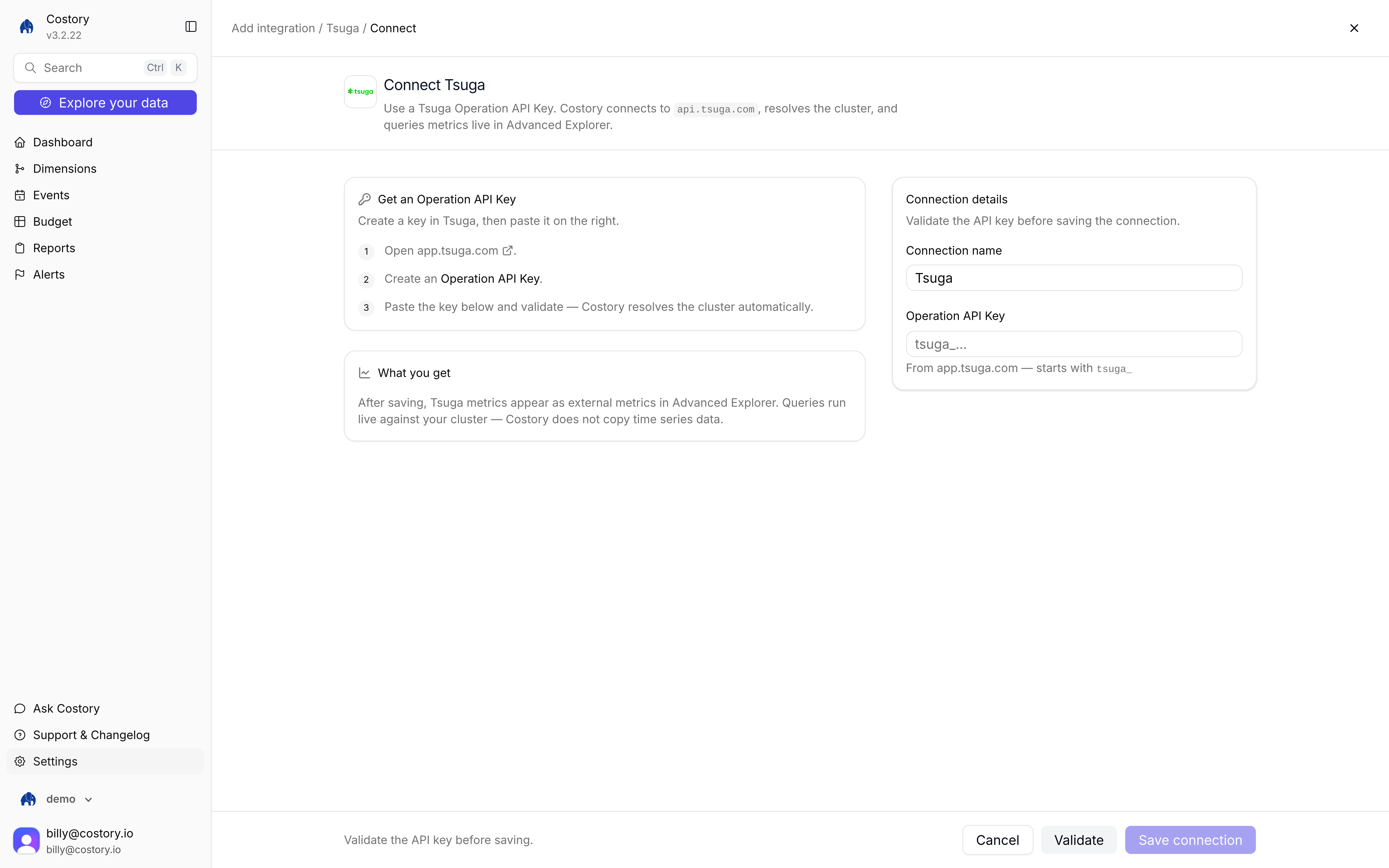
Connect Tsuga: Operation API Key on the right, instructions on the left
Tsuga connector walkthrough
Before you begin, make sure you have:
- A Tsuga account with at least one metric, log stream, or trace
- Permission to create Operation API Keys in your Tsuga workspace
- Manual setup
- Terraform
1
Create an Operation API Key in Tsuga
Go to Settings > API Keys and create a key with the Operation type. The value starts with
tsuga_. Copy it. Tsuga shows the value only once.2
Open the Tsuga tile
Go to Integrations, click + Add integration, then under External metric choose Tsuga. The connect URL is
/integration/new/tsuga/connect. 3
Connect your workspace
Set a Connection name, paste the Operation API Key, then click Validate and Save connection. Costory talks to
https://api.tsuga.com, resolves your cluster, and makes metrics available in Advanced Explorer.Query metrics
Once connected, pick Tsuga in Advanced Explorer (or ask an agent through Costory MCP). Click + Add Metric, open integrations, and choose Tsuga. You can group by attributes, paste a Tsuga filter in the condition field, and use the series as a usage driver when splitting a shared cost.Costory queries Tsuga live. There is no sync job. Timestamps are UTC. How far back you can go depends on retention in your Tsuga workspace.See Query after you connect.Supported signals
FAQ
What is an Operation API Key?
What is an Operation API Key?
Tsuga has two key types. Ingestion keys are write-only and send data to Tsuga. Operation keys are read-only and query data. Costory needs an Operation key that starts with
tsuga_.Can I use log or trace aggregations, not just raw metrics?
Can I use log or trace aggregations, not just raw metrics?
Yes. Error rate, p99 latency, and similar aggregations work as usage metrics the same way raw metrics do.
Can I filter by service or environment?
Can I filter by service or environment?
Yes. Scope the metric with a Tsuga filter string in the condition field when you build the query or allocation.
How do I find metric names in my workspace?
How do I find metric names in my workspace?
Call Tsuga’s
GET /v1/metrics endpoint, or browse the API reference at app.tsuga.com/swagger.When will I see data after setup?
When will I see data after setup?
As soon as the connection validates. Historical range follows the retention configured in your Tsuga workspace.
Next steps
Build unit economics
Divide cloud costs by Tsuga metrics (cost per request, cost per user, and similar).
Metrics Correlation
Query live external metrics in Advanced Explorer.
Connect events
Add deploys and incidents so you can correlate them with metric changes.