
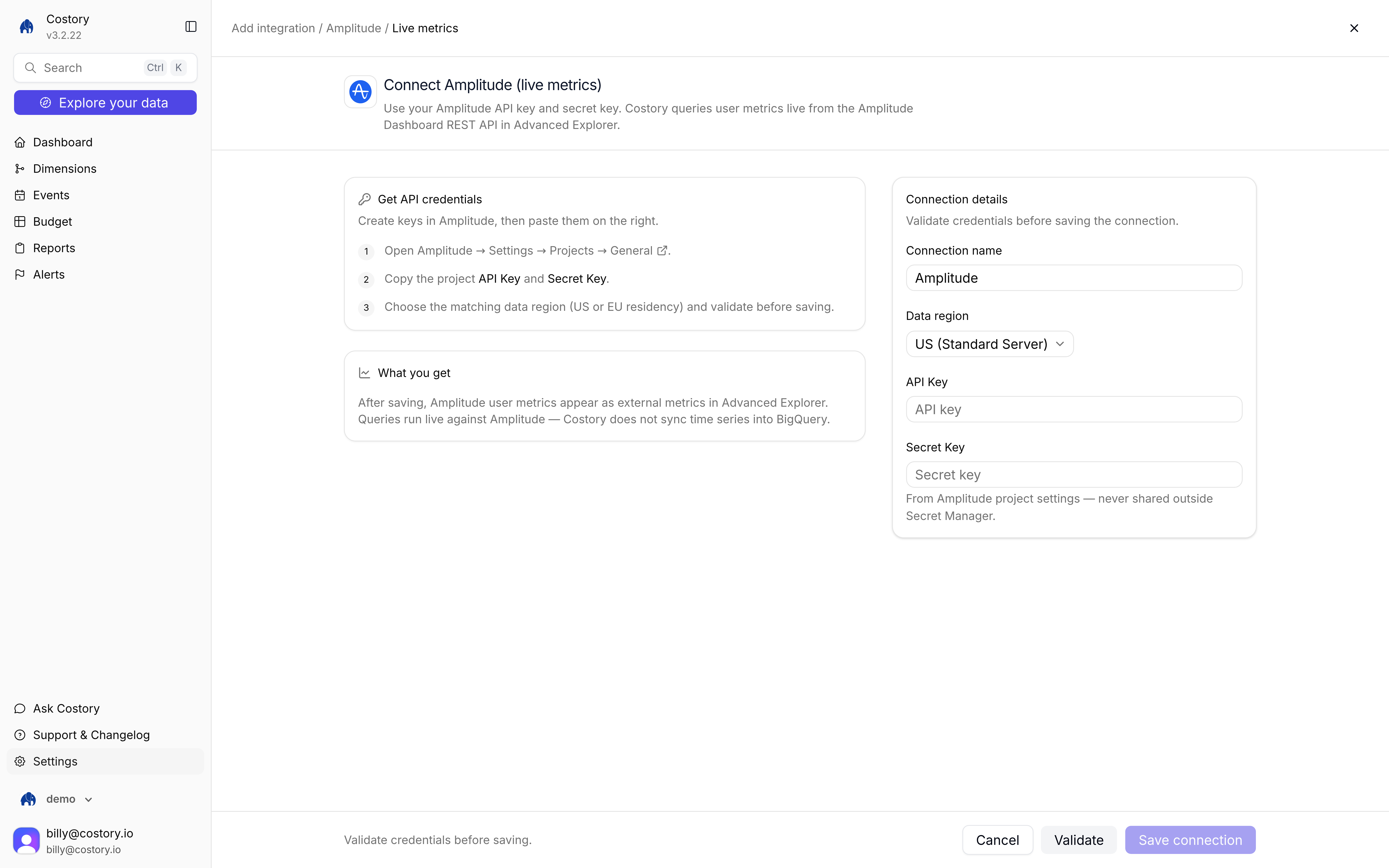
Connect Amplitude (live metrics): credentials on the right, project settings on the left
- Manual setup
- Terraform
1
Copy Amplitude keys
In Amplitude, go to Settings > Projects > General. Copy the API Key and Secret Key, and note the region.
2
Open the Amplitude tile
Go to Integrations, click + Add integration, then under External metric choose Amplitude. The connect URL is
/integration/new/amplitude/live-metrics. 3
Enter connection details
Fill Connection name, paste the API Key and Secret Key, and select Data region (US (Standard Server) or EU residency). Click Validate, then Save connection.
4
Query in Advanced Explorer
Click Explore your data, switch to Advanced, then + Add Metric. Open integrations and pick Amplitude. See Query after you connect.
Queries run live. Costory does not copy Amplitude time series into BigQuery.
Related pages
Cost per active user
Overlay production cost with Amplitude active users.
Unit Economics
Build cost-per-user formulas in Explorer.
Metrics Correlation
All external metric sources and the query path.