Stop spending hours building monthly cloud cost reports. Use a Cost digest inside Costory Reports to generate executive summaries, root-cause analyses, and shareable Slack or email digests.
Reporting on last month’s cloud invoice answers the same three questions every time: what happened, why did costs go up, and where are the anomalies. The format changes (Notion, PowerPoint, Slack) but the work does not.It usually falls to a senior SRE or infrastructure lead and pulls them off engineering work. Costory cuts that monthly report from half a day to minutes.This guide automates monthly with a Cost digest inside Cost Reports.
How to automate monthly cost reporting step by step
1
Create a monthly Cost Report
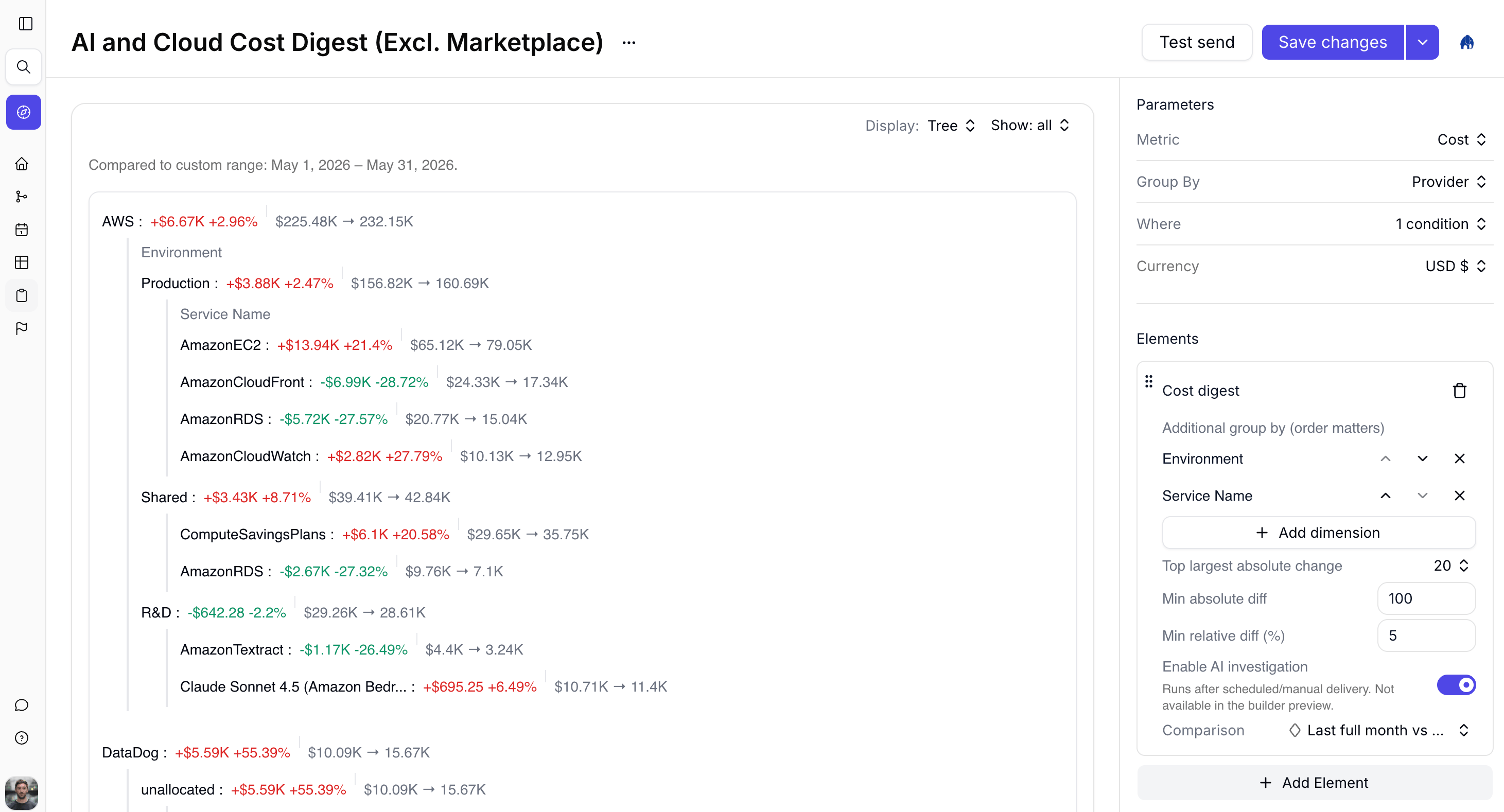
Open Reports, create a report, and set parameters for the month you care about. Typical setup: Metric = Cost, Group By = Provider, comparison = last full month.
Report builder with a Cost digest tree preview
2
Add a Cost digest element
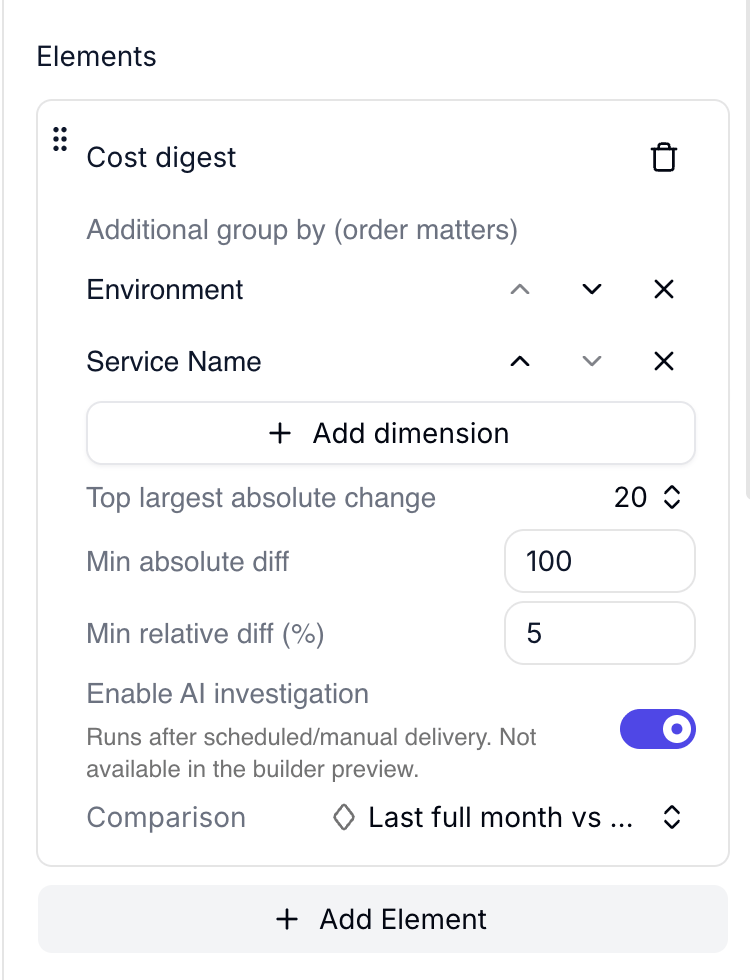
Click + Add Element, choose Cost digest, then add dimensions such as Environment and Service Name. Turn on Enable AI investigation so leaf nodes get root-cause text after delivery. Details: Digest.
Cost digest element with additional dimensions, thresholds, and AI investigation
3
Schedule Slack or email delivery
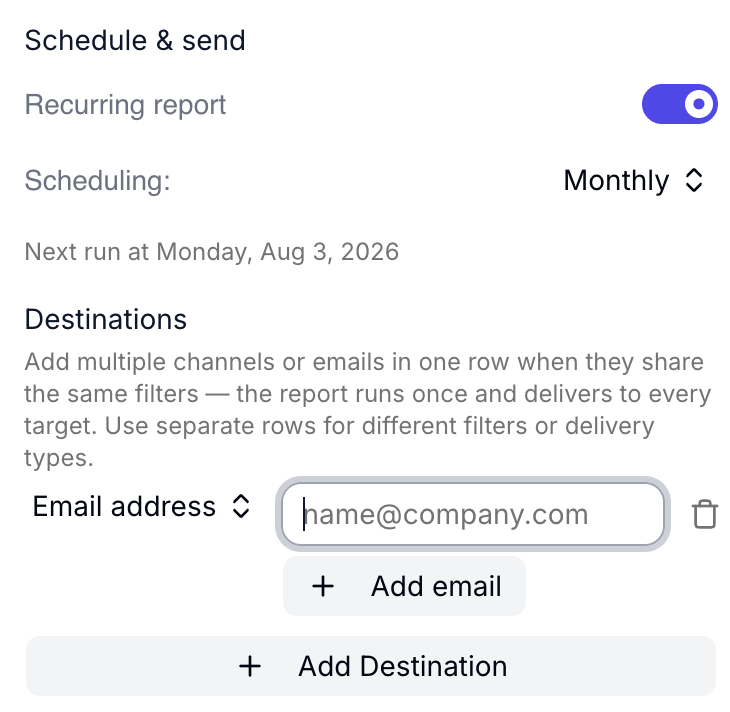
Set the report to monthly, add finance or leadership destinations, and save. Recipients get the Summary narrative. You can reopen the run in Costory and switch to Tree or Table for drill-down.
Schedule and send for a monthly Cost digest
To put this on autopilot from chat, ask the Costory MCP to “schedule a monthly cost digest to my leadership channel on the first Tuesday of each month.”